
How to Fix FACEIT "System Is Missing Important Windows Security Updates" – 2026
This FACEIT message means your Windows build is older than FACEIT allows, or updates are blocked. FACEIT needs Windows 11 version 23H2 or newer, or Windows 10 22H2 with Extended Security Updates (allowed until October 2027). Unblock Windows Update, restore its services, and install every update until none are left.
FACEIT: Missing Windows Security Updates
What causes FACEIT: Missing Windows Security Updates
FACEIT checks the Windows build and the security update level. The check fails when Windows Update was disabled by an optimizer or a "never update" script, when its services (Windows Update, Update Orchestrator, BITS, Cryptographic Services) are switched off, when updates are paused, or when Windows 10 runs without Extended Security Updates.
How to fix FACEIT: Missing Windows Security Updates in Windows
Check your Windows version
winver. Windows 11 should be 23H2 (build 22631) or 24H2 (build 26100) or newer. Windows 10 should be 22H2 (build 19045) with Extended Security Updates.Put the Windows services back
services.msc, any of these set to Disabled should go back to its default: Windows Time (Manual), Windows Update (Manual), Update Orchestrator Service (Automatic), Background Intelligent Transfer Service (Manual), Cryptographic Services (Automatic), TPM Base Services (Automatic). Restart afterwards.Install every Windows update
Fix it in one click with RIP Tweaks (free)
RIP Tweaks 6.9.3 has a free anti-cheat error fixer. Open Fixes, then Anti-cheat errors, and paste FACEIT: Missing Windows Security Updates or pick your game. The app first checks what your PC has right now (for example Secure Boot: Off, TPM: On) and shows only the steps still missing.
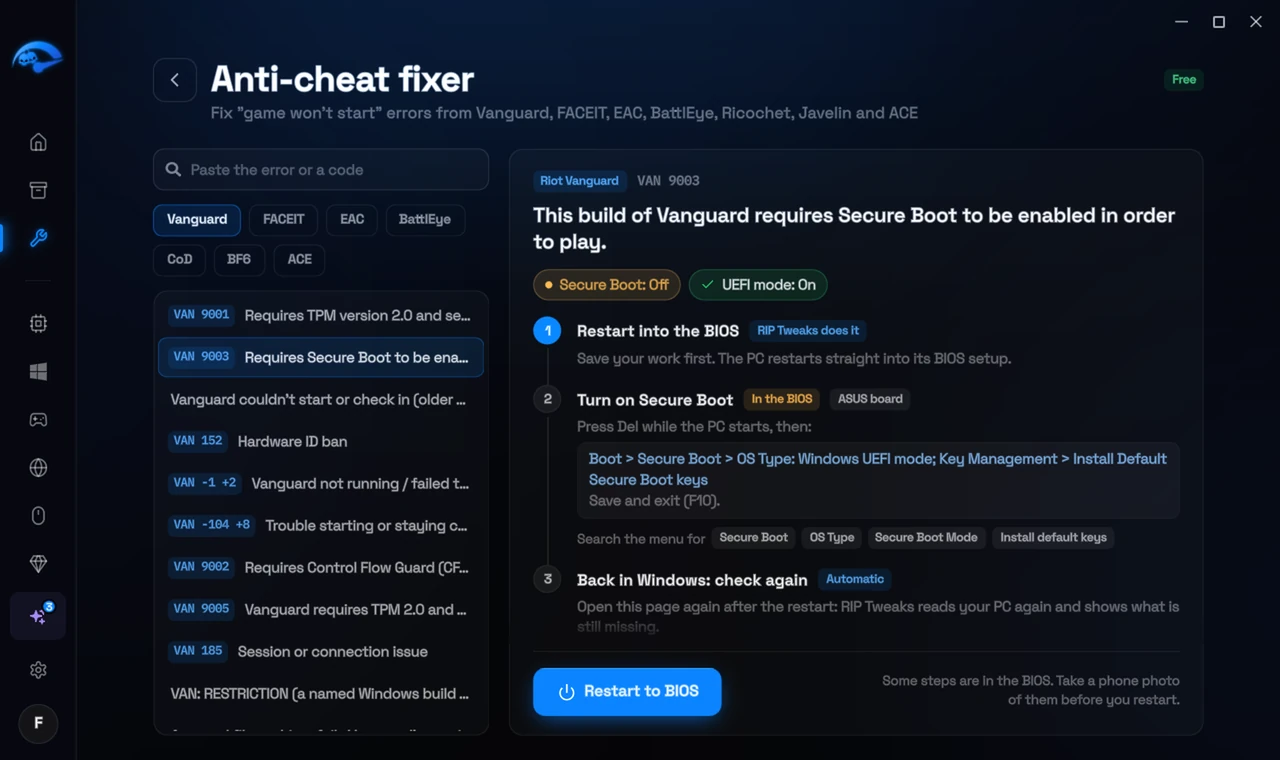
It fixes the Windows side itself
It takes you into the BIOS with the right card
It checks again after the restart
The fixer is free in every plan, also without an account. Download RIP Tweaks (free)
Check that it worked
winver shows a supported version and Settings > Windows Update says You're up to date. Restart the FACEIT anti-cheat.
Frequently asked questions
Can I still use Windows 10 on FACEIT?
Yes, until October 2027, as long as it is Windows 10 22H2 with Extended Security Updates. Otherwise you need Windows 11 23H2 or newer.
What are Extended Security Updates?
Microsoft's paid or enrolled security updates for Windows 10 after its normal support ended in October 2025. You enrol in Settings > Windows Update.
An optimizer blocked Windows Update. How do I undo it?
Undo it in that tool if it has an undo, then set the Windows Update, Update Orchestrator and BITS services back to their defaults in services.msc.
Do I need Windows 11?
Not always. The checks depend on the game: Vanguard asks for TPM 2.0 and Secure Boot on Windows 11, FACEIT accepts Windows 10 22H2 with Extended Security Updates until October 2027, Battlefield 6 needs Secure Boot on Windows 10 as well, and Call of Duty checks TPM 2.0 and Secure Boot on both.
Can changing these settings get me banned?
No. These are the anti-cheat's own requirements, and the publisher asks you to change them. Bans come from cheats and tools that tamper with the game, never from turning on Windows security features.
Sources
- FACEIT Support: Windows security requirements (checked 15 November 2026)
All anti-cheat errors: Anti-Cheat Error Fixes. Related: How to Fix FACEIT "Error Verifying Digital Signature" – 2026 and How to Fix FACEIT "The Service Cannot Be Started" – 2026.