
How to Fix VAN 185 in Valorant (Session Issue) – 2026
VAN 185 means the Vanguard session got out of step, usually because the Riot Client has been open for days or you are signed in on another PC. Close the Riot Client completely, sign out everywhere else, restart the PC and log in again. That fixes it in almost every case.
VAN 185
What causes VAN 185
Vanguard keeps a session with Riot's servers while you play. It breaks when the client has been running for a long time, when the same account is signed in elsewhere, after the PC woke from sleep, or when a network change (VPN, Wi-Fi switch) cut the session.
How to fix VAN 185 in Windows
Restart the Riot Client and sign out elsewhere
Restart the PC (a real restart)
Unplug extra devices
Sync the clock
services.msc and try again.Fix it in one click with RIP Tweaks (free)
RIP Tweaks 6.9.3 has a free anti-cheat error fixer. Open Fixes, then Anti-cheat errors, and paste VAN 185 or pick your game. The app first checks what your PC has right now (for example Secure Boot: Off, TPM: On) and shows only the steps still missing.
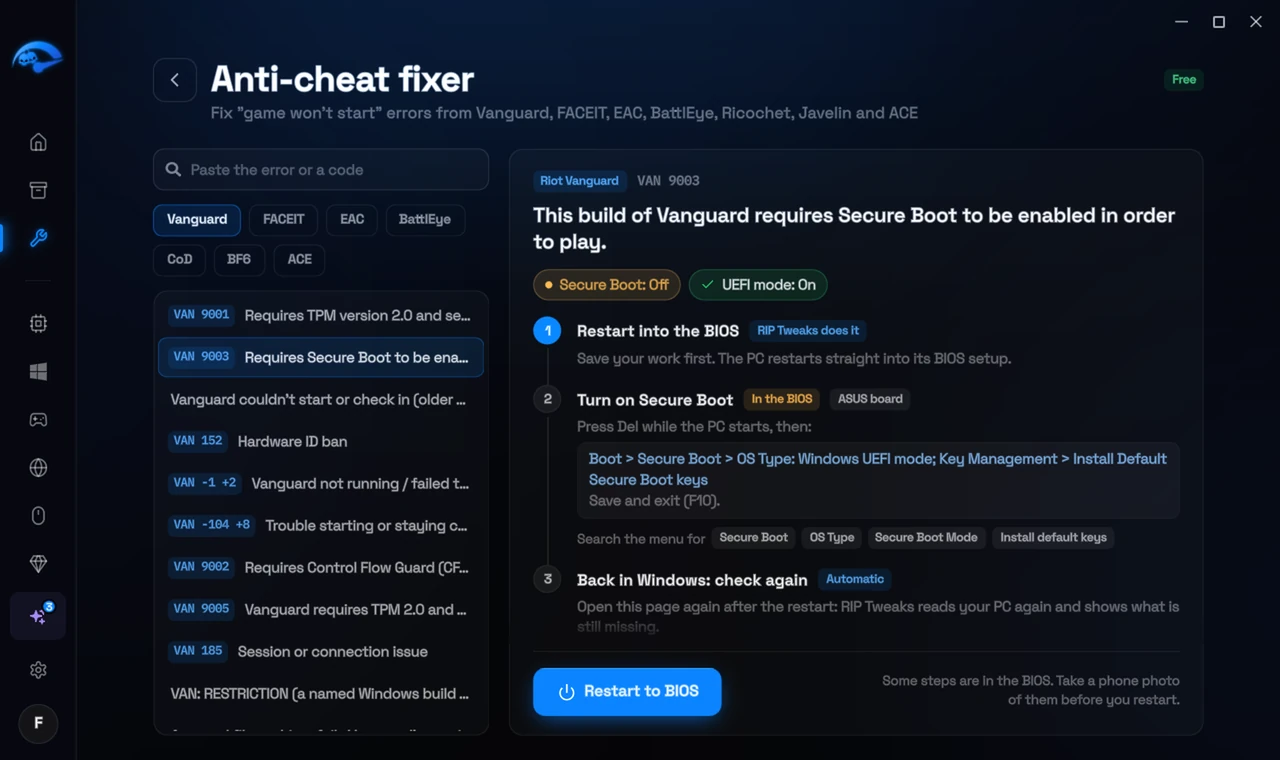
It fixes the Windows side itself
It takes you into the BIOS with the right card
It checks again after the restart
The fixer is free in every plan, also without an account. Download RIP Tweaks (free)
Check that it worked
Log in again after the restart and start a match. If VAN 185 comes back during play, test without a VPN and on a cable connection.
Frequently asked questions
Does a VPN cause VAN 185?
It can. A VPN that reconnects or changes servers breaks the session. Test without it.
Is VAN 185 a ban?
No, it is a session problem. Log in again and play.
Why does it happen after sleep?
Sleep cuts the connection while the session is still open. Restart the Riot Client after waking the PC, or close it before sleep.
Should I reinstall the game?
Usually not. These errors come from Windows or BIOS settings, so a reinstall changes nothing. Repairing the anti-cheat itself is enough when its files are damaged.
Sources
- Riot Support: Vanguard error codes (updated 22 May 2026)
All anti-cheat errors: Anti-Cheat Error Fixes. Related: How to Fix Vanguard Connection Errors (VAN -81, -104, VAN 68, VAN 293) – 2026 and How to Fix "Vanguard Not Initialized" (VAN -1, VAN 57, VAN -117) – 2026.