
2 min to read
A Game Says to Start It From the Epic Games Launcher
Some games from the Epic Games Store, Fortnite above all, only run when the Epic Games Launcher starts them: the launcher signs you in and hands that on to the game. When the game's own file is started instead, the game stops and tells you to start it from the Epic Games Launcher. RIP Tweaks has a switch for exactly this.
Why it happens
You added the game yourself
A game you added with Add Game, by picking its .exe file, starts from that file. That is fine for most games, but Fortnite and other games that need your Epic account refuse to start that way.
Some Epic games start without the launcher
Games that Epic marks as playable offline are started by RIP Tweaks directly, so the Epic Games Launcher and its background apps stay closed. A few of them still ask for the launcher.
Turn on Start with the Epic Games Launcher
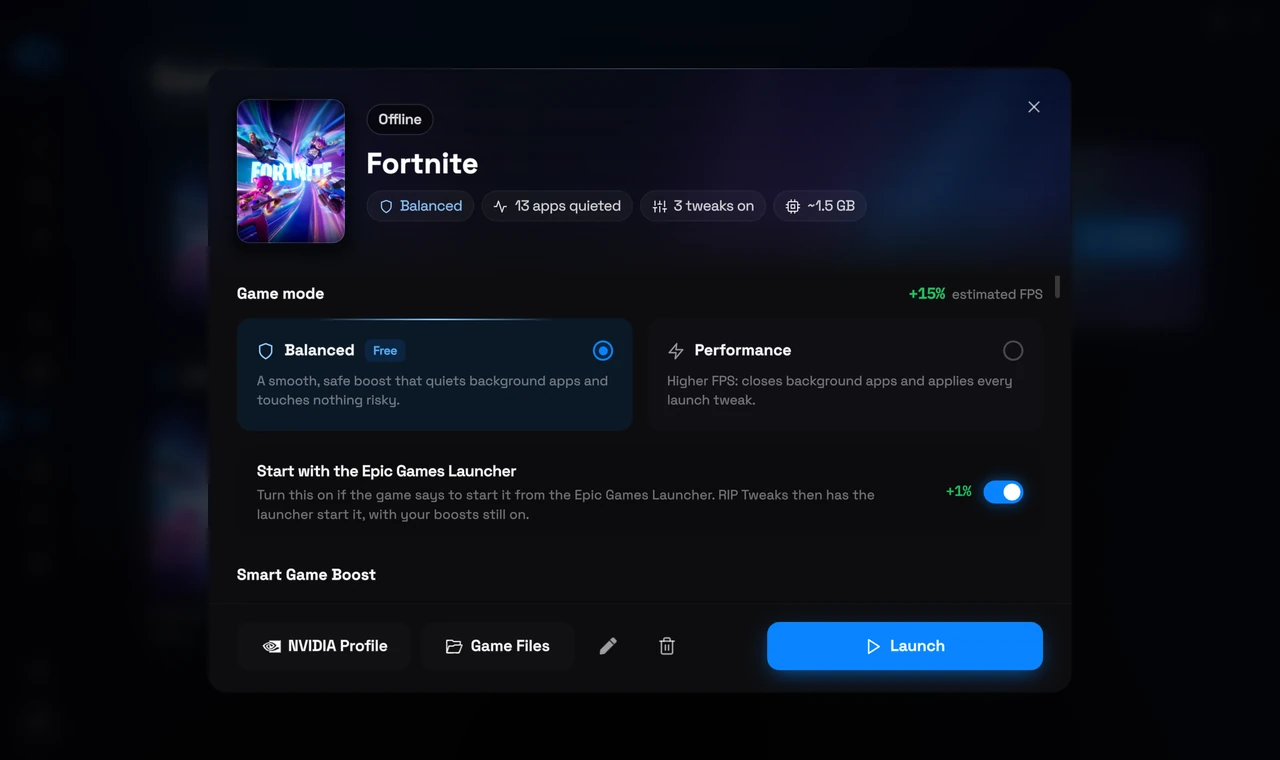
With the switch on, RIP Tweaks never starts the game's own file. It applies your boosts first and then has the Epic Games Launcher start the game, the way Epic does it.
1
Open the game
In the app, open Games in the sidebar and click the game.
2
Turn on the switch
Turn on Start with the Epic Games Launcher, right under the two game modes. It only shows on Epic games.
3
Press Launch
RIP Tweaks applies your boosts, then the Epic Games Launcher signs you in and starts the game. If the launcher was closed, it opens first, which can take a moment.
Good to know
Free in every plan
The switch is part of the free app and works in both game modes.
Off until you turn it on
The app remembers it for that game only. Games that already start fine stay as they are.
Fortnite missing from Games?
When Unreal Editor for Fortnite was installed too, older versions of RIP Tweaks did not list Fortnite. Update the app and Fortnite shows up by itself. A Fortnite the app finds by itself always starts with the Epic Games Launcher.
Still not starting?
Open the Epic Games Launcher once, sign in and press Launch again. If the game still does not start, open a ticket on the Help desk and tell us which game it is.
Related: A Game Stopped Launching After You Applied Tweaks, The Games Page and Per Game Presets.