
How to Fix BattlEye "Kernel Debugging Enabled" and Test-Signing Mode – 2026
"Failed to initialize BattlEye Service: Kernel Debugging enabled" (or "Windows Test-Signing Mode not supported") means Windows started with kernel debugging or test signing on. Suspend BitLocker, turn both off with bcdedit, restart, and BattlEye starts.
BattlEye: Kernel Debugging Enabled
What causes BattlEye: Kernel Debugging Enabled
Kernel debugging and test signing are developer settings that let unsigned drivers load or let a debugger control Windows. BattlEye blocks them because cheats use them. Driver and modding tools often turn them on.
How to fix BattlEye: Kernel Debugging Enabled in Windows
Suspend BitLocker first (if it is on)
manage-bde -protectors -disable C: -RebootCount 2. It turns itself back on after two restarts. Check that you can see your recovery key at aka.ms/myrecoverykey before you go on.Turn off test signing and kernel debugging
bcdedit /set testsigning off, bcdedit /set nointegritychecks off and bcdedit /debug off. The words Test Mode in the bottom right corner of the desktop disappear after the restart. If one line says the value is protected by Secure Boot, it is already off.Fix it in one click with RIP Tweaks (free)
RIP Tweaks 6.9.3 has a free anti-cheat error fixer. Open Fixes, then Anti-cheat errors, and paste BattlEye: Kernel Debugging Enabled or pick your game. The app first checks what your PC has right now (for example Secure Boot: Off, TPM: On) and shows only the steps still missing.
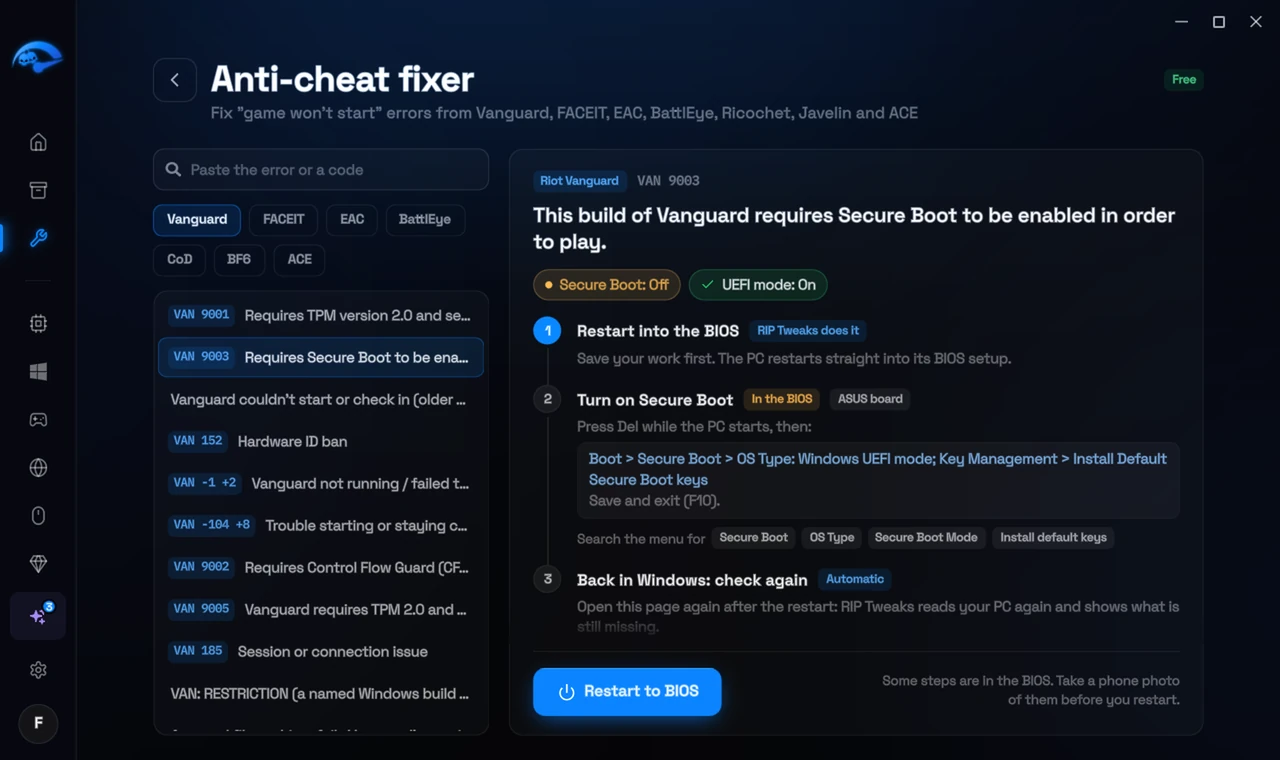
It fixes the Windows side itself
It takes you into the BIOS with the right card
It checks again after the restart
The fixer is free in every plan, also without an account. Download RIP Tweaks (free)
Check that it worked
No Test Mode watermark on the desktop after the restart, and the game starts.
Frequently asked questions
How did kernel debugging get turned on?
Someone ran bcdedit /debug on, or a developer or driver tool did. It stays on until turned off.
BitLocker asks for a recovery key after the change. What do I do?
Enter the 48-digit key from aka.ms/myrecoverykey (signed in with the Microsoft account of that PC), or from where you saved it. That is why you suspend BitLocker before changing BIOS settings: then it does not ask.
Can changing these settings get me banned?
No. These are the anti-cheat's own requirements, and the publisher asks you to change them. Bans come from cheats and tools that tamper with the game, never from turning on Windows security features.
Sources
- BattlEye: FAQ (checked 15 November 2026)
All anti-cheat errors: Anti-Cheat Error Fixes. Related: How to Fix Easy Anti-Cheat Kernel Debugger or Test Signing Errors – 2026 and How to Fix "Failed to Start BattlEye Service" – 2026.