
How to Fix "Authorization Key Failed" in Call of Duty – 2026
"Authorization Key Failed" means the Windows prompt for enrollaik.exe or CODBrokerInstaller.exe was not approved, so Call of Duty could not set up its TPM key. Start the game again and click Yes in the User Account Control prompt. If no prompt appears, set UAC to Always notify and retry.
CoD: Authorization Key Failed
What causes CoD: Authorization Key Failed
Call of Duty registers a key with your TPM through a small helper that needs administrator rights. When the UAC prompt is declined, hidden or switched off, the step fails.
How to fix CoD: Authorization Key Failed in Windows
Approve the authorization prompt
Fix it in one click with RIP Tweaks (free)
RIP Tweaks 6.9.3 has a free anti-cheat error fixer. Open Fixes, then Anti-cheat errors, and paste CoD: Authorization Key Failed or pick your game. The app first checks what your PC has right now (for example Secure Boot: Off, TPM: On) and shows only the steps still missing.
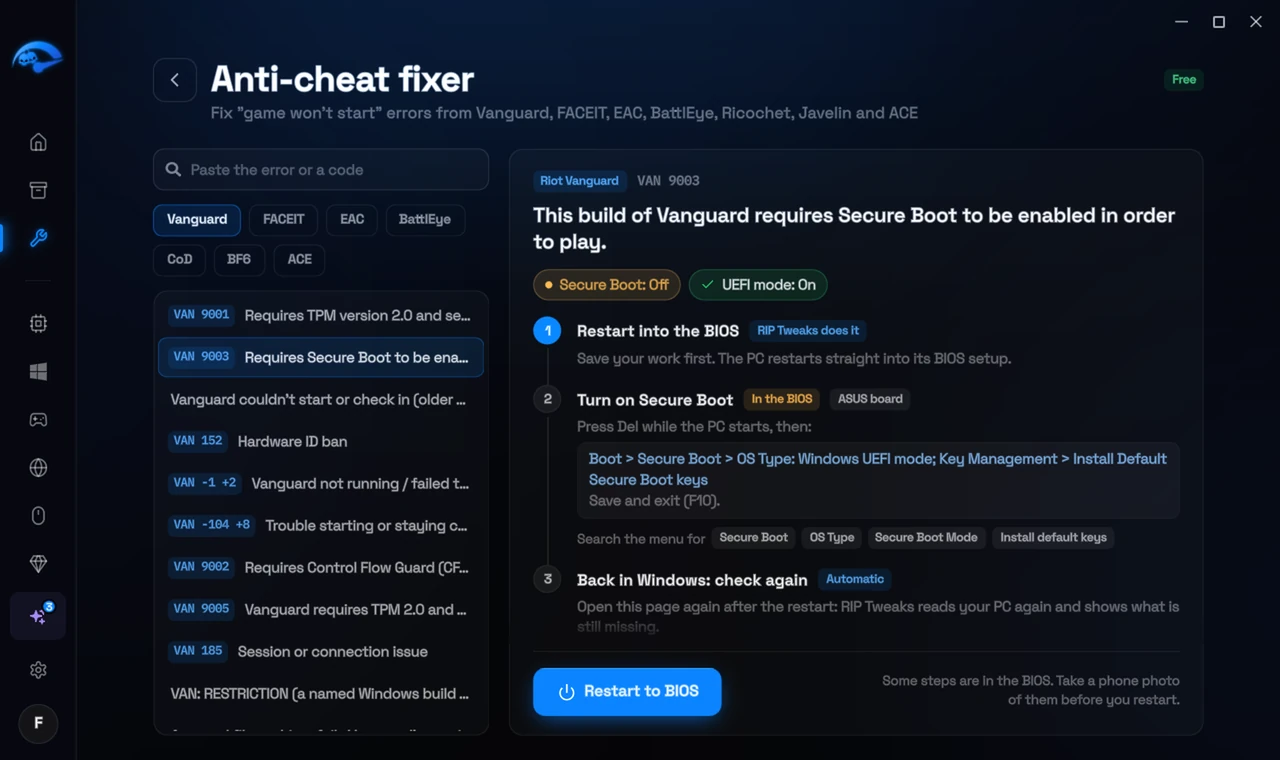
It fixes the Windows side itself
It takes you into the BIOS with the right card
It checks again after the restart
The fixer is free in every plan, also without an account. Download RIP Tweaks (free)
Check that it worked
The wizard line changes to passed and the game continues.
Frequently asked questions
Is it safe to approve enrollaik.exe?
Yes, when it comes from the Call of Duty installation. It sets up the TPM attestation key Activision requires.
I turned UAC off. Is that the problem?
Yes. With UAC off, the prompt cannot appear. Set it to Always notify while you set up the key.
Can changing these settings get me banned?
No. These are the anti-cheat's own requirements, and the publisher asks you to change them. Bans come from cheats and tools that tamper with the game, never from turning on Windows security features.
Sources
- Activision Support: TPM 2.0 and Secure Boot for Call of Duty (updated 5 November 2026)
All anti-cheat errors: Anti-Cheat Error Fixes. Related: How to Fix "TCG Event Log Failed" in Call of Duty – 2026 and How to Fix "Failed Attestation Status" in Call of Duty – 2026.