
How to Fix FACEIT "Your Windows Kernel Has Been Modified" – 2026
"Your Windows kernel has been modified" means FACEIT detected a change to the Windows kernel while it runs, from cheat leftovers, loaders or tools that patch Windows. Repair system files with DISM and SFC, remove tools and drivers that hook into the kernel, test with a clean boot, and if it stays, reinstall Windows from Microsoft.
FACEIT: Windows Kernel Has Been Modified
What causes FACEIT: Windows Kernel Has Been Modified
The kernel is the core of Windows. FACEIT blocks any change to it while it runs. Causes are leftovers of cheats or loaders, "activators" and patched Windows builds, some low-level tweak and driver tools, and malware.
How to fix FACEIT: Windows Kernel Has Been Modified in Windows
Repair Windows system files
DISM /Online /Cleanup-Image /RestoreHealth and wait until it finishes, then run sfc /scannow. Restart. This puts back any Microsoft file that was changed or damaged, using Microsoft's own copies.Find the app behind the blocked driver
Scan for malware
Try a clean boot
msconfig. On Services, tick Hide all Microsoft services and click Disable all. In Task Manager, Startup apps, disable everything. Restart and start the game. If it works, turn things back on in small groups to find the one that clashes, then put everything back.If it stays: reinstall Windows
Fix it in one click with RIP Tweaks (free)
RIP Tweaks 6.9.3 has a free anti-cheat error fixer. Open Fixes, then Anti-cheat errors, and paste FACEIT: Windows Kernel Has Been Modified or pick your game. The app first checks what your PC has right now (for example Secure Boot: Off, TPM: On) and shows only the steps still missing.
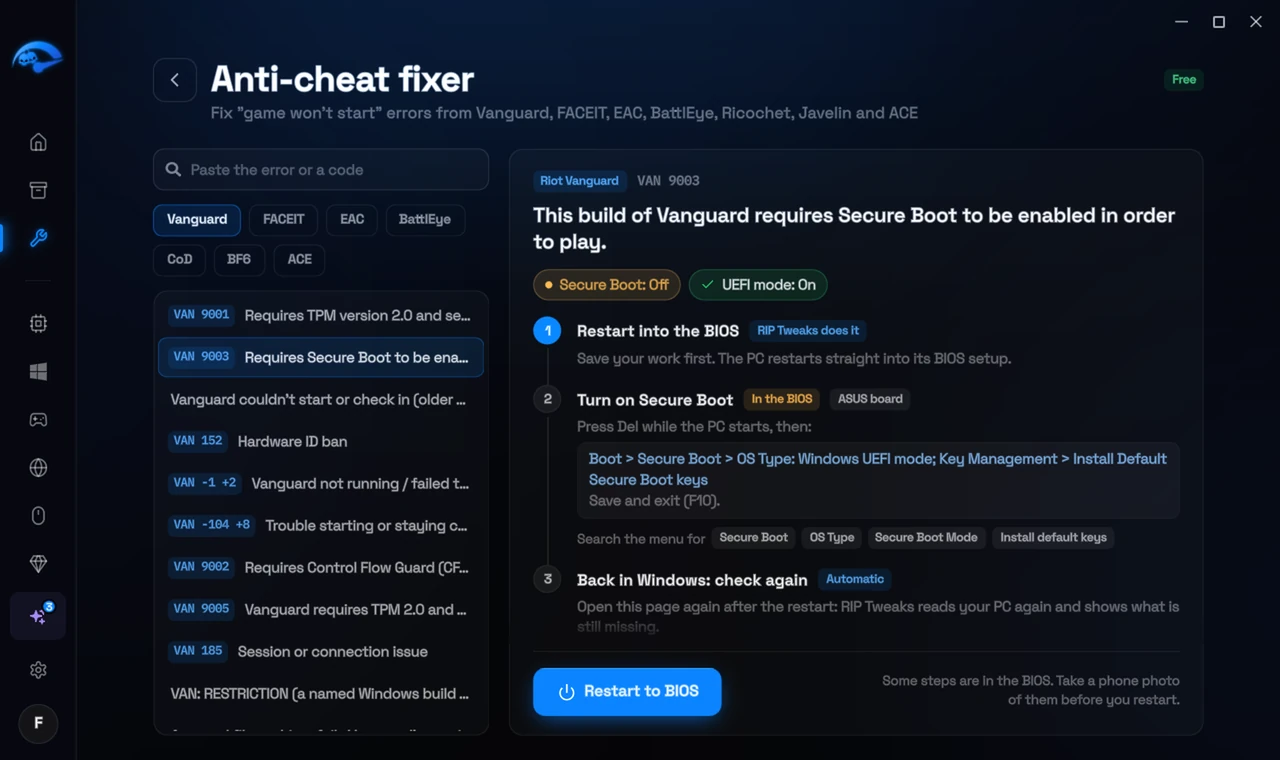
It fixes the Windows side itself
It takes you into the BIOS with the right card
It checks again after the restart
The fixer is free in every plan, also without an account. Download RIP Tweaks (free)
Check that it worked
Start the FACEIT anti-cheat after each step. If it starts in a clean boot but not normally, one of your startup programs is the cause.
Frequently asked questions
I never cheated. Why do I see this?
Patched Windows builds, activators, some driver tools and malware also modify the kernel. Run the repairs and a malware scan.
Does a Windows reset keep my files?
Reset this PC offers Keep my files, which keeps your personal files but removes apps. Back up anyway.
Can changing these settings get me banned?
No. These are the anti-cheat's own requirements, and the publisher asks you to change them. Bans come from cheats and tools that tamper with the game, never from turning on Windows security features.
Sources
- FACEIT Support: Windows security requirements (checked 15 November 2026)
All anti-cheat errors: Anti-Cheat Error Fixes. Related: How to Fix FACEIT "Forbidden Driver" (RTCore64, WinRing0x64) – 2026 and How to Fix "You Need to Disable Test Signing to Launch FACEIT AC" – 2026.