
How to Fix VAN 9002 in Valorant (Control Flow Guard) – 2026
VAN 9002 means Control Flow Guard (CFG), a Windows exploit protection, is switched off for the whole system or for a Riot program. Vanguard needs it on. Open Windows Security, set Control flow guard to Use default (On), remove any Riot entries under Program settings and restart. No BIOS change is needed.
VAN 9002
What causes VAN 9002
Control Flow Guard is on by default in Windows. It gets switched off by optimizer scripts that "disable mitigations" for FPS, by old guides that suggest turning exploit protection off, or by a per-program override for vgc.exe, VALORANT-Win64-Shipping.exe or RiotClientServices.exe. Vanguard checks both the system setting and those programs.
How to fix VAN 9002 in Windows
Put Control Flow Guard back to default
Restart the PC (a real restart)
Fix it in one click with RIP Tweaks (free)
RIP Tweaks 6.9.3 has a free anti-cheat error fixer. Open Fixes, then Anti-cheat errors, and paste VAN 9002 or pick your game. The app first checks what your PC has right now (for example Secure Boot: Off, TPM: On) and shows only the steps still missing.
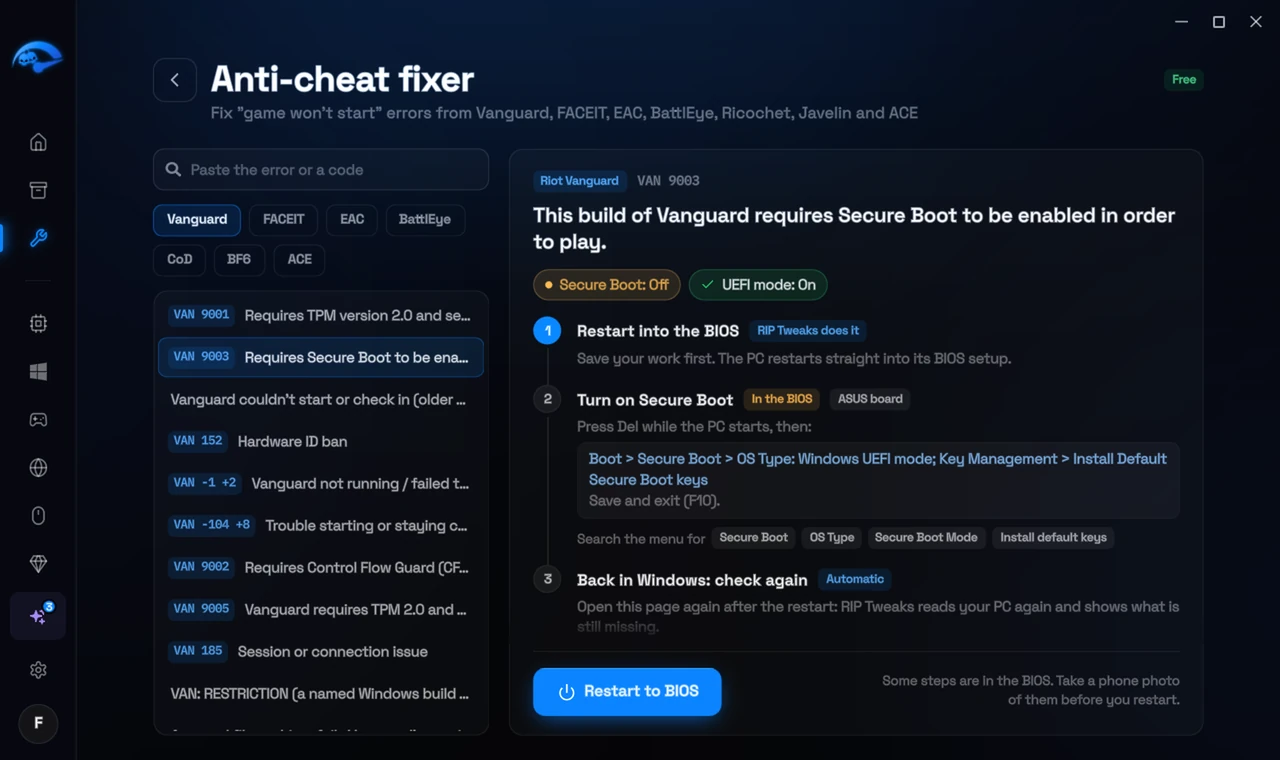
It fixes the Windows side itself
It takes you into the BIOS with the right card
It checks again after the restart
The fixer is free in every plan, also without an account. Download RIP Tweaks (free)
Check that it worked
After the restart, open Exploit protection again: Control flow guard (CFG) shows Use default (On) and the Riot programs are gone from Program settings. Start the Riot Client.
Frequently asked questions
Is it safe to turn Control Flow Guard back on?
Yes, it is the Windows default. It makes some kinds of memory attacks fail and has no measurable effect on FPS in games.
The setting is locked or greyed out. What now?
Then a policy or script set it. In Terminal (Admin) run Set-ProcessMitigation -System -Enable CFG and restart. If your PC is managed by work or school, the administrator controls it.
Which other mitigations should be on?
Keep every System setting in Exploit protection on Use default: CFG, DEP, mandatory ASLR off by default, bottom-up ASLR, high-entropy ASLR and SEHOP. Those are Microsoft's defaults.
Do I need to reinstall Vanguard?
No. Once CFG is back and the PC restarted, Vanguard starts normally.
Can changing these settings get me banned?
No. These are the anti-cheat's own requirements, and the publisher asks you to change them. Bans come from cheats and tools that tamper with the game, never from turning on Windows security features.
Sources
- Riot Support: Vanguard error codes (updated 22 May 2026)
All anti-cheat errors: Anti-Cheat Error Fixes. Related: How to Fix VAN 193 in Valorant (2026) and How to Fix VAN 9001 in Valorant (TPM 2.0 and Secure Boot) – 2026.