
How to Fix VAN: Incompatible Software or OEM Driver – 2026
VAN: Incompatible Software and Incompatible OEM Driver mean Vanguard found a driver or program it refuses to run next to, and the message names the file. Update or uninstall the app that installed that file (often old RGB, fan, overclocking or monitoring tools), restart, and start the game again.
VAN: Incompatible Software
What causes VAN: Incompatible Software
Some drivers have known security holes that cheats use to get into the kernel. Vanguard blocks a list of them. They usually come from old versions of MSI Afterburner, fan and RGB control tools, motherboard utilities or BIOS tools.
How to fix VAN: Incompatible Software in Windows
Find the app behind the blocked driver
Turn the vulnerable driver blocklist back on
Restart the PC (a real restart)
If it still does not work
Contact Riot Support
Fix it in one click with RIP Tweaks (free)
RIP Tweaks 6.9.3 has a free anti-cheat error fixer. Open Fixes, then Anti-cheat errors, and paste VAN: Incompatible Software or pick your game. The app first checks what your PC has right now (for example Secure Boot: Off, TPM: On) and shows only the steps still missing.
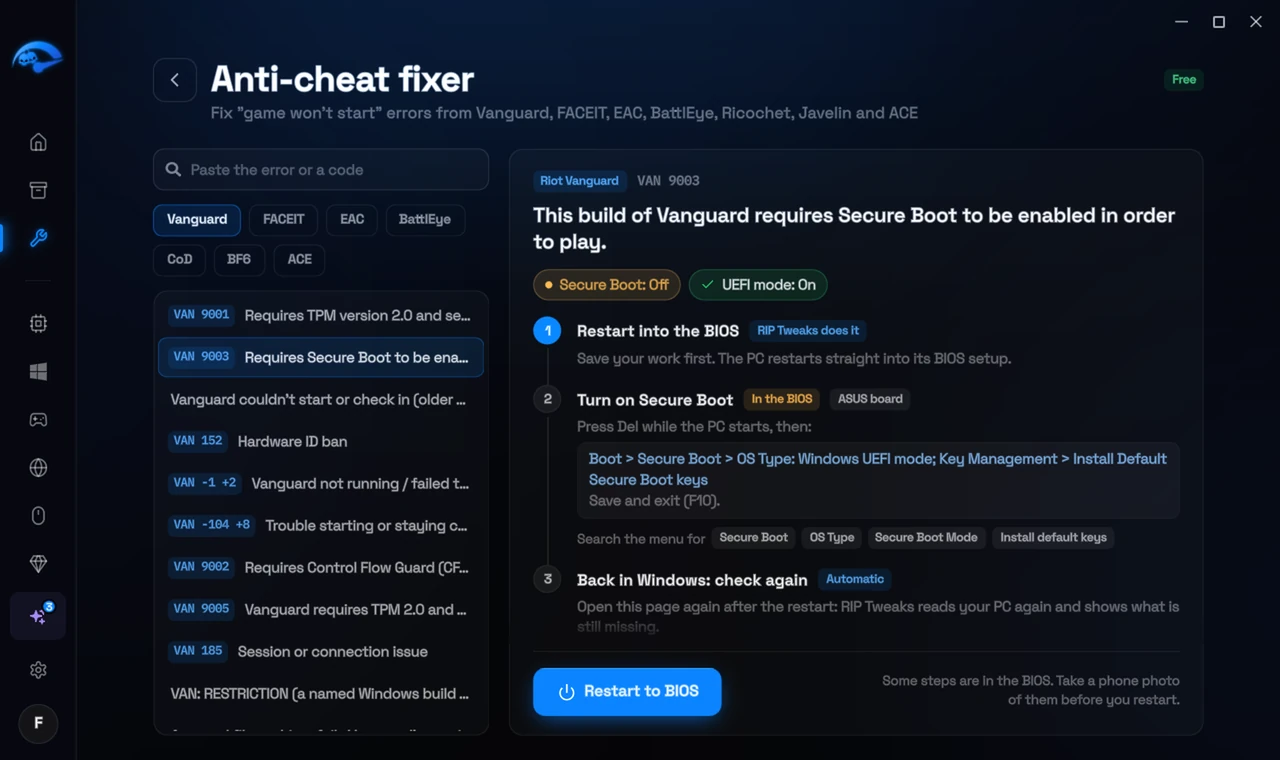
It fixes the Windows side itself
It takes you into the BIOS with the right card
It checks again after the restart
The fixer is free in every plan, also without an account. Download RIP Tweaks (free)
Check that it worked
Start the Riot Client. If a different file is named now, repeat the step for that file.
Frequently asked questions
Can I just delete the driver file?
No. Deleting drivers by hand can break the app or Windows. Uninstall or update the app that owns the driver: that removes it cleanly.
I need that tool. What can I do?
Install its newest version: most makers replaced the old driver. Otherwise close and uninstall it while you play.
Can changing these settings get me banned?
No. These are the anti-cheat's own requirements, and the publisher asks you to change them. Bans come from cheats and tools that tamper with the game, never from turning on Windows security features.
Should I reinstall the game?
Usually not. These errors come from Windows or BIOS settings, so a reinstall changes nothing. Repairing the anti-cheat itself is enough when its files are damaged.
Sources
- Riot Support: Vanguard error codes (updated 22 May 2026)
All anti-cheat errors: Anti-Cheat Error Fixes. Related: How to Fix FACEIT "Forbidden Driver" (RTCore64, WinRing0x64) – 2026 and How to Fix VAN 289 and VAN 302 (Software Interfering With Vanguard) – 2026.