
How to Fix VAN: STATUS_VMD_9001 (Intel VMD Controller) – 2026
VAN: STATUS_VMD_9001 means Vanguard cannot talk to the Intel VMD storage controller, which many newer Intel laptops and desktops use for their SSD. The fix is the current Intel Rapid Storage Technology (VMD) driver from your PC maker. Do not switch the storage mode in the BIOS: Windows may stop starting.
VAN: STATUS_VMD_9001
What causes VAN: STATUS_VMD_9001
Intel Volume Management Device (VMD) sits between the CPU and the SSD. Windows can run it with a generic driver, but Vanguard needs to talk to it through Intel's own driver. Old or generic VMD drivers cause this error.
How to fix VAN: STATUS_VMD_9001 in Windows
Install your PC maker's Intel RST (VMD) driver
Install every Windows update
Restart the PC (a real restart)
If it still does not work
Contact Riot Support
Fix it in one click with RIP Tweaks (free)
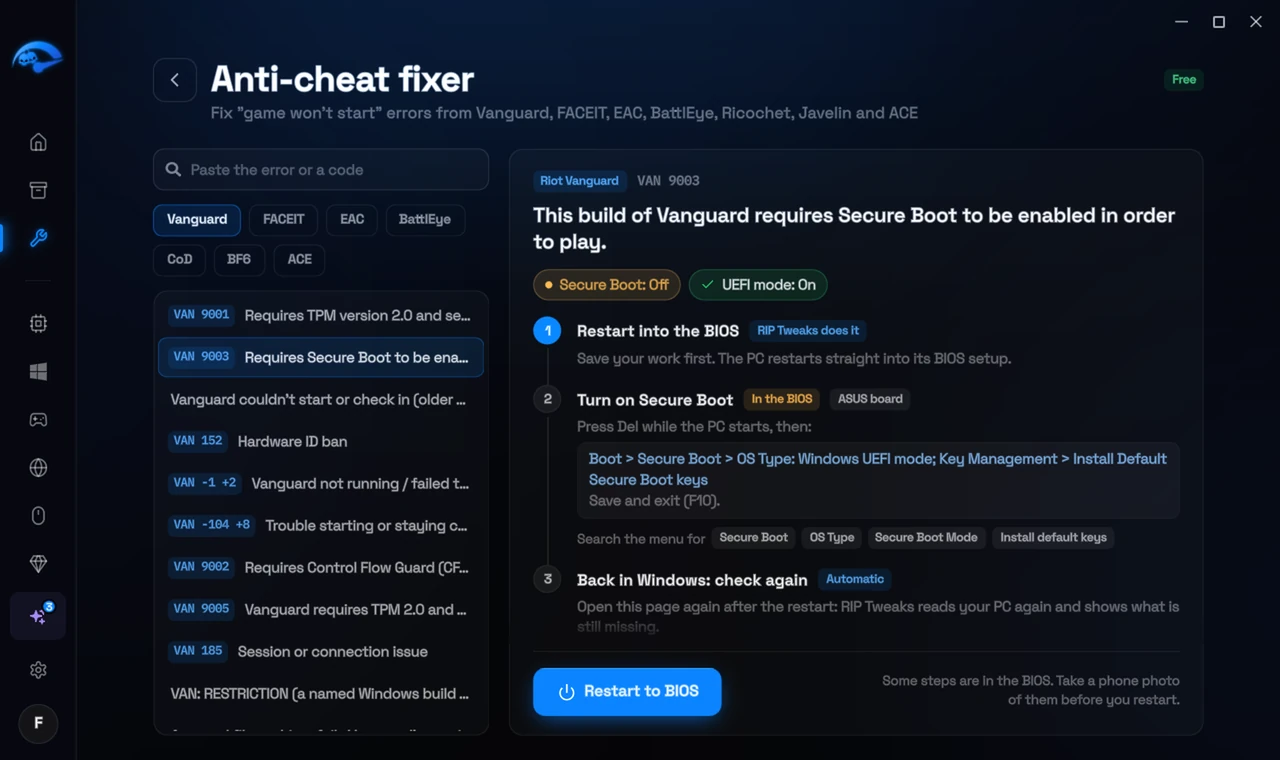
RIP Tweaks 6.9.3 has a free anti-cheat error fixer. Open Fixes, then Anti-cheat errors, and paste VAN: STATUS_VMD_9001 or pick your game. The app first checks what your PC has right now (for example Secure Boot: Off, TPM: On) and shows only the steps still missing.
It fixes the Windows side itself
It takes you into the BIOS with the right card
It checks again after the restart
The fixer is free in every plan, also without an account. Download RIP Tweaks (free)
Check that it worked
In Device Manager, under Storage controllers, you should see the Intel RST VMD Controller with the new driver version. Start the Riot Client.
Frequently asked questions
Can I just turn VMD off in the BIOS?
Not safely. Windows was installed with VMD on, so turning it off usually means Windows cannot find its drive and will not start. Only do it with a full backup and knowing how to reinstall.
Where do I get the right driver?
From the support page of your laptop or motherboard maker for your exact model. Intel's generic package works on many PCs too, but the maker's version is matched to your hardware.
Can changing these settings get me banned?
No. These are the anti-cheat's own requirements, and the publisher asks you to change them. Bans come from cheats and tools that tamper with the game, never from turning on Windows security features.
Sources
- Riot Support: Vanguard error codes (updated 22 May 2026)
All anti-cheat errors: Anti-Cheat Error Fixes. Related: How to Fix VAN: Incompatible Software or OEM Driver – 2026 and How to Fix VAN 9101 (Attestation Failure) – 2026.