
How to Fix BattlEye "Driver Load Error (1450)" – 2026
"Failed to initialize BattlEye Service: Driver Load Error (1450)" means Windows did not have enough of a system resource to load the BattlEye driver. A real restart fixes it in most cases. If it comes back, close tools that load many drivers, install Windows updates and reinstall BattlEye.
BattlEye Driver Load Error (1450)
What causes BattlEye Driver Load Error (1450)
1450 is the Windows error "insufficient system resources". It shows up after long uptime without a restart, after sleep or hibernate, when an antivirus or other driver holds kernel memory, or when old drivers leak memory.
How to fix BattlEye Driver Load Error (1450) in Windows
Restart the PC (a real restart)
Close tools that clash with the anti-cheat
Install every Windows update
Reinstall BattlEye
Fix it in one click with RIP Tweaks (free)
RIP Tweaks 6.9.3 has a free anti-cheat error fixer. Open Fixes, then Anti-cheat errors, and paste BattlEye Driver Load Error (1450) or pick your game. The app first checks what your PC has right now (for example Secure Boot: Off, TPM: On) and shows only the steps still missing.
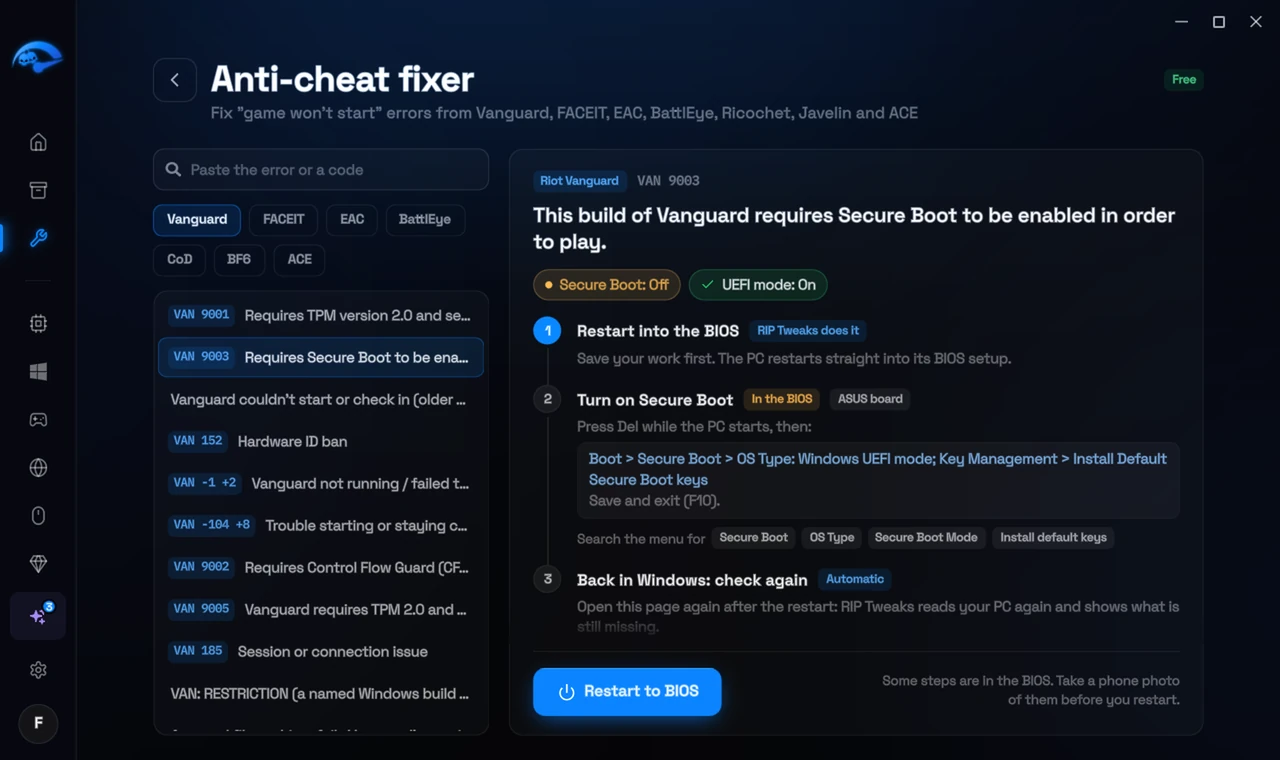
It fixes the Windows side itself
It takes you into the BIOS with the right card
It checks again after the restart
The fixer is free in every plan, also without an account. Download RIP Tweaks (free)
Check that it worked
Start the game: BattlEye initializes without the error.
Frequently asked questions
Why does a restart fix error 1450?
It frees the kernel memory that other drivers used up. Sleep and Fast Startup do not.
Should I turn off Fast Startup?
It can help: Control Panel > Power Options > Choose what the power buttons do > uncheck Turn on fast startup. Then Shut down works like a full restart.
Should I reinstall the game?
Usually not. These errors come from Windows or BIOS settings, so a reinstall changes nothing. Repairing the anti-cheat itself is enough when its files are damaged.
Can changing these settings get me banned?
No. These are the anti-cheat's own requirements, and the publisher asks you to change them. Bans come from cheats and tools that tamper with the game, never from turning on Windows security features.
Sources
- BattlEye: FAQ (checked 15 November 2026)
- Gaijin Support: BattlEye troubleshooting (checked 15 November 2026)
All anti-cheat errors: Anti-Cheat Error Fixes. Related: How to Fix "Failed to Start BattlEye Service" – 2026 and How to Fix Easy Anti-Cheat Error 30005 (CreateFile Failed With 32) – 2026.