
How to Fix "EA Javelin Has Detected Disallowed Software" in Battlefield 6 – 2026
"EA Javelin anticheat has detected disallowed software" means a program Javelin blocks is running, often a macro or remap tool, a debugger, a memory tool or an overlay. Close it, restart the PC, and start Battlefield 6 again. A clean boot finds the program if you do not know which one it is.
EA Javelin: Disallowed Software Detected
What causes EA Javelin: Disallowed Software Detected
Javelin blocks software that can read or change game memory or simulate input: cheat tools, debuggers, memory editors, some macro and remap tools, and some monitoring or RGB tools with low-level drivers.
How to fix EA Javelin: Disallowed Software Detected in Windows
Close tools that clash with the anti-cheat
Restart the PC (a real restart)
Try a clean boot
msconfig. On Services, tick Hide all Microsoft services and click Disable all. In Task Manager, Startup apps, disable everything. Restart and start the game. If it works, turn things back on in small groups to find the one that clashes, then put everything back.Fix it in one click with RIP Tweaks (free)
RIP Tweaks 6.9.3 has a free anti-cheat error fixer. Open Fixes, then Anti-cheat errors, and paste EA Javelin: Disallowed Software Detected or pick your game. The app first checks what your PC has right now (for example Secure Boot: Off, TPM: On) and shows only the steps still missing.
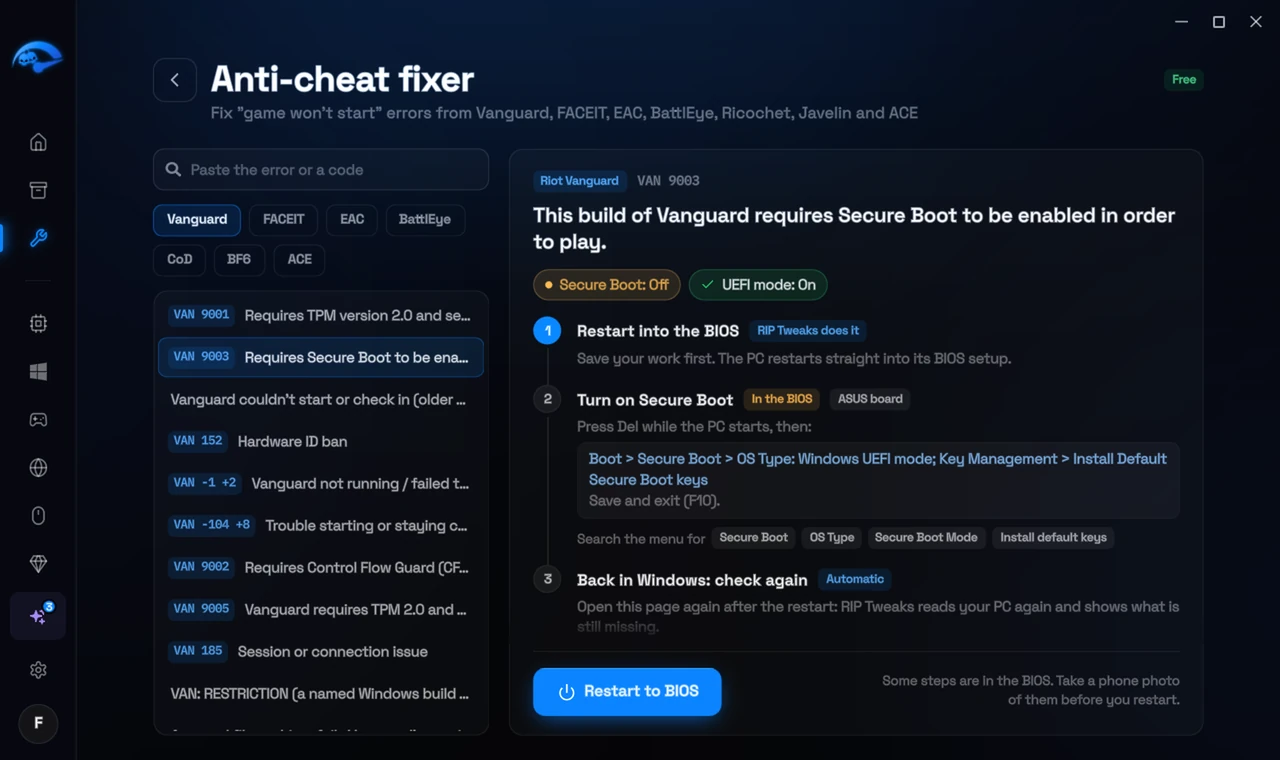
It fixes the Windows side itself
It takes you into the BIOS with the right card
It checks again after the restart
The fixer is free in every plan, also without an account. Download RIP Tweaks (free)
Check that it worked
Battlefield 6 starts without the message.
Frequently asked questions
Will I get banned for disallowed software?
The message stops the game from starting so you can close the program. Do not use cheats or memory tools with online games.
Can changing these settings get me banned?
No. These are the anti-cheat's own requirements, and the publisher asks you to change them. Bans come from cheats and tools that tamper with the game, never from turning on Windows security features.
Sources
- EA Help: Battlefield 6 error codes (checked 15 November 2026)
All anti-cheat errors: Anti-Cheat Error Fixes. Related: How to Fix Javelin Error 95 "Unacceptable Configuration" in Battlefield 6 – 2026 and How to Fix "EA Javelin Anticheat Encountered an Error" in Battlefield 6 – 2026.