
How to Fix "Easy Anti-Cheat Is Not Installed" – 2026
"Easy Anti-Cheat is not installed" means the game cannot find a working EAC service on your PC. Open the game's EasyAntiCheat folder, run the EAC setup as administrator and click Install or Repair, then verify the game files in your launcher. If an optimizer disabled the EAC service, set it back to Manual.
Easy Anti-Cheat Is Not Installed
What causes Easy Anti-Cheat Is Not Installed
Games install EAC with the first start, but the service can go missing: a cleaner removed it, an antivirus blocked the setup, an optimizer set the service to Disabled, or the game was copied from another PC instead of installed.
How to fix Easy Anti-Cheat Is Not Installed in Windows
Set the Easy Anti-Cheat service to start
services.msc. Find EasyAntiCheat or EasyAntiCheat_EOS. If it says Disabled, set Startup type to Manual. The game starts it when needed.Repair Easy Anti-Cheat
Restart the PC (a real restart)
Fix it in one click with RIP Tweaks (free)
RIP Tweaks 6.9.3 has a free anti-cheat error fixer. Open Fixes, then Anti-cheat errors, and paste Easy Anti-Cheat Is Not Installed or pick your game. The app first checks what your PC has right now (for example Secure Boot: Off, TPM: On) and shows only the steps still missing.
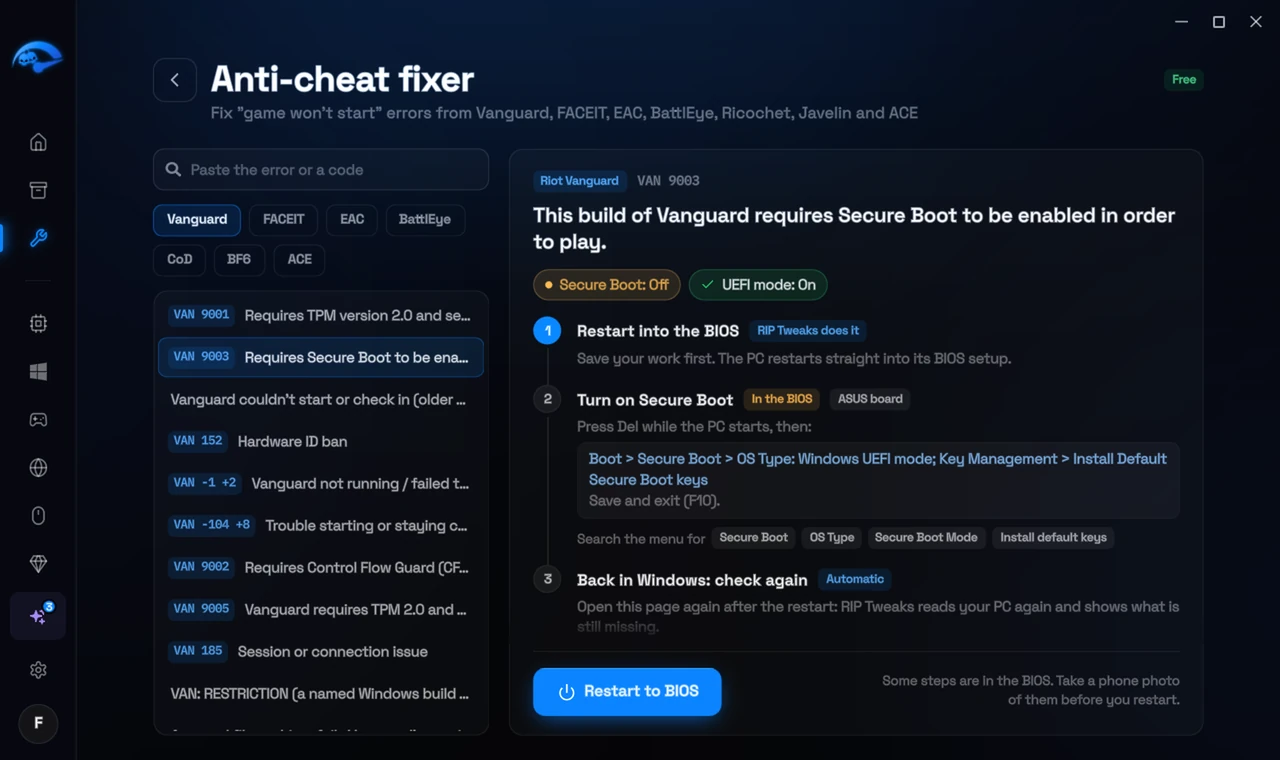
It fixes the Windows side itself
It takes you into the BIOS with the right card
It checks again after the restart
The fixer is free in every plan, also without an account. Download RIP Tweaks (free)
Check that it worked
In services.msc you see EasyAntiCheat or EasyAntiCheat_EOS set to Manual, and the game starts with the EAC splash screen.
Frequently asked questions
Where is the EAC setup?
In the game's install folder, in a folder called EasyAntiCheat: EasyAntiCheat_EOS_Setup.exe for newer games, EasyAntiCheat_Setup.exe for older ones.
Is it safe to reinstall EAC?
Yes. It installs the same signed service the game uses. Nothing in your game saves changes.
Should I reinstall the game?
Usually not. These errors come from Windows or BIOS settings, so a reinstall changes nothing. Repairing the anti-cheat itself is enough when its files are damaged.
Can changing these settings get me banned?
No. These are the anti-cheat's own requirements, and the publisher asks you to change them. Bans come from cheats and tools that tamper with the game, never from turning on Windows security features.
Sources
- Easy Anti-Cheat: support (checked 15 November 2026)
- Fatshark Support: How to resolve Easy Anti-Cheat errors (checked 15 November 2026)
All anti-cheat errors: Anti-Cheat Error Fixes. Related: How to Fix Easy Anti-Cheat Error 30005 (CreateFile Failed With 32) – 2026 and How to Fix Easy Anti-Cheat "Untrusted System File" – 2026.