
Extras: What You Can Add and What It Costs
Extras are tools you can add to RIP Tweaks. In the app, open Extras in the sidebar: it holds Apps, Drivers, PC Analysis and Crosshairs. On the website, each one has its own page under Extras, and the Extras tab in My Account shows what you own, along with your extra devices and your setup session.
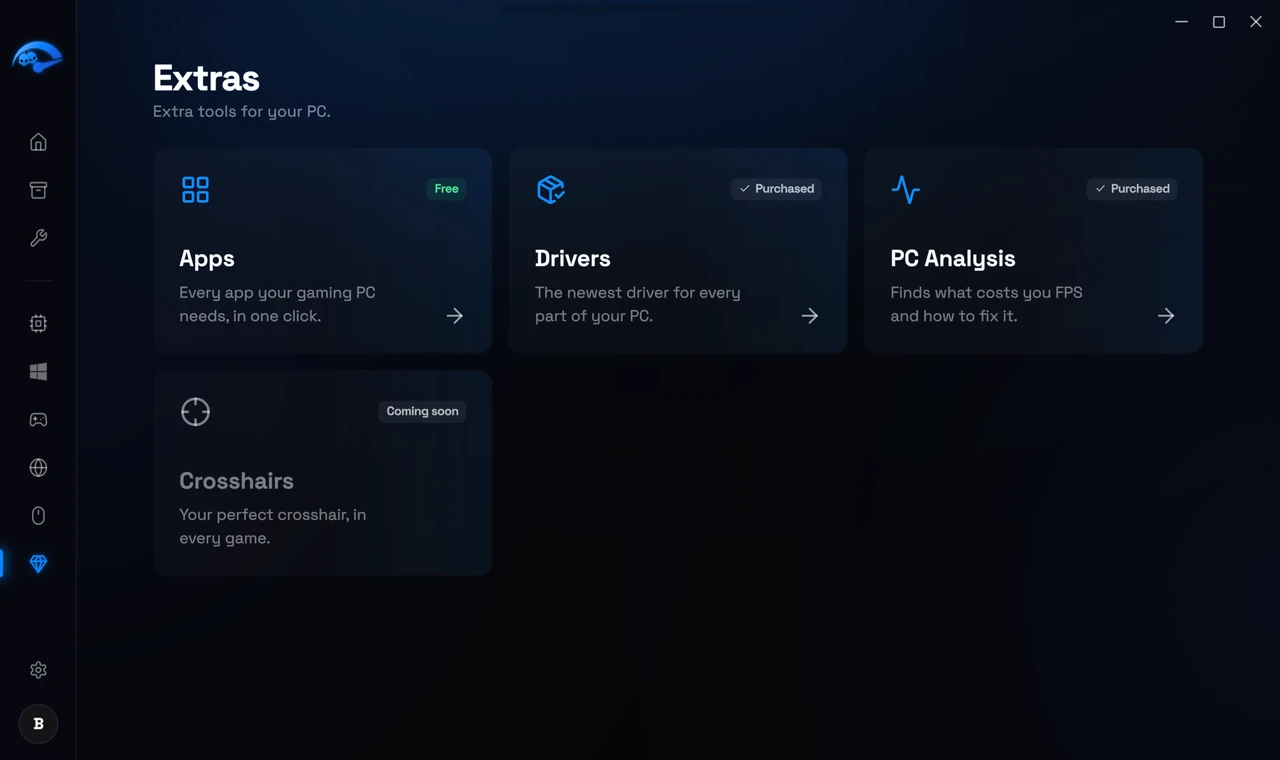
What you can add
Apps: free
Drivers: 2.49 euro once
PC Analysis: 2.49 euro once
Crosshairs: 2.49 euro once
Extra devices
Premium runs on one PC at a time. You can add more PCs, up to 3 in total: 2.99 euro a month or 19.99 euro a year per extra PC, renewed together with your plan, or 29.99 euro once per extra PC on Lifetime. Add them in My Account, under Extras, or when you buy Premium.
We set it up for you: 20 euro once
We tune your PC together with you in a remote session of 30 to 60 minutes. You can add it when you buy Premium. After you pay, you pick the time in My Account, under Extras. If we cannot hold your session within 14 days, you get your money back.
Prices in your currency
The prices here are in euro. Outside the euro area you pay in your own currency, at the price set for your country, the same way as Premium. The extra's page and the payment page always show your price before you pay.
What stays yours
Drivers, PC Analysis and Crosshairs are one-time purchases. They stay on your account for good, even if your Premium plan ends. Extra devices are part of your plan: they renew with it and end with it. On Lifetime you pay for them once and keep them.
How to buy an extra
Open the extra
Pay on the payment page
It unlocks by itself
Related: PC Analysis: What It Checks and What It Costs, Driver Updates: How They Work and What They Cost, Device Limit Error: How to Move RIP Tweaks to a New PC.