Crosshairs is an extra in the RIP Tweaks app. It puts a crosshair on top of any game and keeps it there until you turn it off. Make up to 50 of your own or use one of 15 ready-made ones, give each one a hotkey and hide it while you aim. It used to be a separate app, RIP Reticle. Now it is part of RIP Tweaks.
What it costs
2.49 euro once
One payment of 2.49 euro unlocks Crosshairs for good. Outside the euro area, the website shows the price in your own currency, and the payment page shows it to you before you pay.
Free for RIP Reticle and Lifetime customers
Bought RIP Reticle before? Then Crosshairs is already yours. The same goes for every Lifetime customer. You don't have to do anything: sign in to RIP Tweaks with your account and it is unlocked. If you had RIP Reticle, use the same account you bought it with.
Not part of Premium
Crosshairs is an extra of its own. Once it is yours, it stays on your account, even if your Premium plan ends.
Make your own crosshair
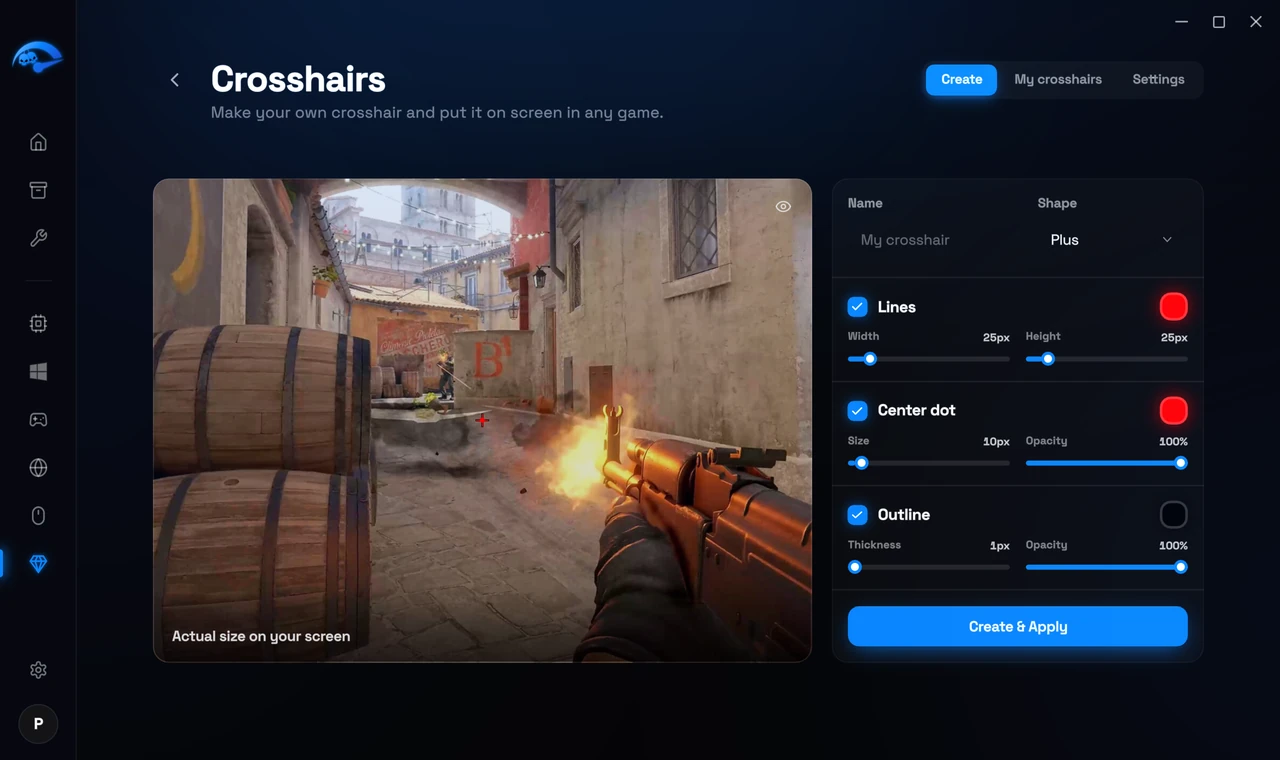
The Crosshairs page has three tabs at the top right: Create, My crosshairs and Settings. In Create, a live preview shows your crosshair over a game picture at Actual size on your screen, so it looks the same in your game. The eye button hides the game picture or shows it again.
1
Open Crosshairs from Extras
In the app, open Extras in the sidebar and pick Crosshairs. Then open the Create tab.
2
Give it a name and a shape
Type a Name and pick a Shape, for example Plus, X or Dot.
3
Set the lines, center dot and outline
Each part has a checkbox to turn it on or off, and its own color. Lines: Width and Height. Center dot: Size and Opacity. Outline: Thickness and Opacity.
4
Press Create & Apply
Your crosshair is saved and goes on screen right away. When you change one later, the button reads Save & Apply. New starts a fresh crosshair, and the delete button removes the one you are editing.
Put a crosshair on screen
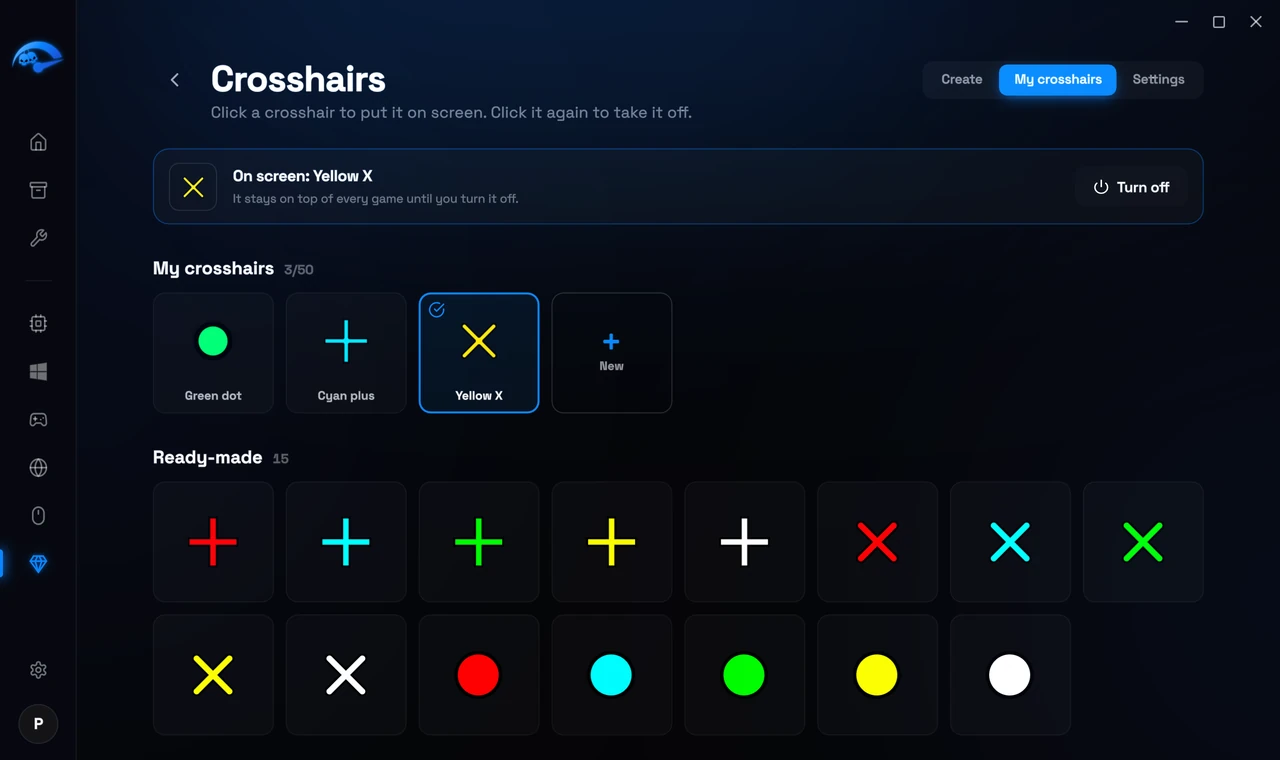
My crosshairs shows every crosshair you can use.
What is on screen
The bar at the top shows which crosshair is on screen, for example On screen: My crosshair. Press Turn off to take it off. The crosshair stays on top of every game until you turn it off.
Your own crosshairs
Each one is a tile. Click a tile to put that crosshair on screen, and click it again to take it off. The pen icon opens it in Create so you can change it, and the + New tile makes a new one. You can keep up to 50.
15 ready-made crosshairs
Below your own, under Ready-made, are 15 crosshairs that are ready to use. They work the same way: click one to put it on screen.
Hotkeys and settings
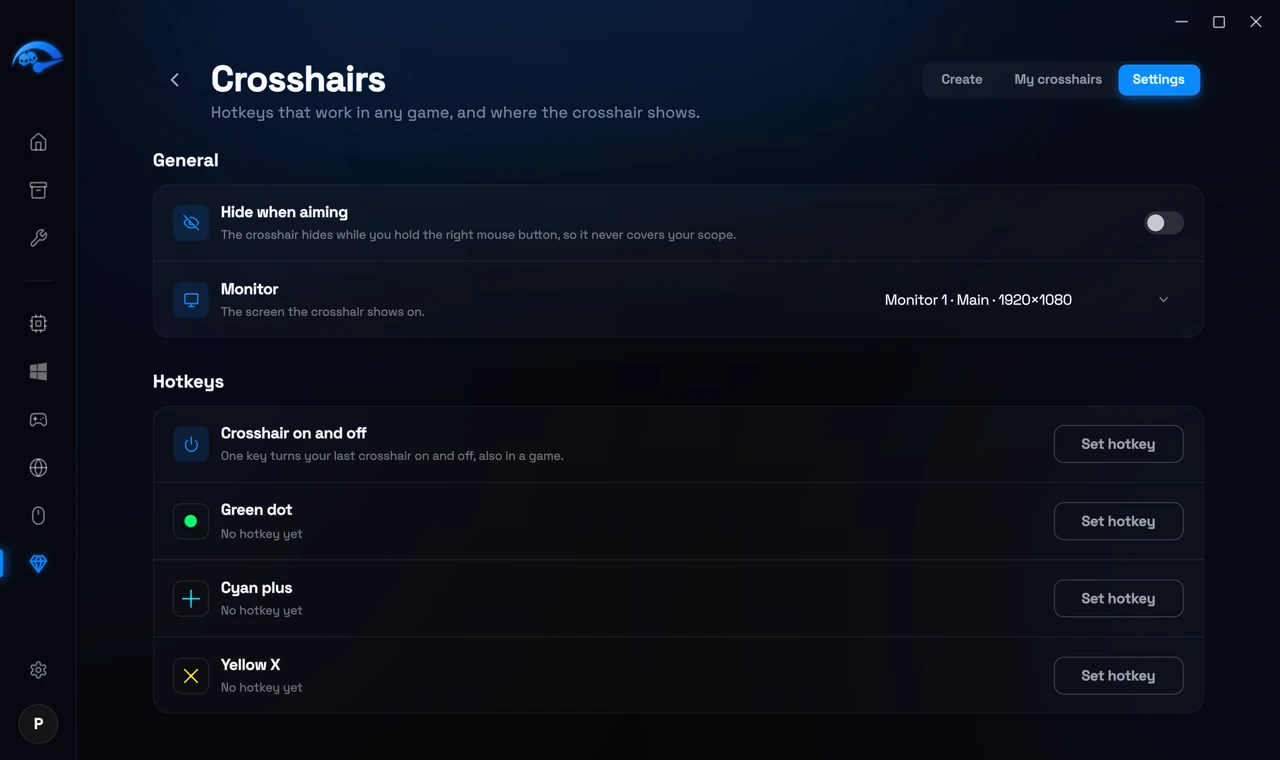
Settings has two parts: General and Hotkeys.
Hide when aiming
The crosshair hides while you hold the right mouse button, so it never covers your scope.
Monitor
If you have more than one screen, pick the one the crosshair shows on.
Hotkeys
Crosshair on and off is one key that turns your crosshair on and off, also in a game. Each of your own crosshairs can get its own hotkey as well, so you can switch crosshairs without leaving the game. Press Set hotkey, then press the key you want. If another program already uses that key, the app asks you to pick a different one.
You also find the on and off key in the app's Settings window, under Crosshairs.
Saved to your account
Your crosshairs and settings are saved to your account online. Sign in on another PC and they are all there. Crosshairs you made in RIP Reticle come back by themselves.
How to buy it
Press Unlock at the top of the Crosshairs page in the app, or Unlock for 2.49 euro in the Create tab. The payment page opens in your browser, and Crosshairs unlocks in the app as soon as the payment arrives. You can also buy it on the website, on its page under Extras, or in My Account, under Extras, which also shows it once it is yours. Your account needs an email address.