
How to Fix VAN 9100 and VAN 138 (Running in a Virtual Machine) – 2026
VAN 9100 and VAN 138 mean Vanguard detected that Windows runs inside a virtual machine, and Riot does not allow that. Install and play Valorant or League of Legends on your real Windows, not in VMware, VirtualBox, a Hyper-V guest or a cloud PC. If you are not using a VM, an emulator or virtualization tool is the likely reason.
VAN 9100 / VAN 138
What causes VAN 9100 / VAN 138
Cheats are often run from virtual machines, so Vanguard refuses to start inside one. Normal Windows features like Memory integrity, WSL 2 and Windows Sandbox use the Windows hypervisor, but they do not make your Windows a virtual machine and do not cause this error. A guest VM, cloud gaming PC or some Android emulators can.
How to fix VAN 9100 / VAN 138 in Windows
Play on Windows itself, not in a virtual machine
Restart the PC (a real restart)
If it still does not work
Contact Riot Support
Fix it in one click with RIP Tweaks (free)
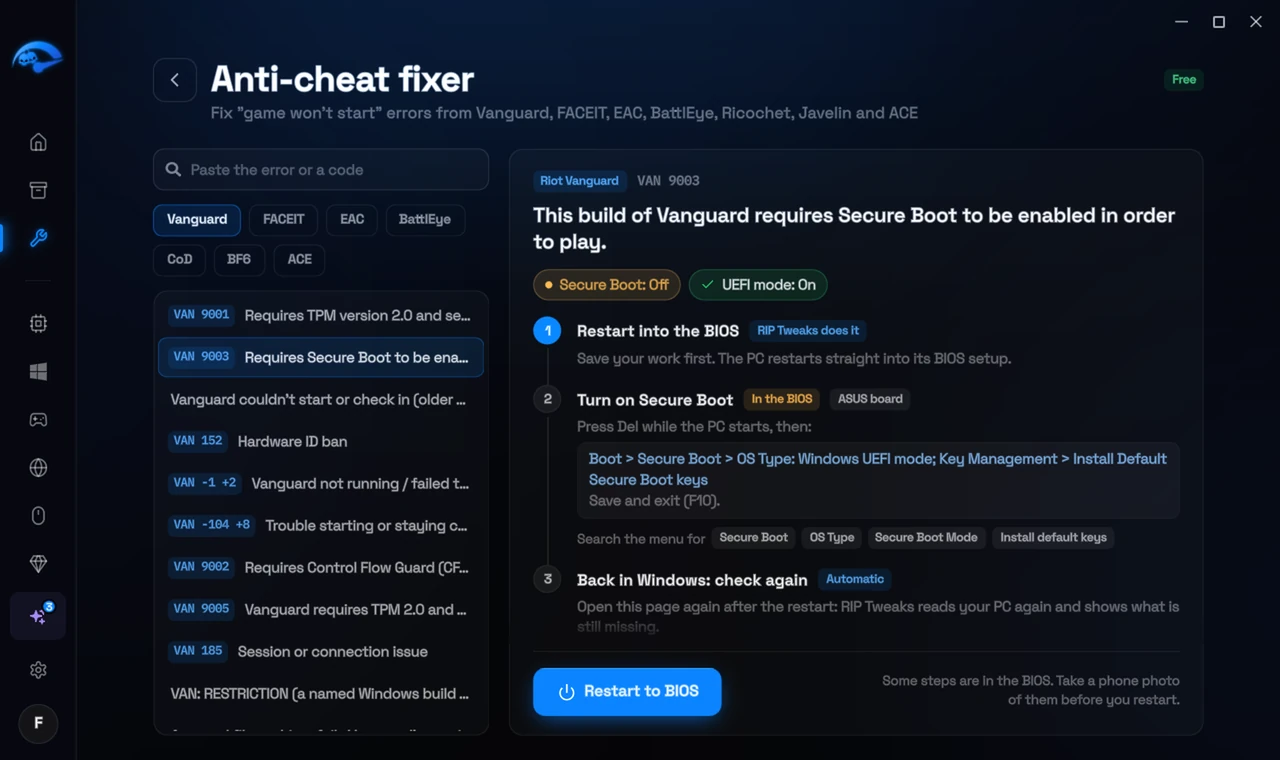
RIP Tweaks 6.9.3 has a free anti-cheat error fixer. Open Fixes, then Anti-cheat errors, and paste VAN 9100 / VAN 138 or pick your game. The app first checks what your PC has right now (for example Secure Boot: Off, TPM: On) and shows only the steps still missing.
It fixes the Windows side itself
It takes you into the BIOS with the right card
It checks again after the restart
The fixer is free in every plan, also without an account. Download RIP Tweaks (free)
Check that it worked
Start the Riot Client on your normal Windows desktop. If VAN 9100 still shows and you are sure you are not in a VM, send Riot the logs from their Repair Tool.
Frequently asked questions
Does Memory integrity count as a virtual machine?
No. Memory integrity and VBS run on the Windows hypervisor, but your Windows stays the host. Riot even asks for Memory integrity on some PCs.
Can I play Valorant on a cloud PC like Shadow?
Riot does not support it: cloud PCs are virtual machines, so Vanguard shows this error.
Do I need to uninstall VirtualBox or VMware?
Having them installed is usually fine as long as Windows itself is not running inside one. If the error appears on your real PC, uninstall them as a test and restart.
Can changing these settings get me banned?
No. These are the anti-cheat's own requirements, and the publisher asks you to change them. Bans come from cheats and tools that tamper with the game, never from turning on Windows security features.
Sources
- Riot Support: Vanguard error codes (updated 22 May 2026)
All anti-cheat errors: Anti-Cheat Error Fixes. Related: How to Fix VAN 9101 (Attestation Failure) – 2026 and How to Fix VAN 9005 in Valorant (VBS, TPM 2.0 and UEFI) – 2026.