
What Is RIP Tweaks? The PC Optimizer for Gamers Explained
RIP Tweaks is a PC optimization app for Windows gamers. It takes the settings that normally sit buried across Windows, your drivers and your network stack, and puts them behind one interface where you can apply them safely and undo them just as easily.
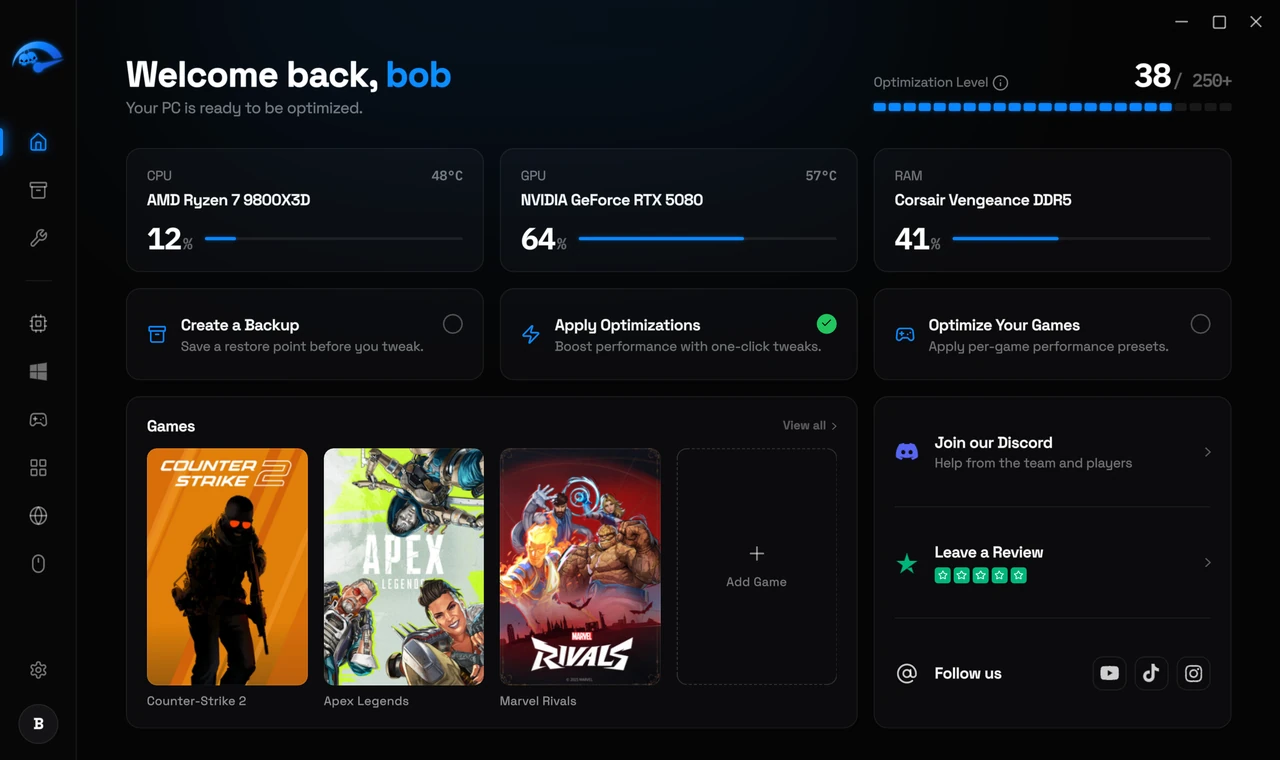
There are over 250 individual tweaks in the app, grouped by what they affect:
- Hardware. CPU core parking, scheduling and priority. GPU performance settings for NVIDIA, AMD and Intel. Memory management tuning. Storage I/O and TRIM settings. Fan profiles and custom curves. BIOS settings you can apply from inside Windows.
- Windows. Debloating Microsoft’s preinstalled apps, telemetry and background tasks. Power plans and idle state tuning. Disk cleanup. Startup programs. Appearance and taskbar options.
- Network. Connection tuning aimed at lower and steadier latency.
- Input lag. Mouse and keyboard latency settings, including polling rate.
- Games. Per game presets, and RIP Mode, which frees up your system right before you play.
The Home screen shows your processor, graphics and memory at a glance with live usage and temperatures, plus an Optimization Level ring telling you how many tweaks you currently have applied.
Everything RIP Tweaks changes is a legitimate Windows, driver or hardware setting. It does not touch game files, game memory or any running game process.
What to expect
Every change is reversible. RIP Tweaks creates a restore point so you can put your system back exactly as it was at any time.
The areas it covers
Hardware
Windows
Network
Input
Cleanup and debloat
What it deliberately does not do
It does not touch your games
It is not an overclocking tool in the risky sense
It does not run constantly
It is software only
Who it is actually for
It helps most on systems that have accumulated background software, on laptops with manufacturer utilities running, and on fresh Windows 11 installs where the security defaults cost frame stability. It helps least on a machine that is already carefully maintained, and it cannot raise a ceiling set by your graphics card in a genuinely GPU limited game.
Most people see a real improvement, and on older or bloated systems it is often the biggest jump. How much you gain depends on your hardware, your game and how your PC was set up before, so we do not quote a fixed number. There is a free version so you can find out on your own machine.
Related: Free and Premium, Is it safe and will I get banned.