NVIDIA Driver SSD Bug in 621.14 and 621.24 and the One-Click Fix (2026)

Written version of our video, every step checked against it.
Quick answer
- GeForce drivers 621.14 and 621.24 keep rewriting a log file (
nvlog.nvlgstg), even when the PC is idle. People have measured up to 30 GB of writes per hour. - Open the NVIDIA app and look under Drivers: if it says Version 621.14 or 621.24, your PC runs an affected driver.
- Reinstalling the same driver does not help. The fix is going back one update, to driver 621.01.
- In RIP Tweaks (free), open Fixes. The You're in the danger zone card measures what your NVIDIA driver writes for one minute.
- Click Roll back to 621.01, then Fix it: restore point, download from nvidia.com, file check and clean install run by themselves.
This guide is for anyone with an NVIDIA graphics card who updated to driver 621.14 or 621.24 and wants to know if the SSD bug hits their PC and how to stop it. It follows our video step by step: what the bug does, how to see your driver version, the free check on the Fixes page of RIP Tweaks, the one-click rollback to 621.01 and how to confirm the right driver is installed afterwards.
In this video
NVIDIA rolled out drivers 621.14 and 621.24, and both come with a big bug. A background NVIDIA service, the NVIDIA Display Container, keeps rewriting the same log file over and over. People have measured up to 30 GB of writes every single hour, and it happens when you are not gaming or doing anything at all on the PC.

Every SSD can only take so many writes before it wears out. A log file that is rewritten nonstop uses up that budget for nothing and shortens the drive's life. People online keep reporting it and tech sites have written about it, but NVIDIA has not commented and has not pushed a fixed driver.
Good to know
The process is NVDisplay.Container.exe and the file is nvlog.nvlgstg in C:\ProgramData\NVIDIA Corporation\nvtopps\nct. Deleting the file only helps until the driver writes it again.
Open the NVIDIA app and click Drivers in the left sidebar. Under Installed - GeForce Game Ready Driver you see the version number. The PC in the video is on 621.24, one of the two affected versions.
NVIDIA appDriversInstalled - GeForce Game Ready Driver
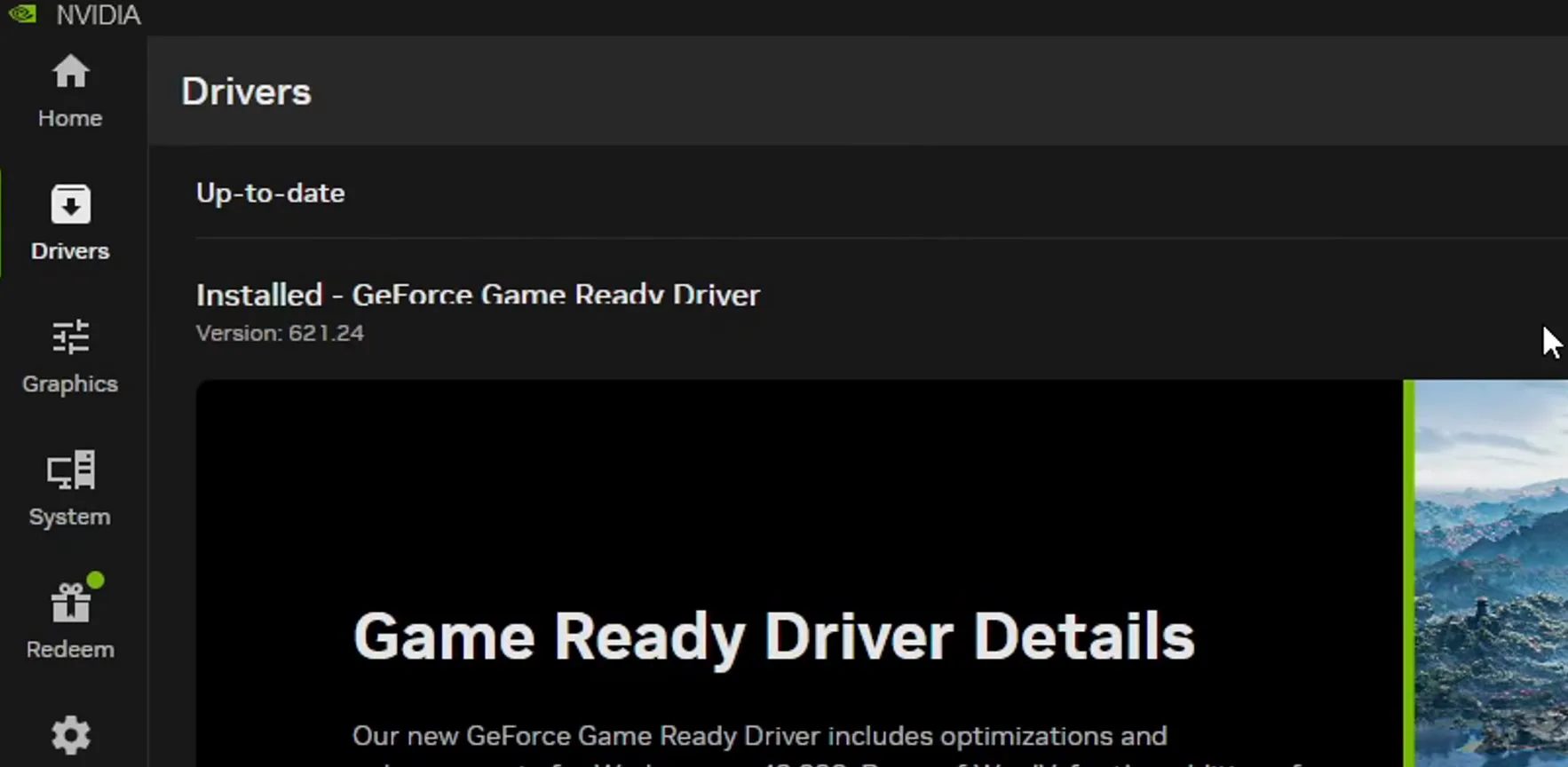
The NVIDIA app offers no button to revert this update. Reinstalling the driver changes nothing, and NVIDIA has not released an update that fixes it. The only option is to go back one update, to 621.01, the earlier driver that works well and leaves your SSD alone.
Careful
Do not waste time on a reinstall or a clean install of 621.24 or 621.14. The same driver brings the same log writes back.
In the video, RIP Tweaks comes from our Discord server. Open your browser, type discord.gg/riptweaks and press Enter, then join the server. Open the free-tweaks channel, click Download RIP Tweaks and then Download for Windows. You can also get it straight from riptweaks.com.
discord.gg/riptweaksfree-tweaksDownload RIP TweaksDownload for Windows
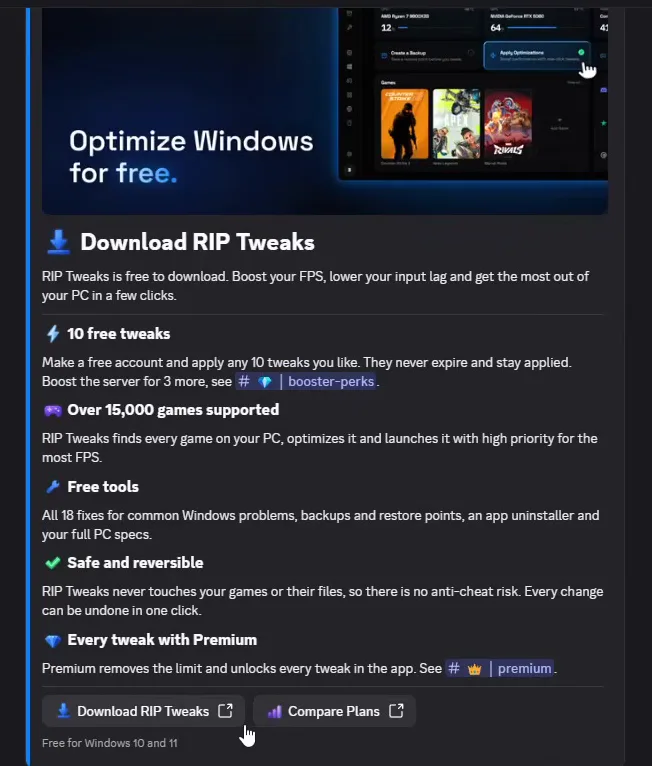
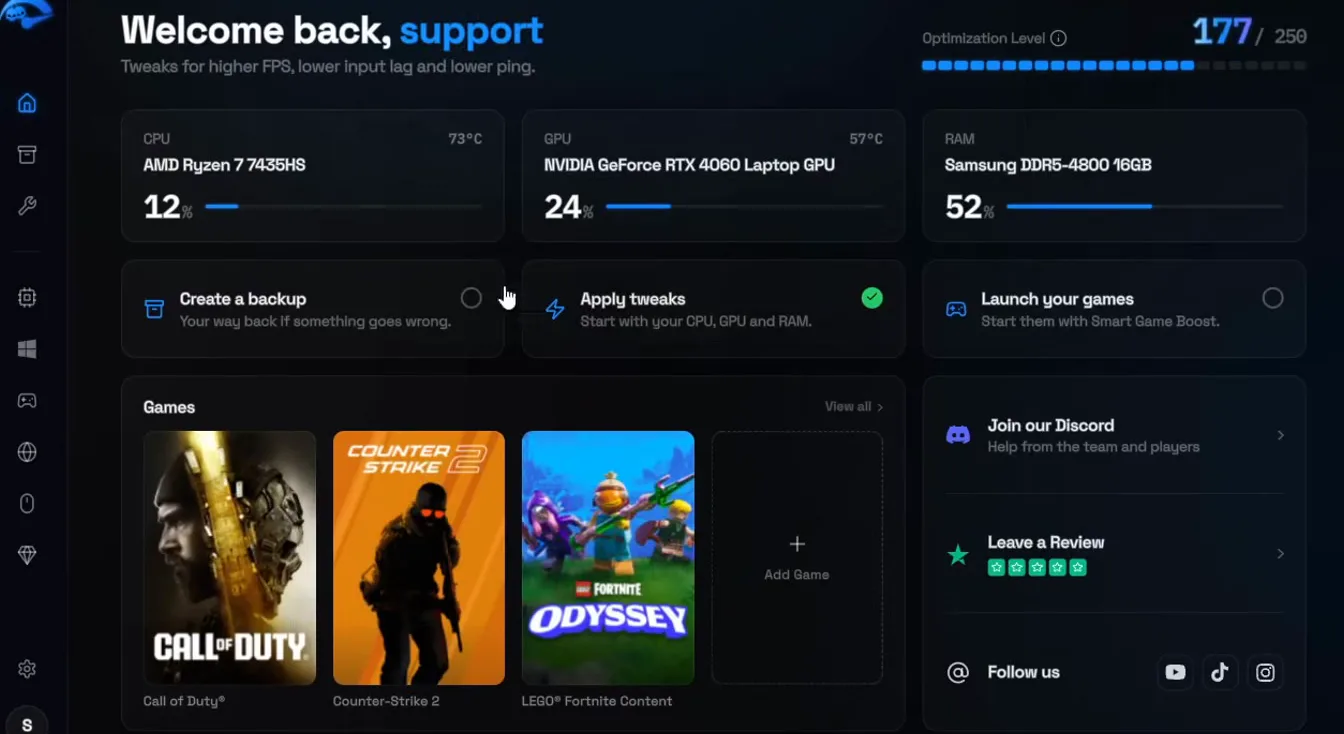
Run the installer and wait until it is fully finished. When the app opens, register quickly, or continue as a guest if you don't want an account. The driver fix works either way.
The first thing to do in the app is open Fixes in the sidebar. On an affected driver, a red card sits at the top: You're in the danger zone, with the line "Driver 621.24 is the one reported to keep writing to SSDs, even when the PC is idle."
RIP TweaksFixesYou're in the danger zone
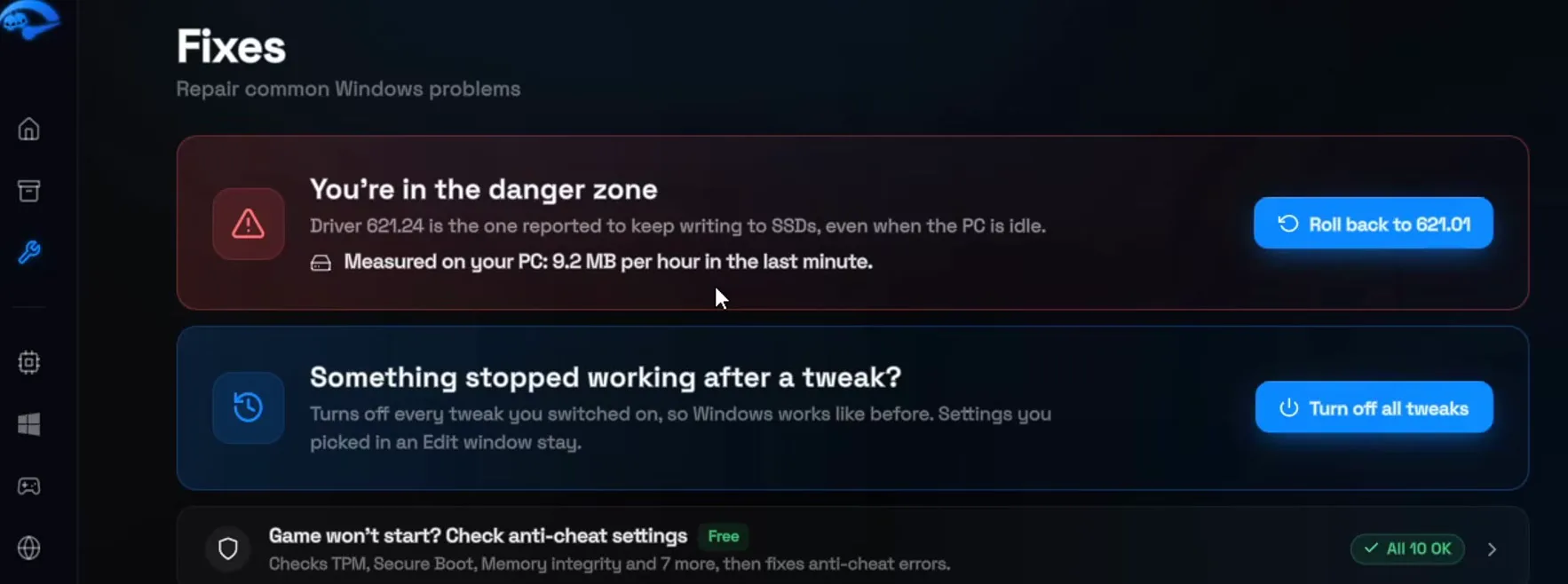
The card then measures what your NVIDIA driver writes in the background for one minute and counts the seconds down while it runs. On the PC in the video it shows 9.2 MB per hour in the last minute. That is a low reading for this bug, but the driver still writes for no reason, and other PCs report far more. The card measures your own PC, so you see your own number.
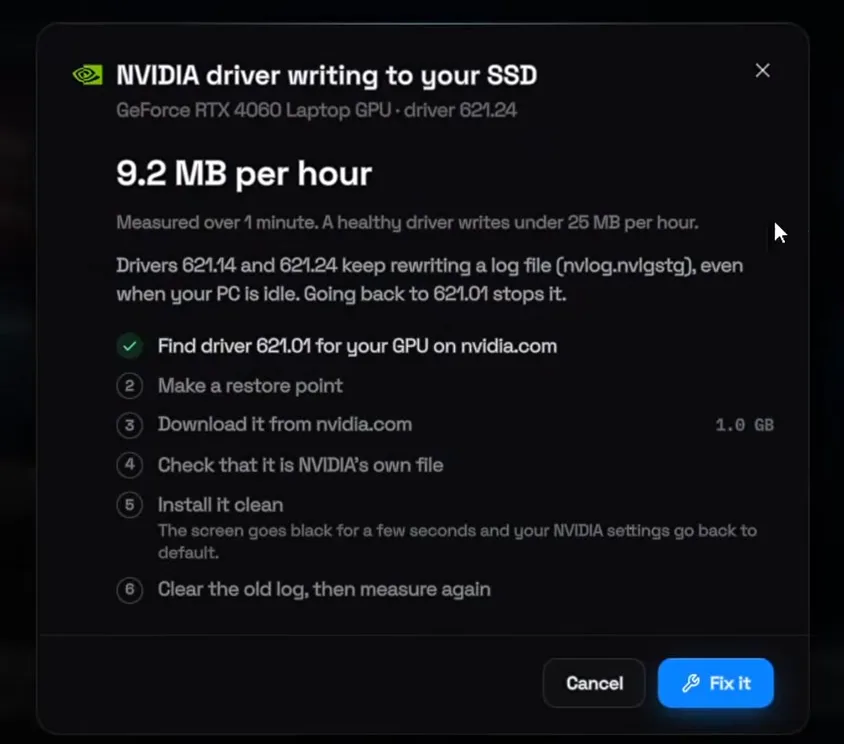
Click Roll back to 621.01 on the card. A window opens with your graphics card and driver, the measurement, and the six steps the app will take. Click Fix it and the app does the rest by itself:
- finds driver 621.01 for your GPU on nvidia.com,
- makes a restore point, so you have a backup and stay safe,
- downloads the driver from the official NVIDIA website (about 1.0 GB in the video),
- checks that it is NVIDIA's own file,
- installs it clean in the background,
- clears the old log, then measures again.
FixesRoll back to 621.01Fix it
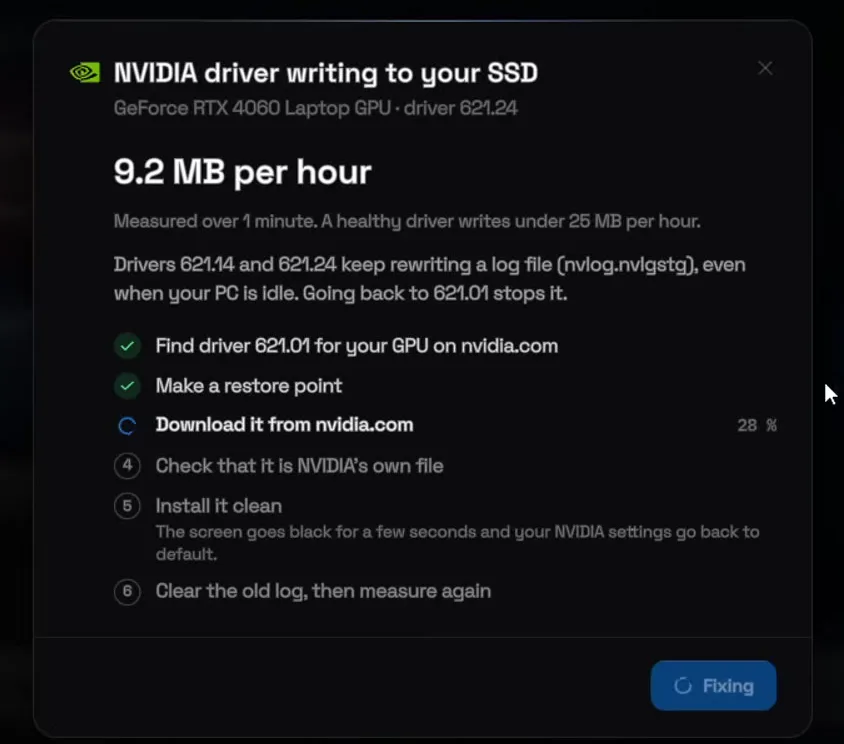
You don't have to do anything while it runs. When the install finishes, the app restarts, and the rollback is done.
Careful
During the clean install your screen goes black for a few seconds and your NVIDIA settings go back to default. If you changed settings in the NVIDIA app before, set them again afterwards, for example with our NVIDIA app settings guide.
Open the NVIDIA app again and go to Drivers. It now shows Update available with New - GeForce Game Ready Driver, Version 621.24. That is the affected driver, so do not install it.
NVIDIA appDriversInstalled - GeForce Game Ready Driver
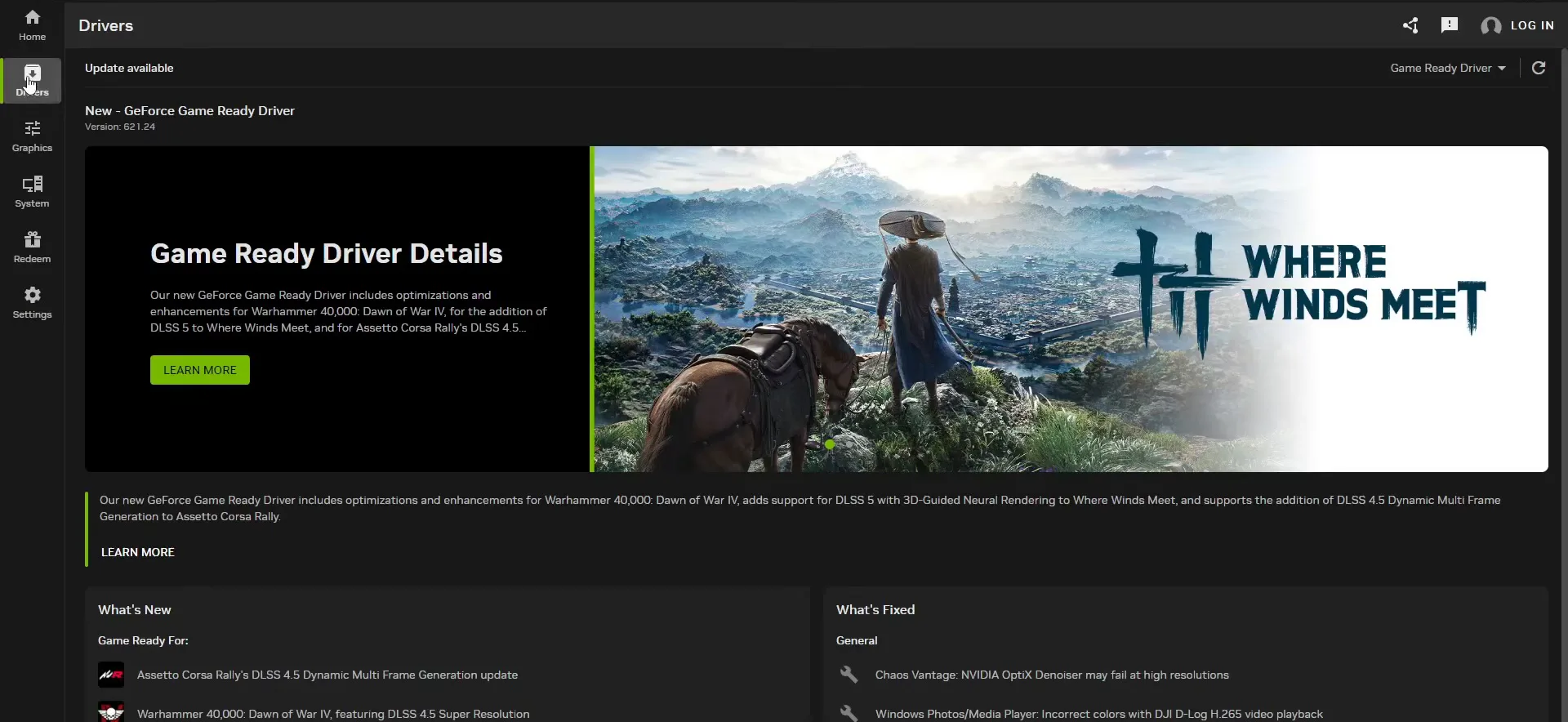
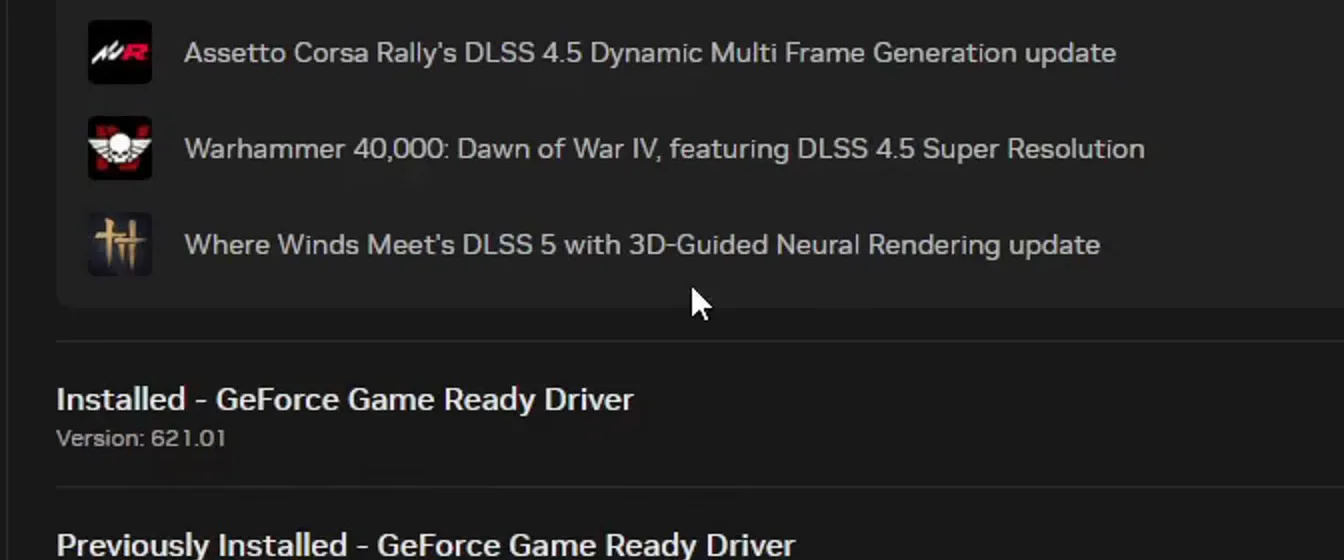
Scroll down to Installed - GeForce Game Ready Driver. On the PC in the video it now reads Version: 621.01, with 621.24 listed below as Previously Installed. That is the correct driver.
Don't do this
Don't click the update in the NVIDIA app, and switch off automatic driver updates if you use them, until NVIDIA releases a driver newer than 621.24 without this bug.
How to check it worked
Three quick checks confirm the rollback did its job:
- The NVIDIA app shows Version: 621.01 under Installed, as in the video.
- After the restart, RIP Tweaks measures for another minute and shows the writes before and after. A healthy driver writes under 25 MB per hour, the line the app itself uses. On 621.01 the red danger zone card no longer appears on the Fixes page.
- For a check without any app, press Win + R, type
resmonand open the Disk tab. Leave the PC idle for a few minutes:NVDisplay.Container.exeshould no longer write tonvlog.nvlgstgnonstop.
How to undo it
The app made a restore point before it changed anything. To undo the rollback, restore that point with Windows System Restore, or install a newer driver from the NVIDIA app.
Key settings at a glance
FAQ
Which NVIDIA drivers have the SSD bug?
GeForce drivers 621.14 and 621.24. On both, the NVIDIA Display Container keeps rewriting its log file, even when the PC is idle. Driver 621.01, the one before them, does not, which is why the video rolls back to it.
Does every PC write 30 GB per hour?
No. Up to 30 GB per hour is the highest people have measured. The amount differs from PC to PC: on the PC in the video the danger zone card measured 9.2 MB per hour in the last minute. The driver still writes for no reason, so the video rolls back either way.
Will reinstalling the driver or a clean install fix it?
No. As the video says, a reinstall does nothing, because the same driver brings the same log writes back. Going back one update to 621.01 is the fix, and deleting the log file only helps until it grows again.
How can I tell if my SSD is affected without RIP Tweaks?
Check the version under Drivers in the NVIDIA app first. Then open Resource Monitor (Win + R, resmon), go to the Disk tab and watch NVDisplay.Container.exe while the PC is idle. If it writes to nvlog.nvlgstg every few seconds, you have the bug. Our NVIDIA driver SSD writes page explains the check in the app in more detail.
Is the rollback in RIP Tweaks free?
Yes. The NVIDIA SSD fix on the Fixes page is free for everyone, with a free account or as a guest, as in the video. It is only offered on 621.14 and 621.24; on any other driver nothing changes.
Is 621.01 safe on RTX 50 cards?
On some RTX 50 cards, 621.01 can freeze video playback or show a short black screen, a known issue that NVIDIA fixed in its optional hotfix 621.12. RIP Tweaks shows this note on those cards before you confirm, so you can decide before anything changes.
When can I update my NVIDIA driver again?
As soon as NVIDIA releases a driver newer than 621.24 that no longer rewrites the log file. Until then, skip the 621.24 update the NVIDIA app offers. For keeping your other drivers current, see our guide on updating all PC drivers.
 RIP Tweaks
Do it in a few minutes with RIP Tweaks
- Free plan for Windows 10 and 11
- A backup first, and every tweak can be switched off again
- Made for higher FPS, lower input lag and steadier ping
Free · Windows 10 and 11