RIP Overclock: The Free Check, What It Tunes and the Price

5 min to read

RIP Overclock: The Free Check, What It Tunes and the Price

Overclock is an extra in the RIP Tweaks app that makes your parts run faster, step by step: the graphics card, memory, monitor, mouse and keyboard, drives and processor. It starts with a free check that changes nothing, and you only pay when a part on your PC can really gain: 2.99 euro once.
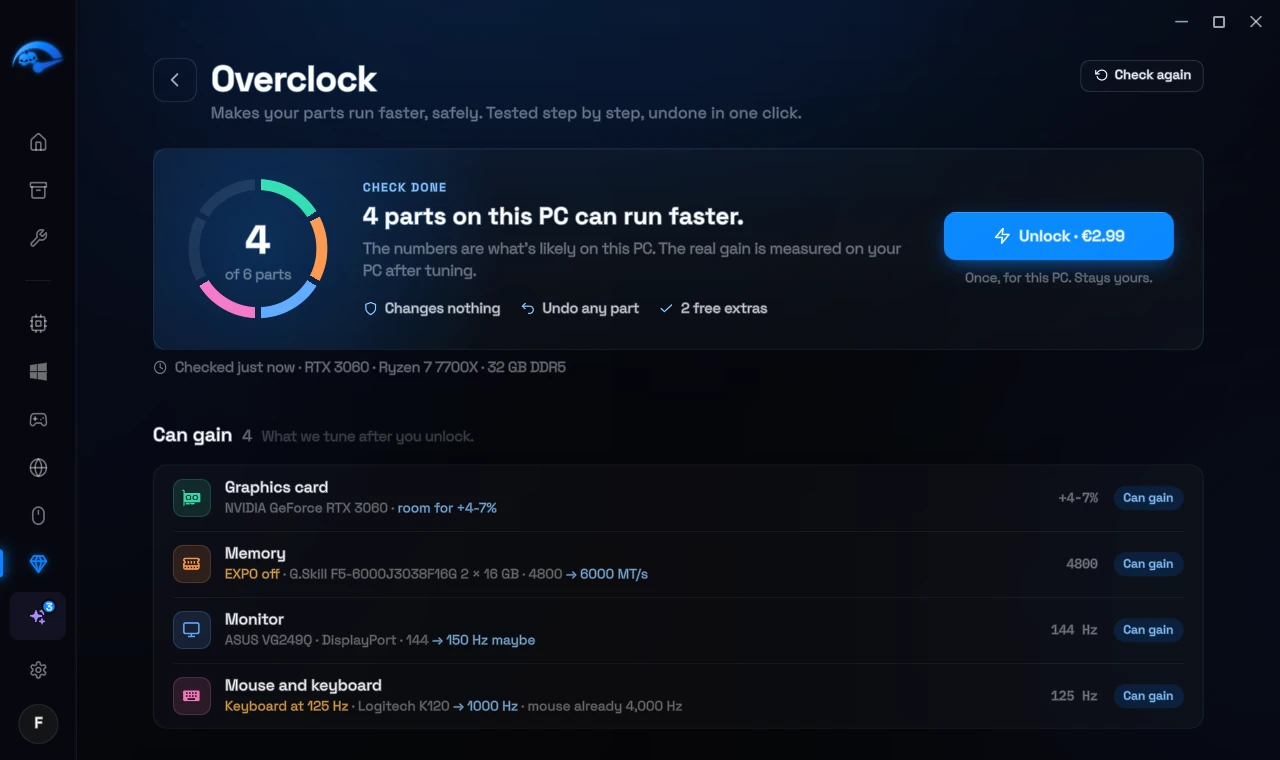
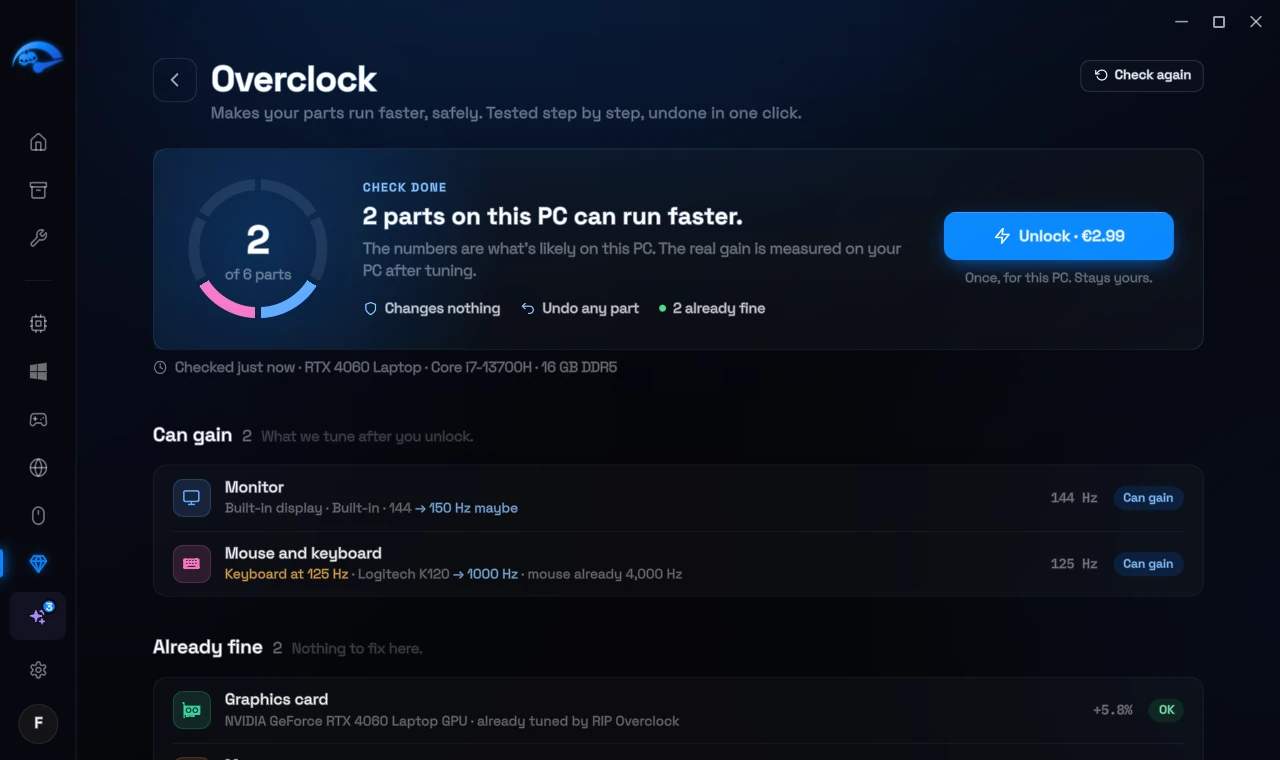
The free check: four parts on this PC can run faster

The free check

In RIP Tweaks, open Extras, pick Overclock and press Check my PC. In about 30 seconds the app reads what your parts report and changes nothing. Every part gets one of three results:

Can gain

A real finding we fix after you unlock, with the likely gain in plain numbers, for example a monitor running at 60 of its 144 Hz or memory below its rated speed.

Already fine

Nothing to fix: the part already runs at its best, or there is nothing we can do for it.

Free extra

Free Windows fixes and guides for your drives and processor. They are yours either way and never part of the price.

The purchase only opens when the graphics card, memory, monitor or mouse and keyboard can really gain, or a drive runs slower than its slot allows. The processor and the free extras never count.

If nothing can gain

Then the app tells you that your PC already runs at its best, and the purchase stays closed, so you can't pay for something that does nothing on your PC. Check again after you change a part.
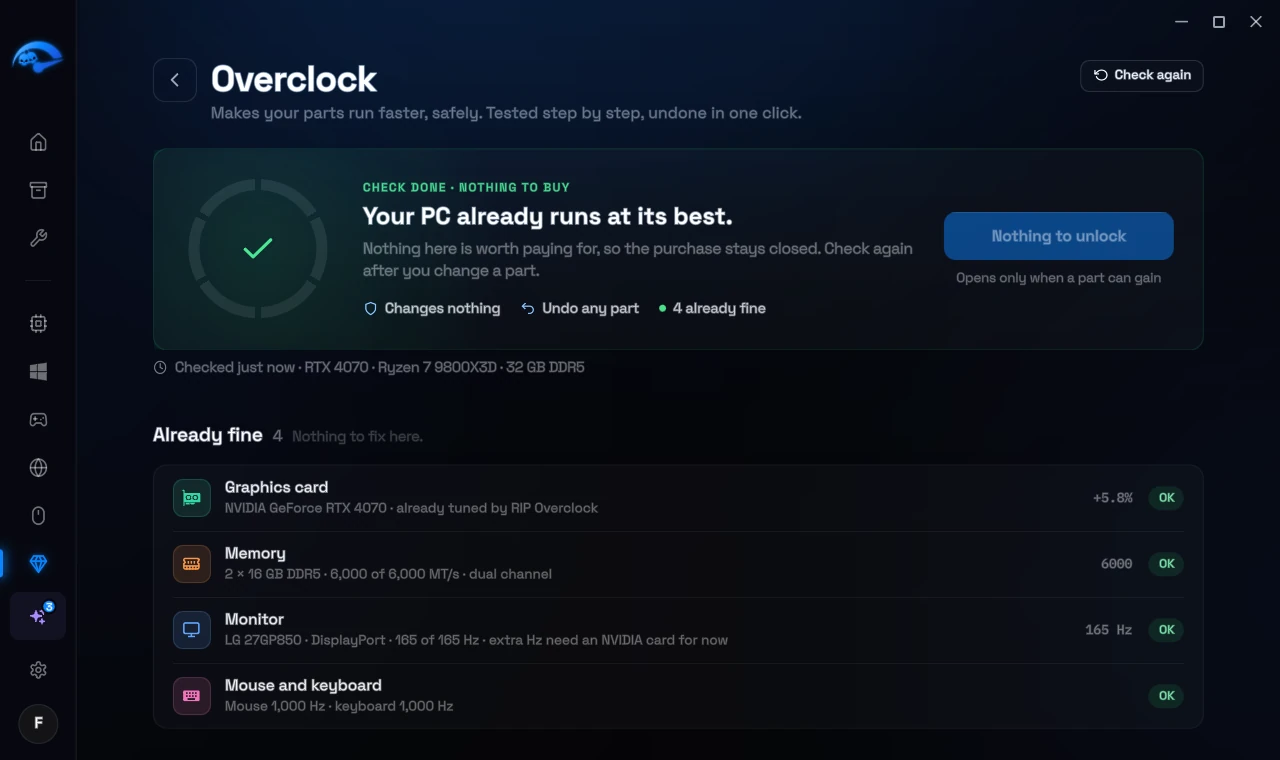
A PC that already runs at its best: nothing to buy

What it tunes, part by part

After the unlock, every part has its own page and is tested on its own. You decide at every step.

Graphics card
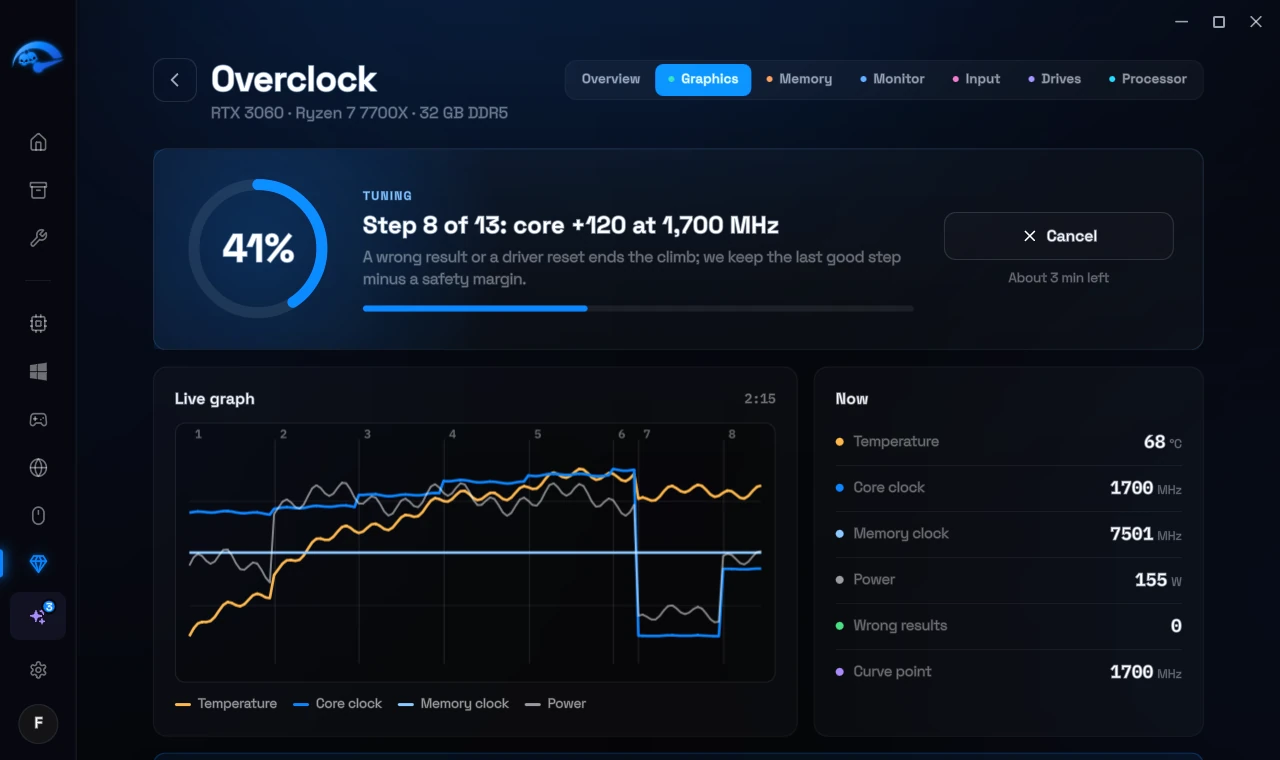
Press Start tuning and the app finds your card's best stable clocks in about 10 minutes: power limit, core clock and memory clock, raised in small steps and checked at full load and across the card's curve, with a live graph. Never more voltage. Pick Fastest or Cooler and quieter, which keeps the same speed at less power. On AMD cards, AMD's own tuning in the driver does the work. Before and after measures your game for 60 seconds at stock and 60 seconds tuned.
Tuning the graphics card, with the live graph

Memory

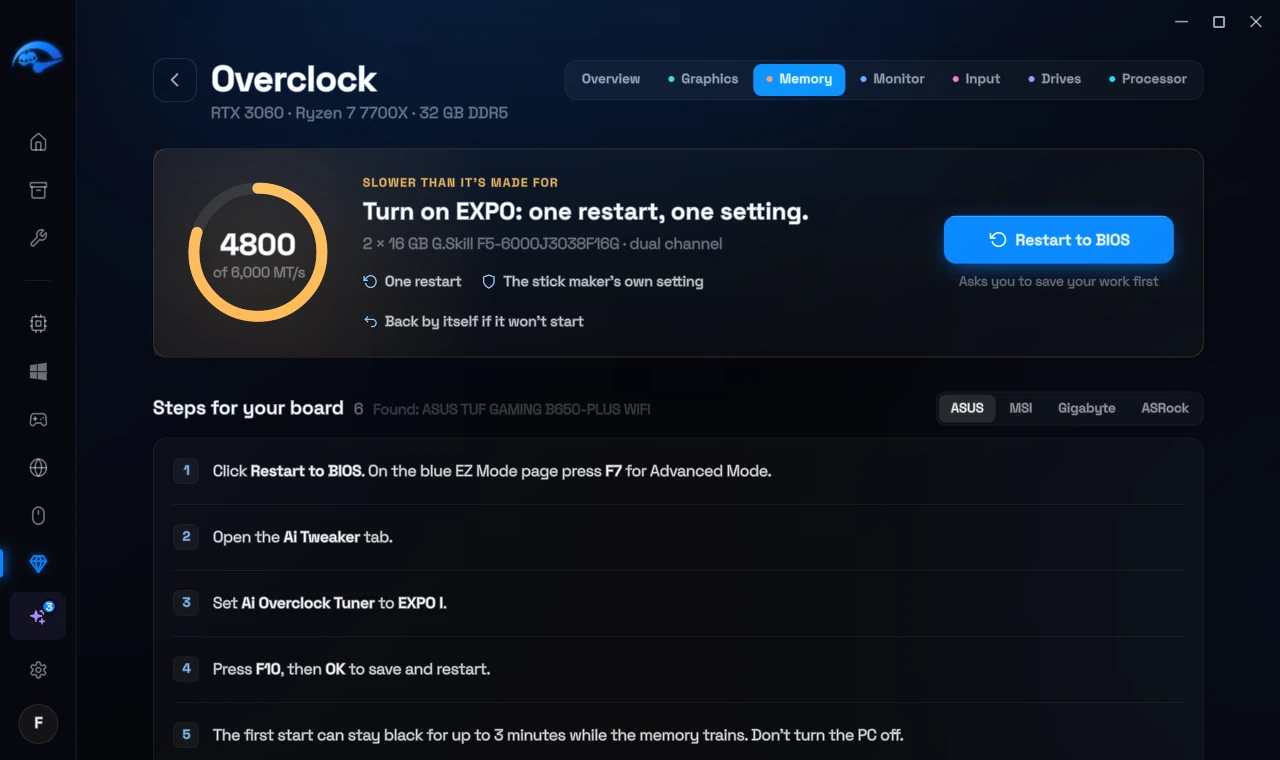
The app reads your memory kit's rated speed from its part number. If XMP or EXPO is off, you get the exact BIOS steps for your board's maker, and Restart to BIOS takes you straight there. After the restart the app checks again and shows the new speed.
The BIOS steps to turn on EXPO

Monitor

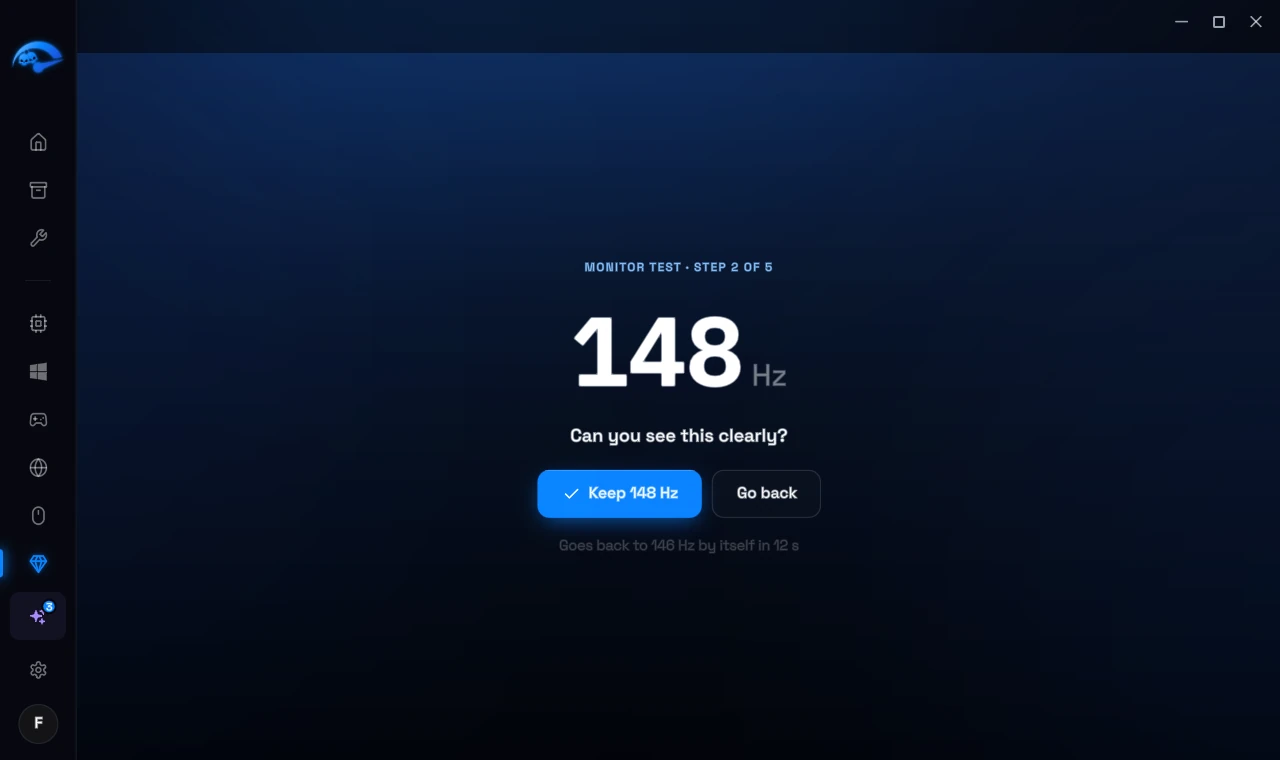
A monitor left below its own top rate, like a 144 Hz screen at 60 Hz, is switched to its full rate. Then the app tries a few extra Hz, 2 Hz at a time, and you confirm every step you can see. A black screen or no click, and it goes back by itself after 15 seconds. A frame check with your phone's camera makes sure no frames are skipped, and nothing is saved before that. Extra Hz work on NVIDIA graphics cards today; with AMD and Intel graphics the app sets your monitor to its full rate.
The monitor test at 148 Hz

Mouse and keyboard

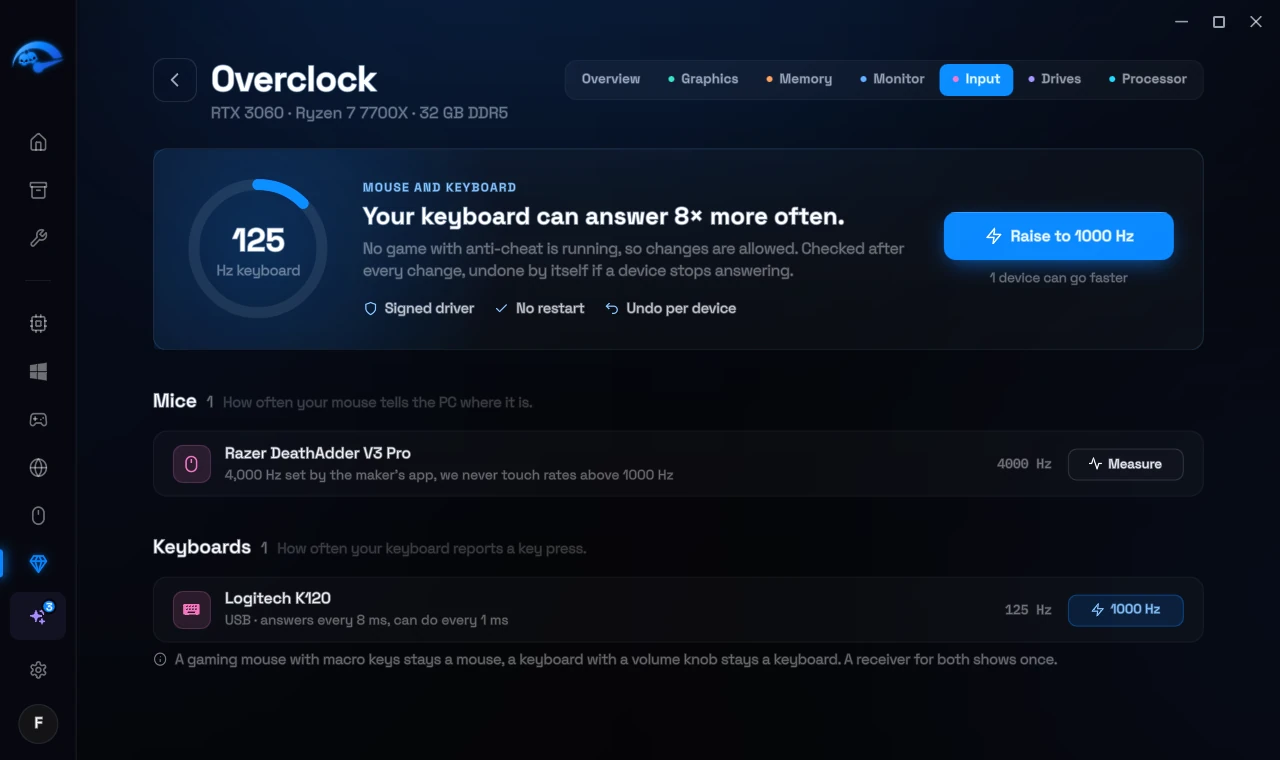
Mice and keyboards that answer only 125 to 500 times a second go up to 1000 Hz with Raise to 1000 Hz: a signed driver, per device, no restart. You can measure your mouse's real rate too. Rates above 1000 Hz stay with the maker's own app.
A keyboard at 125 Hz that can answer 8 times more often

Drives

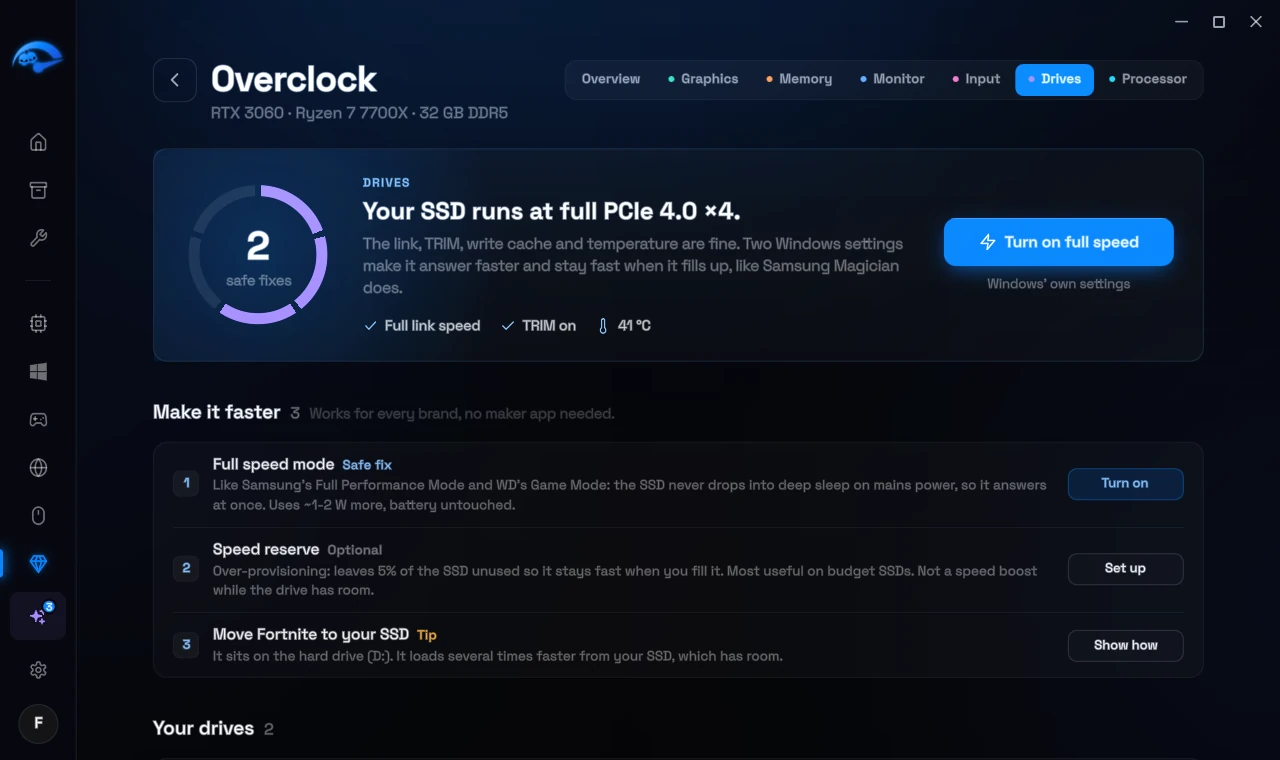
The app checks your SSD's link speed, TRIM and temperature, and offers two free Windows settings. Full speed mode keeps NVMe SSDs out of their sleep states on mains power. Speed reserve leaves a little of the SSD unused, so it stays fast when it gets full. Each one is undone in one click.
The drives: link speed, full speed mode and speed reserve

Processor

Windows power settings that hold your processor back, fixed in one click, checks for AMD X3D and Intel APO, and guides for AMD's Ryzen Master and the BIOS. Free, and never part of the price.

The risk note

Before you unlock, and again before the first change, the app shows this note. You tick that you accept it, then you continue with Accept and start:

Before you start

Overclocking runs your parts faster than their maker set them.

  • It can make games or Windows crash, and you can lose unsaved work.
  • It can shorten the life of your parts or damage them.
  • It may void your warranty.

RIP Tweaks checks every step and puts your parts back to their normal settings when something goes wrong, but no check can rule out every problem.

You use RIP Overclock at your own risk. As far as the law allows, RIP Tweaks is not liable for any damage or loss caused by overclocking.

☐ I have read this and accept the risk.
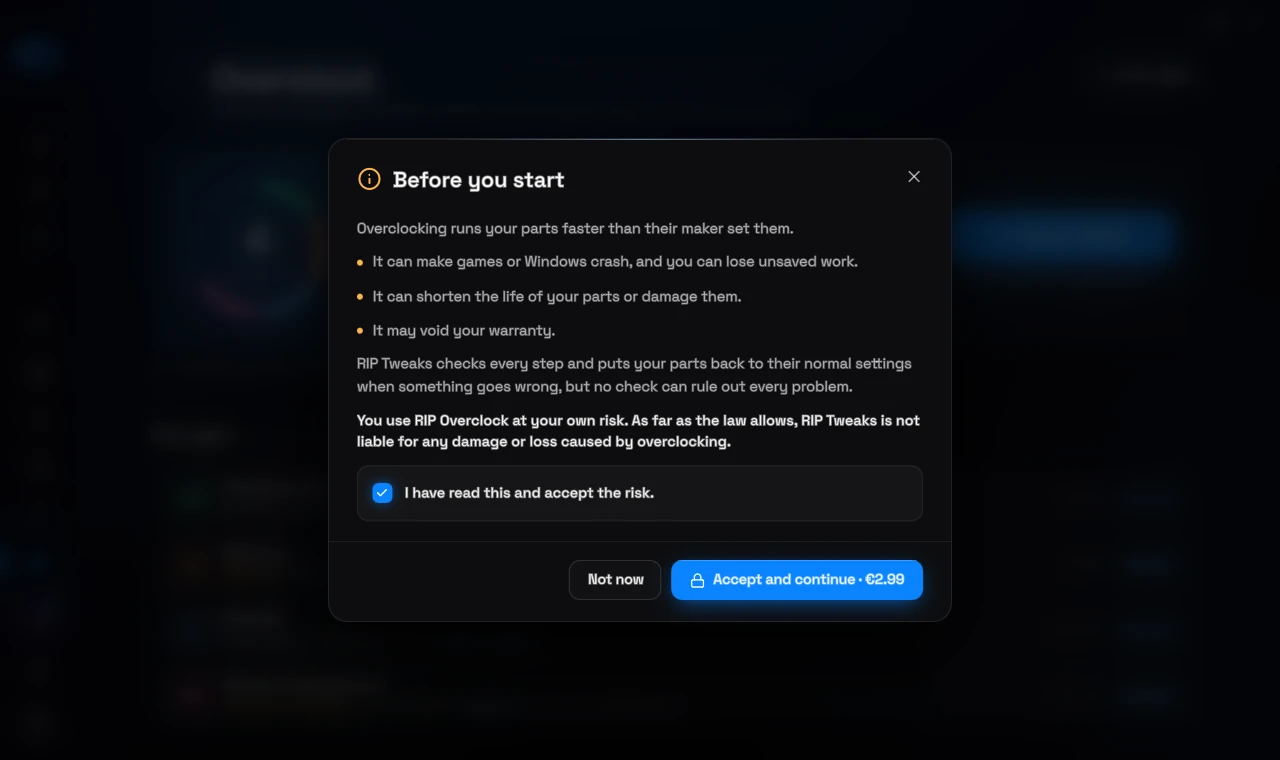
The risk note before the first change

Laptops: only on the charger

A laptop tunes its graphics card only while it is plugged in. On battery, the check doesn't count the graphics card and asks you to plug in. Pull the charger out while tuned, and the card goes back to stock at once; plug it in again, and your tuning comes back. Laptops get smaller steps, and the laptop maker's power limit stays as it is.
A laptop on battery: plug in the charger and check again

Back to stock and undo

Every change comes back at each start and is undone by itself after a crash. Every part has its own undo: Back to stock for the graphics card, the old rate for the monitor, the old polling rate per device and one click for each drive setting. The result page shows every part and its undo in one place.
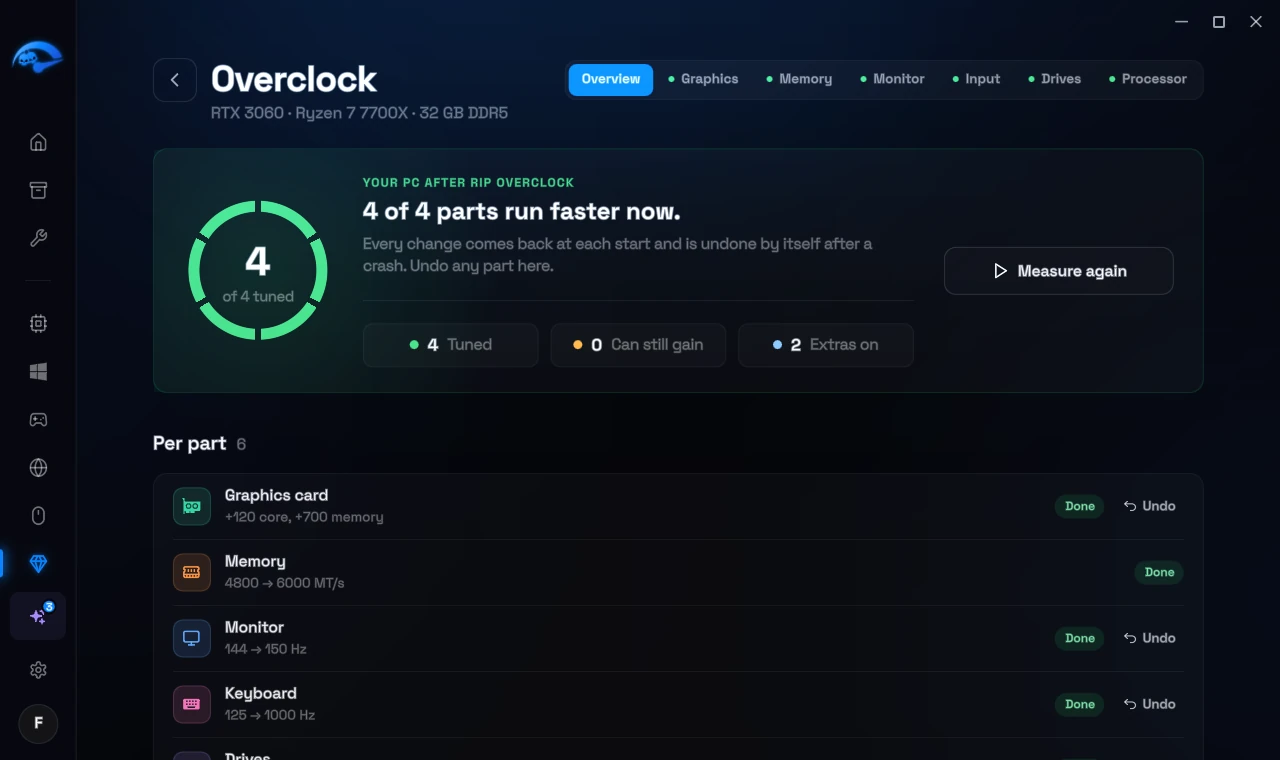
The result page: what runs faster now, with an undo for every part

What it costs

2.99 euro once

One payment unlocks Overclock for good. There is no subscription.

Yours on your account

It is not part of Premium and stays yours if you stop Premium. Sign in on another PC of yours and it is unlocked there too.

Bought in the app only

The website has no buy button for it, because only the check in the app can tell what your PC can gain. Discount codes don't apply to extras.

Prices in other currencies

The app shows the price in your currency before you pay:

Currency Price, once
EUR 2.99
USD 3.49
GBP 2.99
PLN 13.99
CAD 4.99
AUD 4.99
CHF 4.50
DKK 25
SEK 35
NOK 55
ISK 750

Related: PC Analysis: What It Checks and What It Costs, Driver Updates: How They Work and What They Cost.