
1 min to read
How to Optimize Your PC With RIP Tweaks: A Safe First Run
If you have just installed RIP Tweaks, this is the order we recommend.
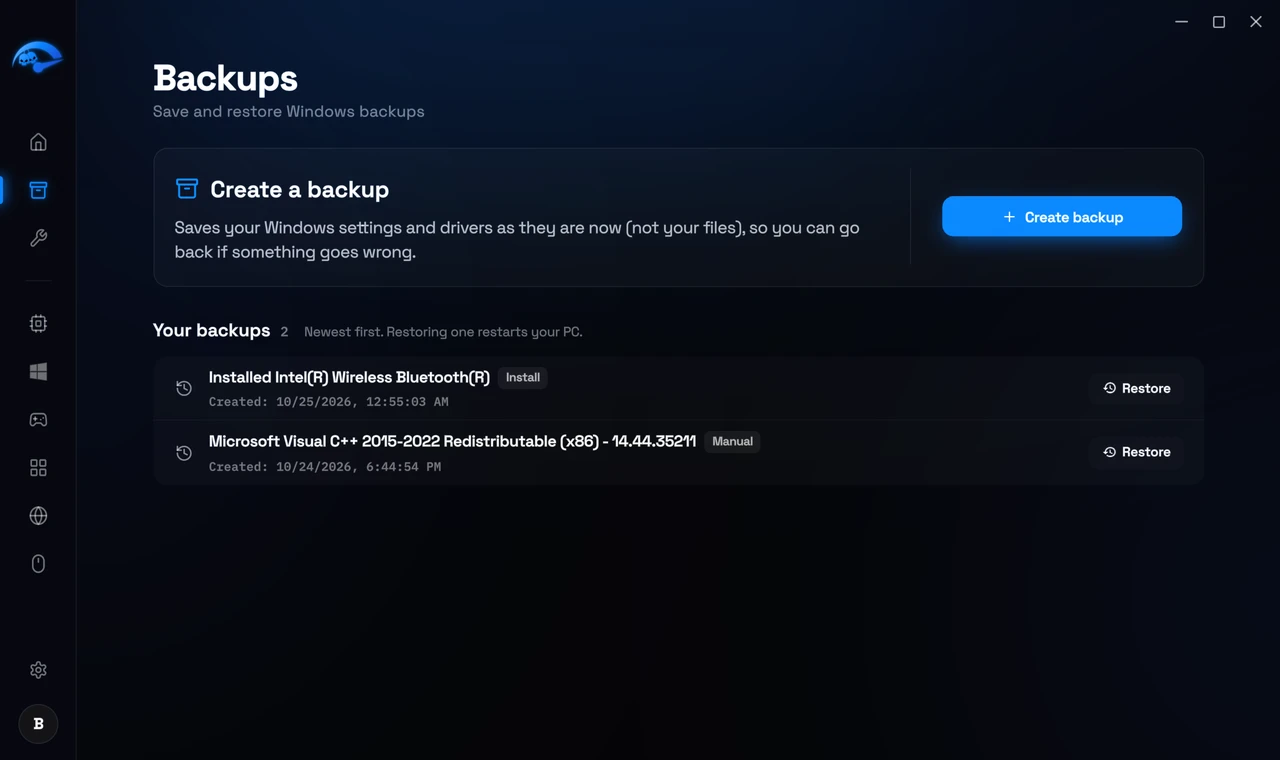
1. Create a restore point first. Open Backups in the sidebar and create a restore point. This takes a minute and it is your undo button for everything that follows. Do not skip it.
2. Apply the core optimizations
Go to Hardware and start with CPU. These are the tweaks that benefit almost every system: core parking, scheduling and process priority. Then visit Windows for debloating and power plan tuning.
3. Do network and input separately
Network and Input Lag are their own sections in the sidebar. Apply these after the core tweaks so that if something feels different you know which group caused it.
4. Restart your PC
Some tweaks only take effect after a restart. If a tweak looks applied but nothing has changed, restart before assuming it did not work.
5. Check the result
Back on Home, the Optimization Level ring shows how many tweaks are active.
A word on going all in
You do not have to apply everything at once. Applying a group, restarting and playing for a session is a better way to find what actually helps your machine than turning on 250 tweaks in one sitting.