
How to Sound Like an Anime Girl in Real Time with EaseUS VoiceWave (2026)

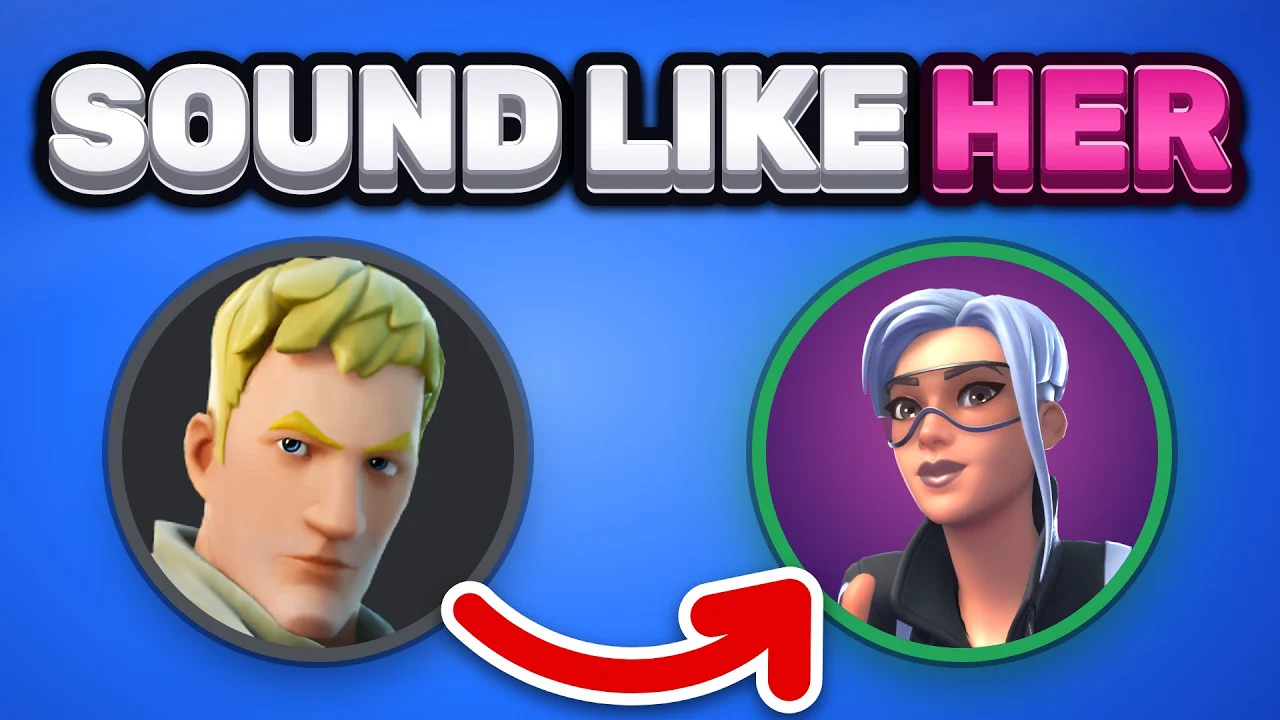
Written version of our video, every step checked against it.
Quick answer
- Install EaseUS VoiceWave from the official site with the Download for Free button.
- Click Switch AI model at the top of the app and set it to Voice Quality Priority.
- Click Anime girl (or E-girl) in the Trending row and talk: your voice changes live.
- Put soundboard sounds on keys, such as the Fortnite-style Assault Rifle on B.
- In the Windows sound settings, select VoiceWave Microphone under Input, keep the app open and start your game.
This guide is for anyone who wants to sound like an anime girl live in Fortnite, Discord or any other game on a Windows PC, with no recording or editing. It follows our video click by click: the AI model that gives the cleanest voice, the Anime girl and E-girl voices, celebrity and community voices, soundboard sounds on a key, and the one Windows setting that makes your friends hear the new voice.
In this video
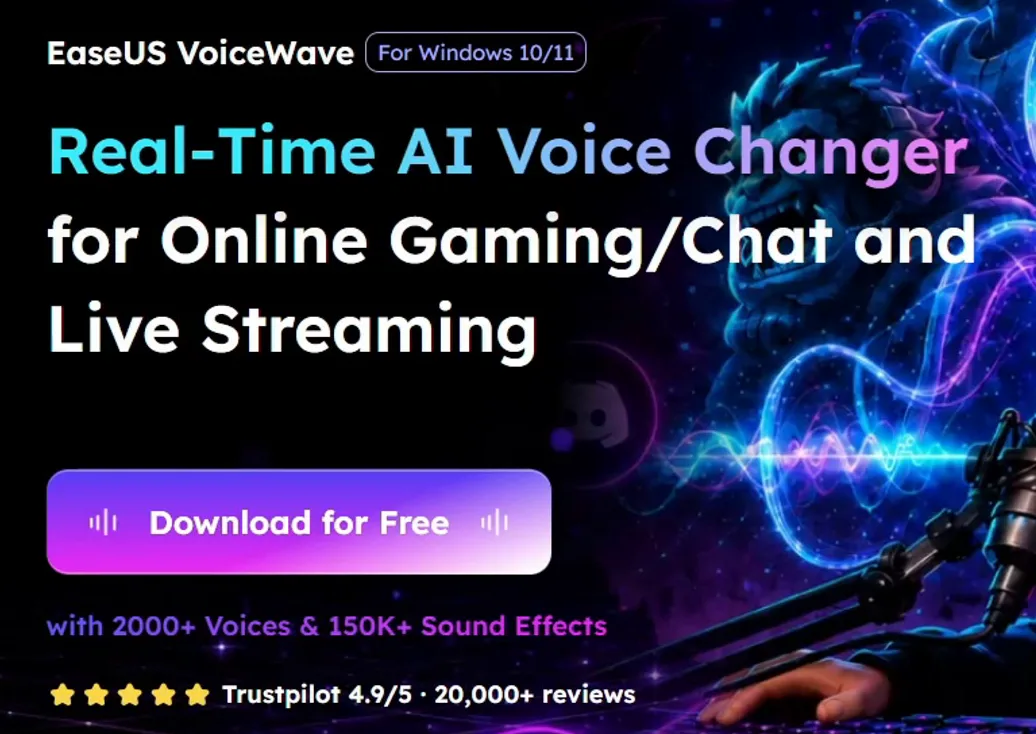
Open the first link in the video description. It leads straight to the EaseUS VoiceWave page, where you click Download for Free. Save the installer, run it and wait until the install fully finishes.
Good to know
The page labels VoiceWave "For Windows 10/11". Every step in this guide is for Windows, on a desktop PC or a laptop.
Right after the install, before you pick any voice, click Switch AI model in the top bar of the app. In the video it was still on Performance Priority, so it gets switched to Voice Quality Priority and confirmed. That is the whole step.
Switch AI modelVoice Quality Priority
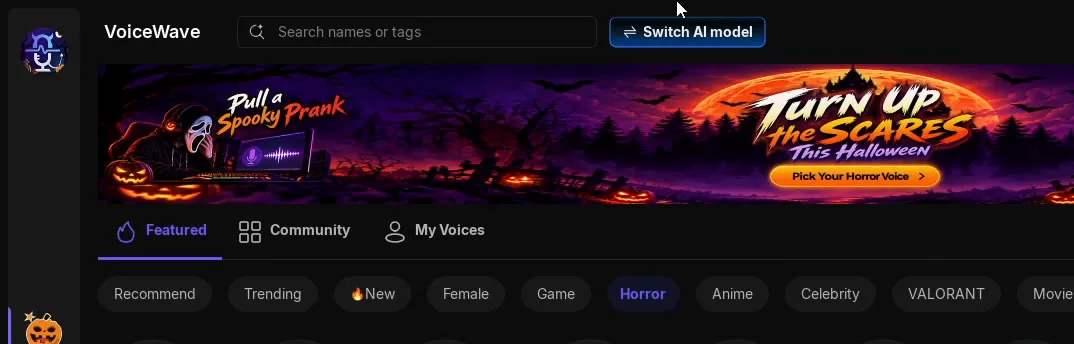
Voice Quality Priority is the mode that makes the AI voices sound natural, and it is the one used for every voice in the video. The home page underneath has three tabs, Featured, Community and My Voices, and a row of filters from Recommend to Anime girl.
Tip
Performance Priority is the lighter mode. If the anime voice stutters or sounds choppy on an older PC, switch back to it in the same place: you trade some voice quality for a smoother voice.
Now look through the voices and click the one you want. Both girl voices from the video sit in the Trending row on the Featured tab: E-girl is second, right after Original, and Anime girl is a few places further. One click and your voice comes out as that voice, live, while you talk into your microphone.
FeaturedTrendingAnime girl
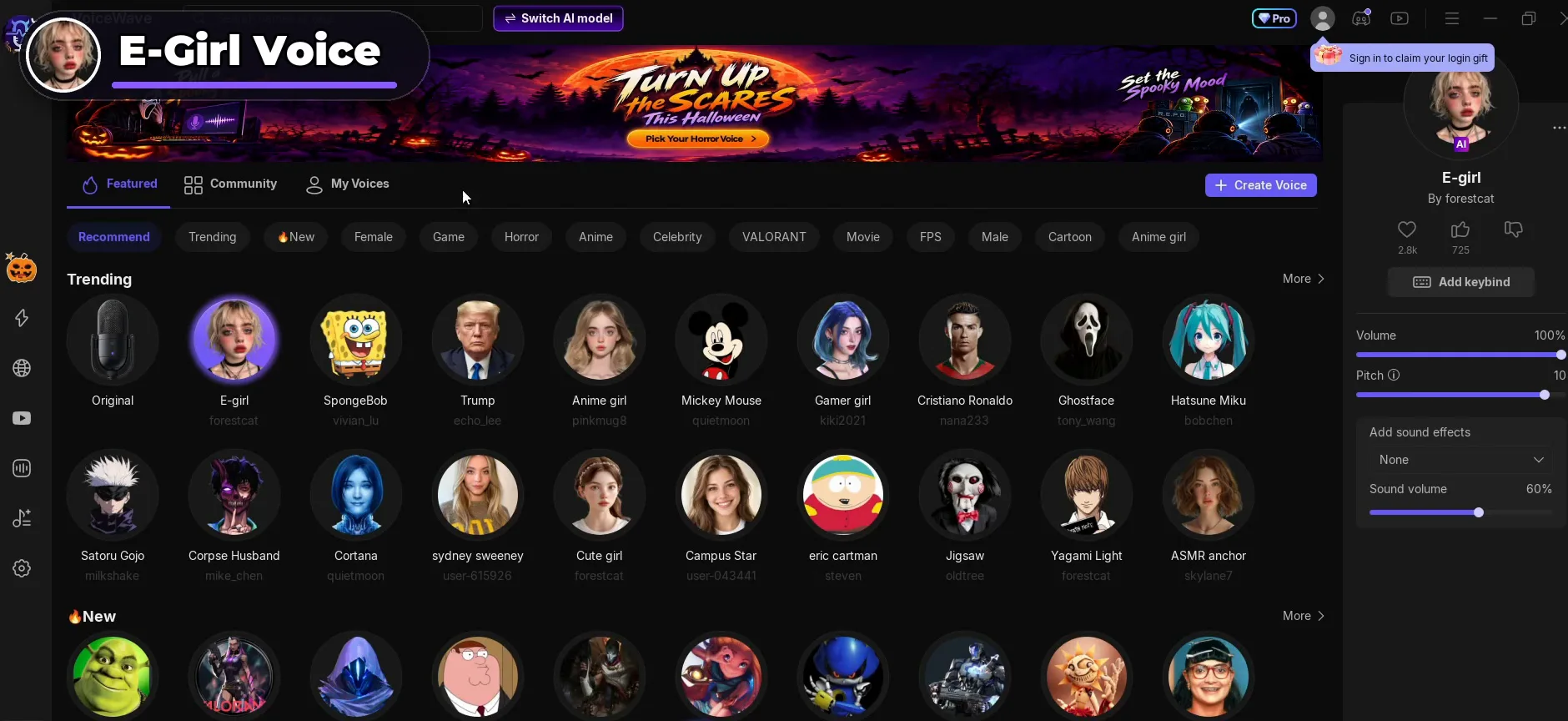
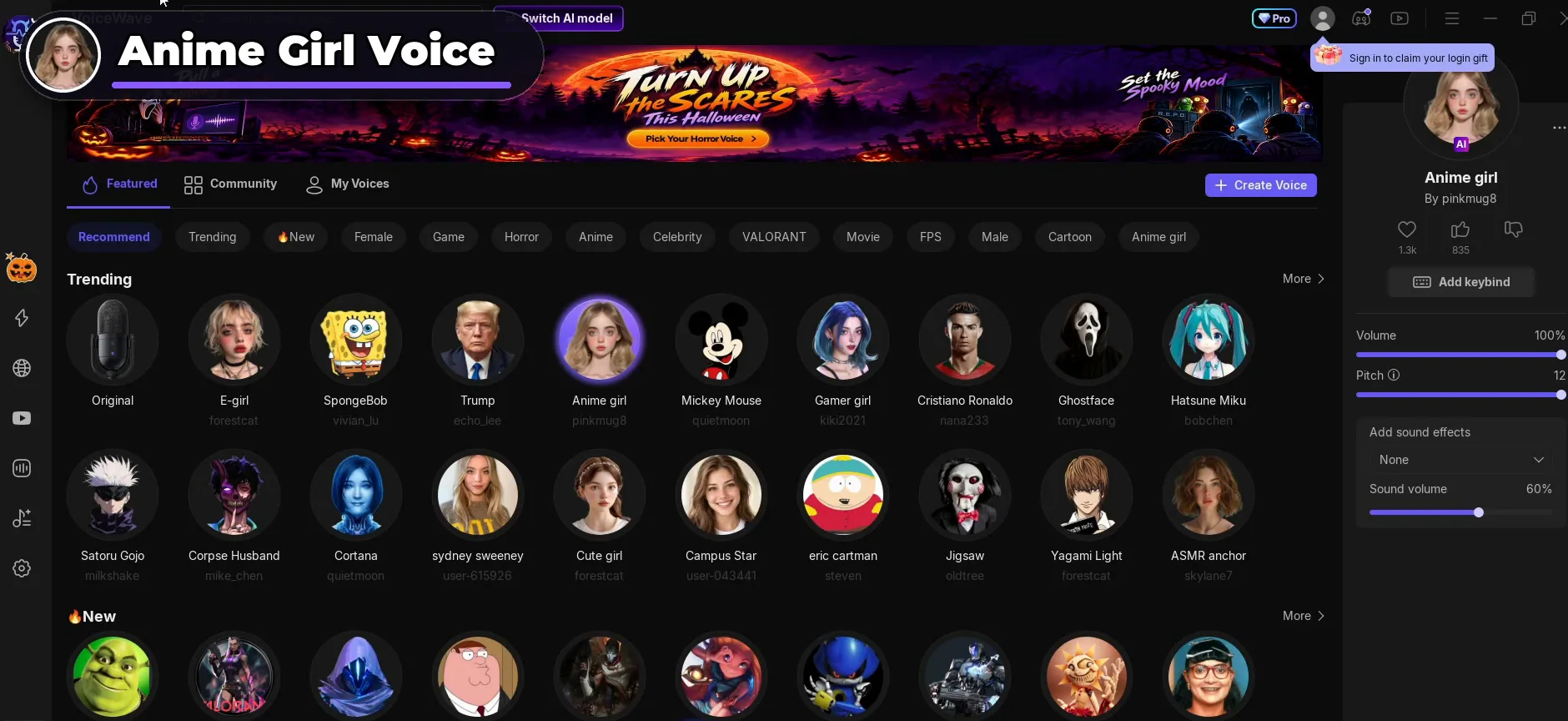
The two voices sound a bit different, but both are girl voices, and in the video both sound extremely realistic and change the voice in real time. The video keeps each voice's own settings as they load (Volume 100%, Pitch 10 for E-girl, Pitch 12 for Anime girl), which is a good place to start. For even more girl voices, open the Female or Anime girl filter at the top.
The same row holds celebrity voices. In the video, Leon talks as Trump and then as Cristiano Ronaldo. The list goes on with Obama, Putin, Morgan Freeman and more, plus characters from VALORANT, movies and cartoons. Click a voice once to download it, then it works like the anime voice.
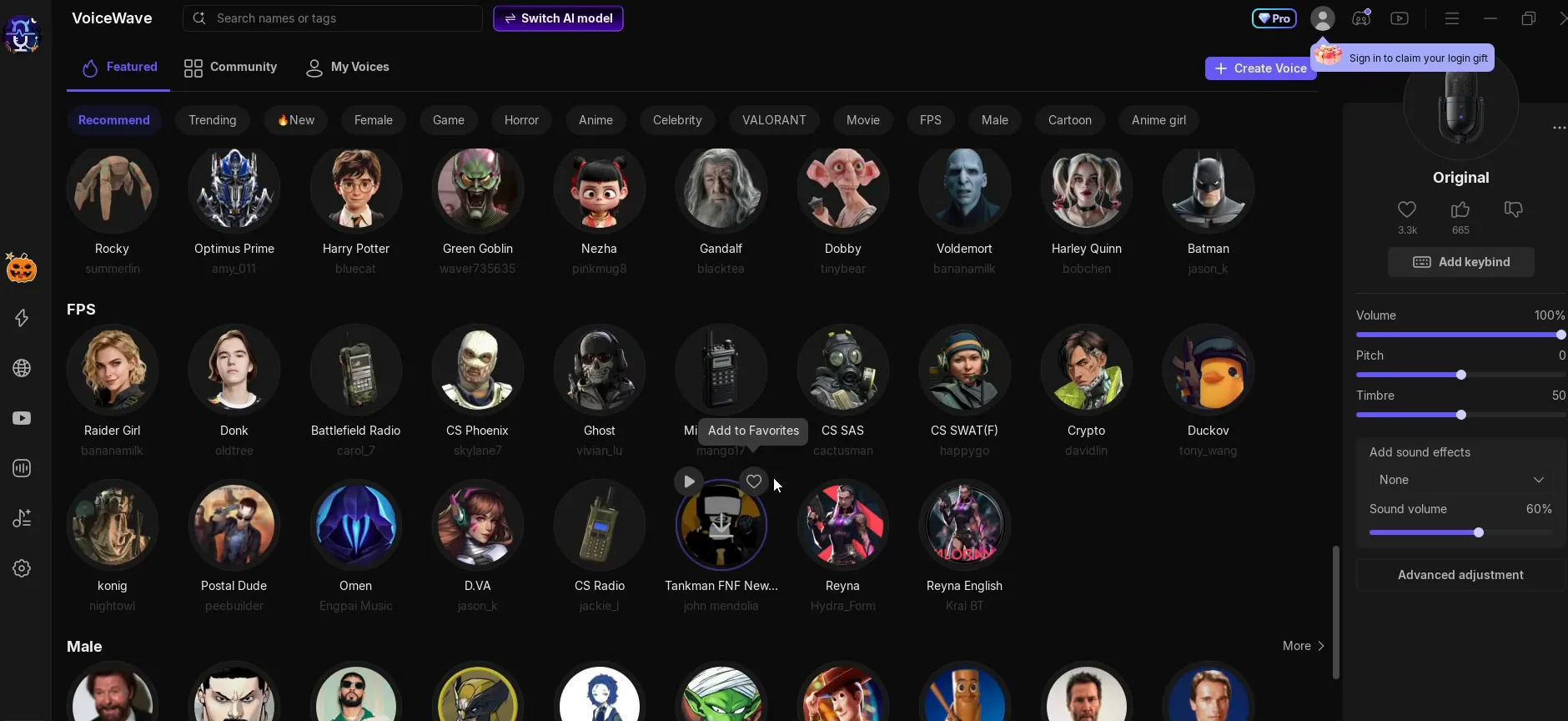
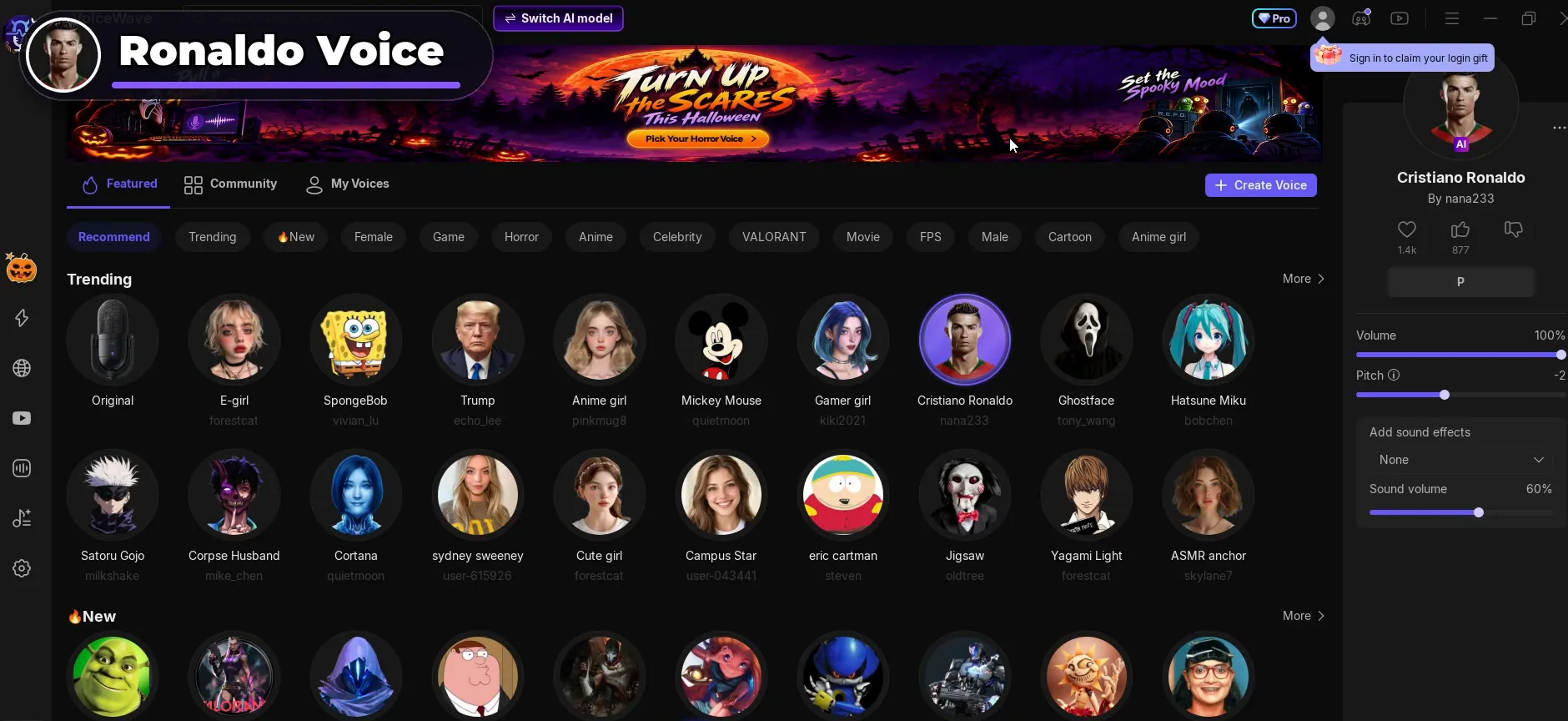
Our celebrity voice changer guide goes deeper into these voices.
The Featured voices are made by EaseUS. The Community tab, next to Featured, holds voices that users make, and the list keeps going for as far as you scroll. It has its own filters (Female, Game, Horror, Anime, Celebrity, Movie, FPS, Male, Cartoon) and a Trending Now sort on the right.
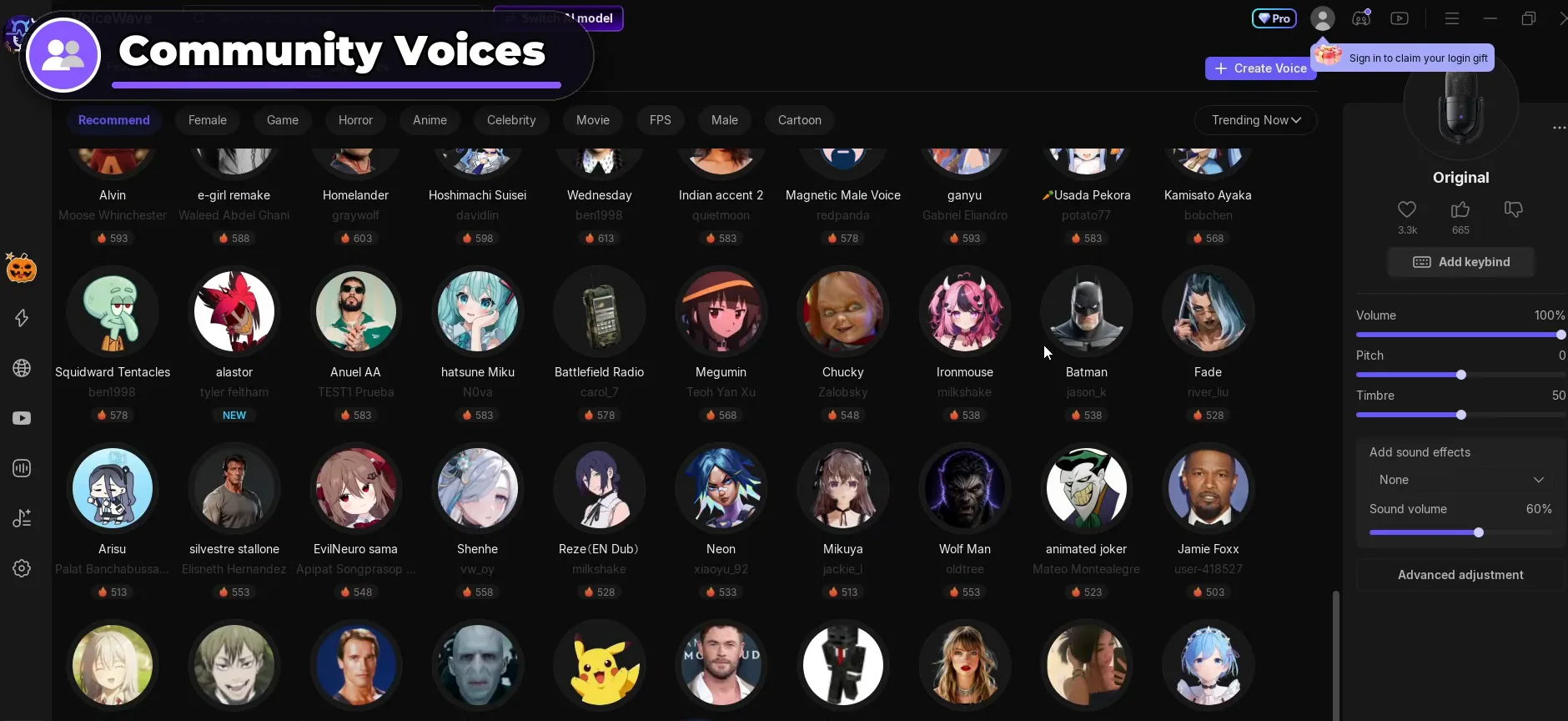
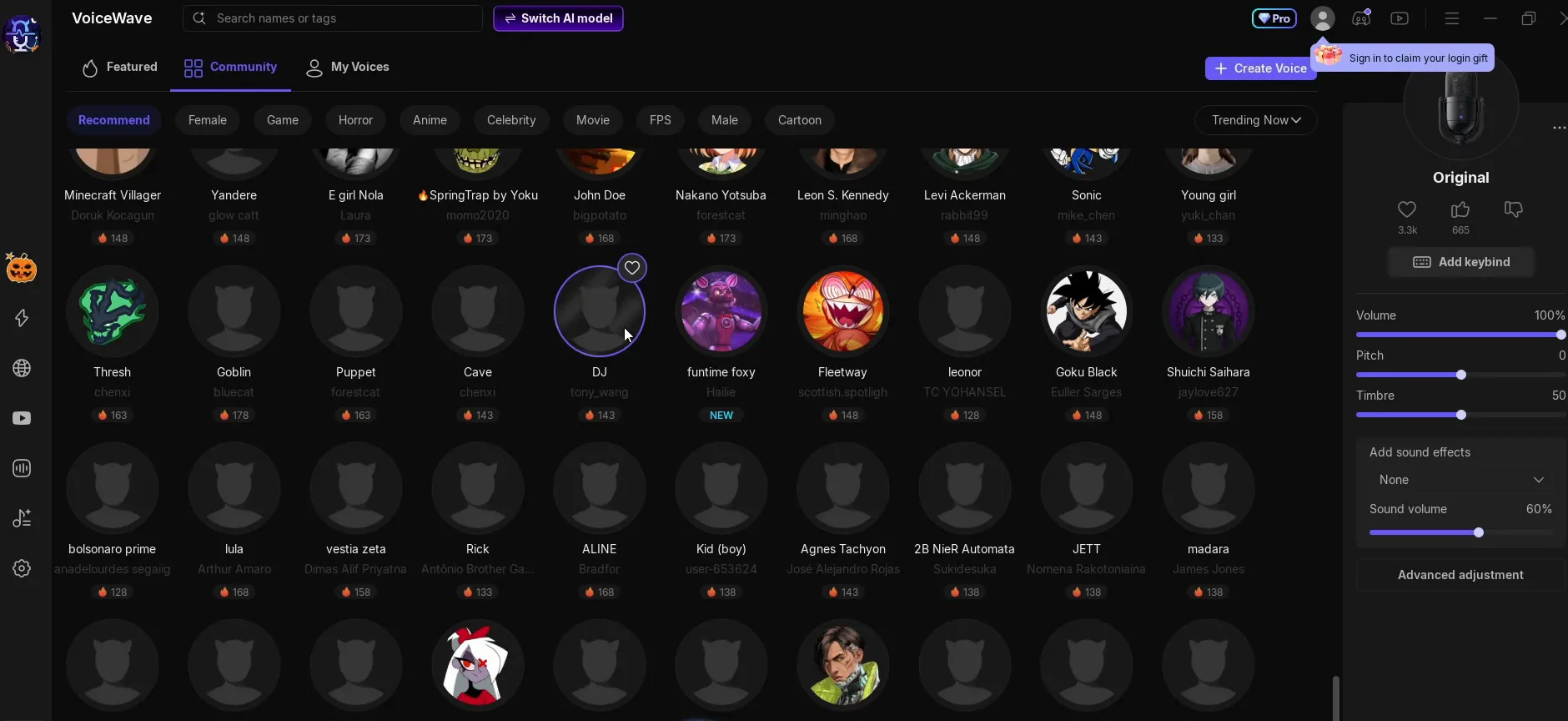
To find one specific voice, type it into Search names or tags at the top, for example "anime girl" or the name of a character. The video shows plenty of anime voices here, such as hatsune Miku, Megumin and Nakano Yotsuba.
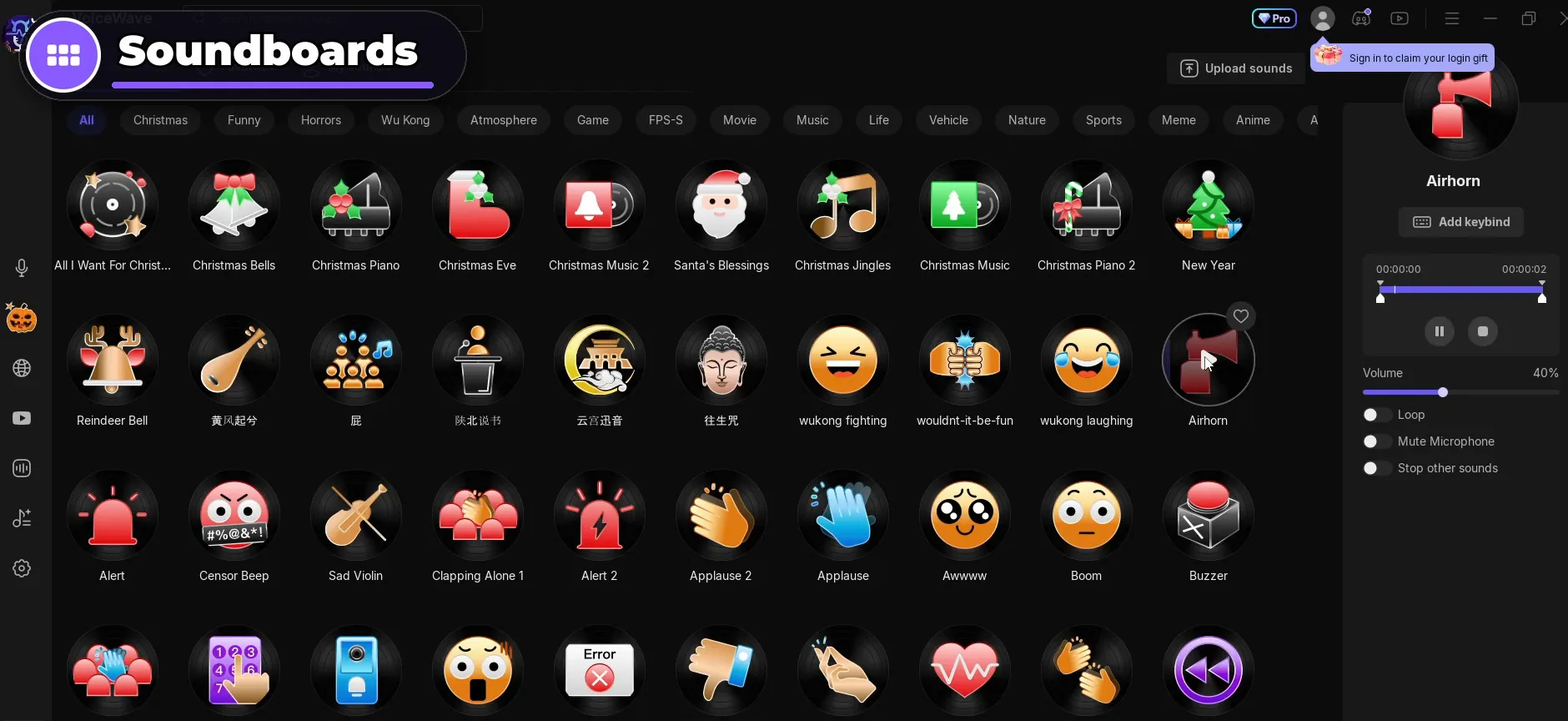
VoiceWave also has a soundboard: short sounds you play with one key. Open it from the left sidebar and you see All sounds with categories such as Funny, Horrors, Game, FPS-S, Meme and Anime. Click a sound, for example the Airhorn, and its panel opens on the right.
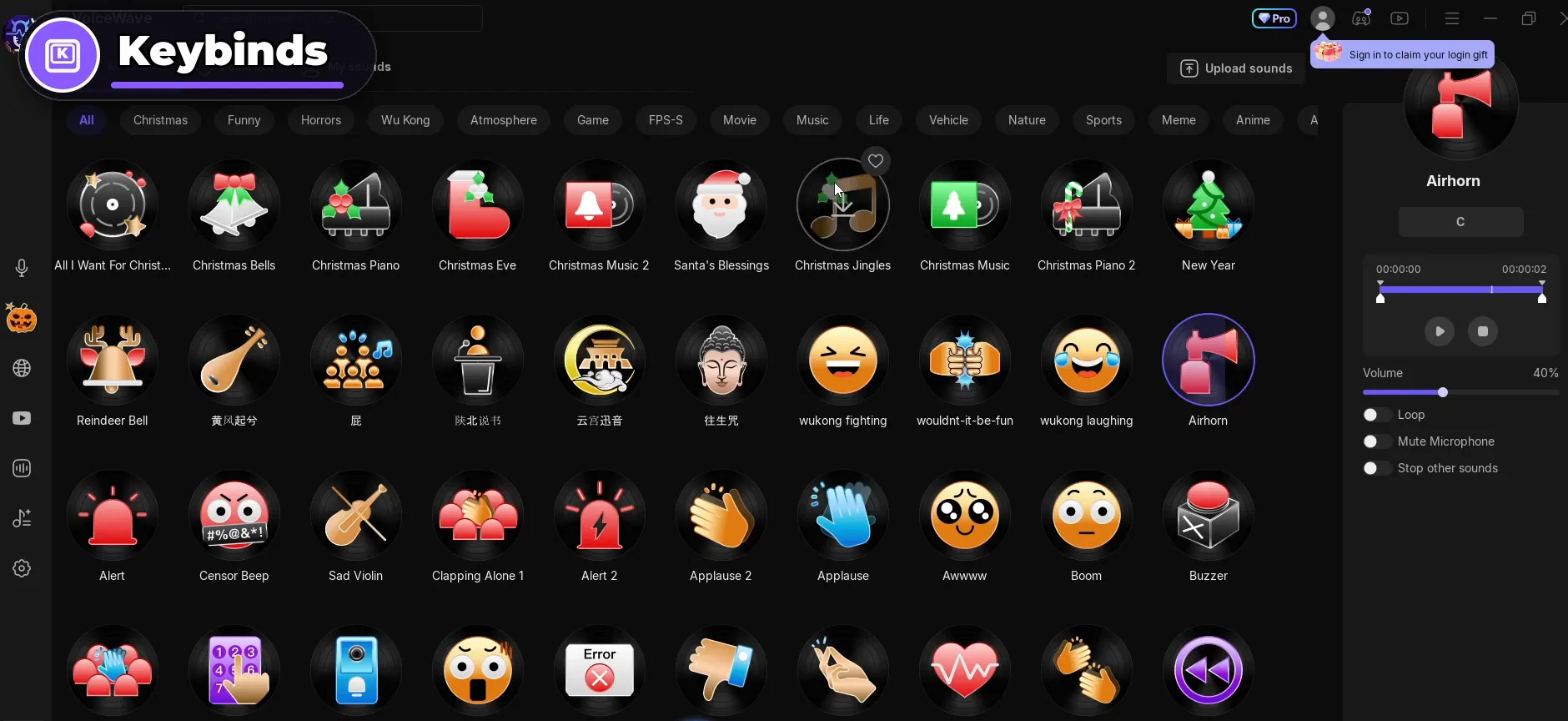
Click Add keybind in that panel, and when it says Press any key, press the key you want. The video uses C: from then on, every press of C plays the air horn.
All soundsAirhornAdd keybindC
Tip
Pick a key you never press in your game. A key you also use in a match would fire the sound every time you press it.
The favourite sound in the video is the Assault Rifle: one shot that sounds like the AR in Fortnite. Instead of scrolling, type it into the search bar. "assa" is enough: it shows Assault Rifle Burst and Assault Rifle.
Search "assa"Assault RifleAdd keybindB
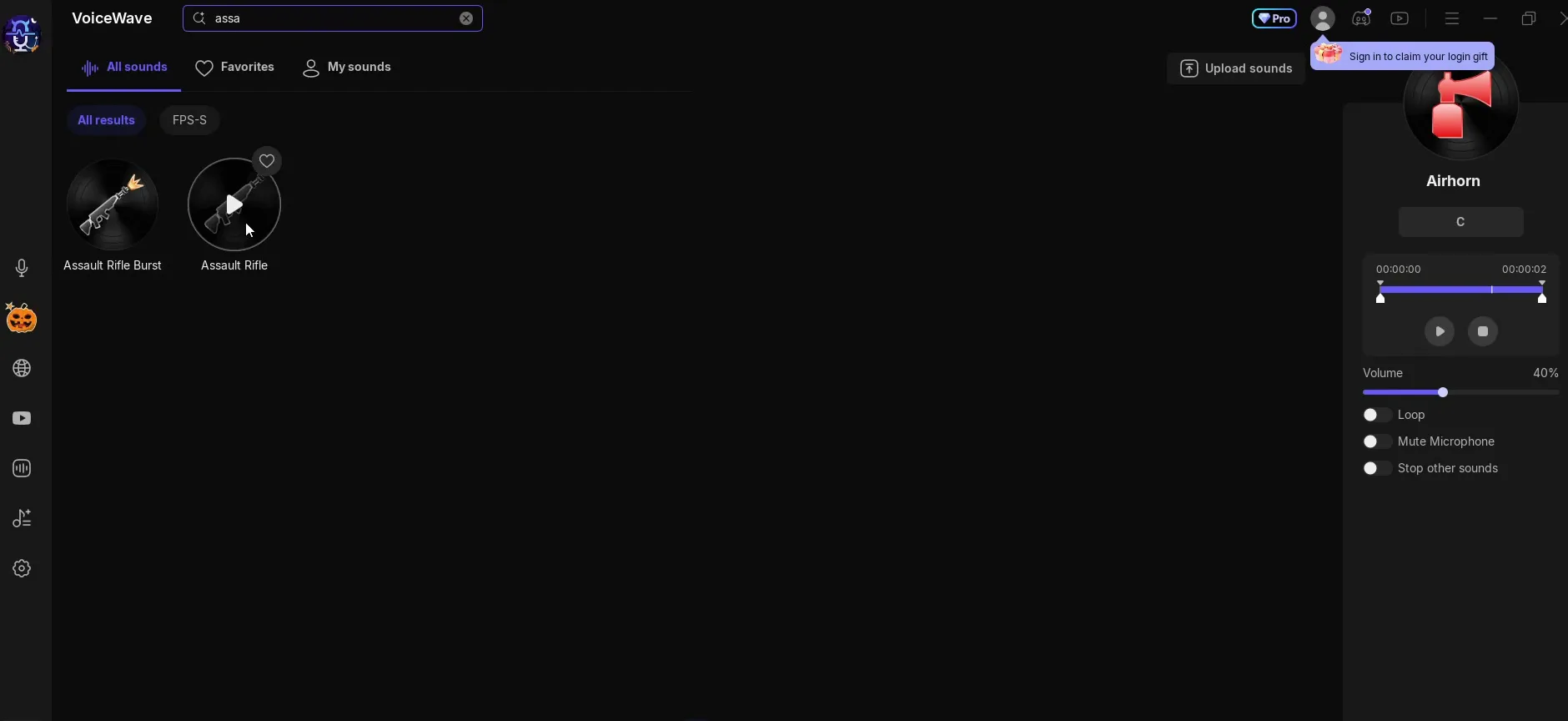
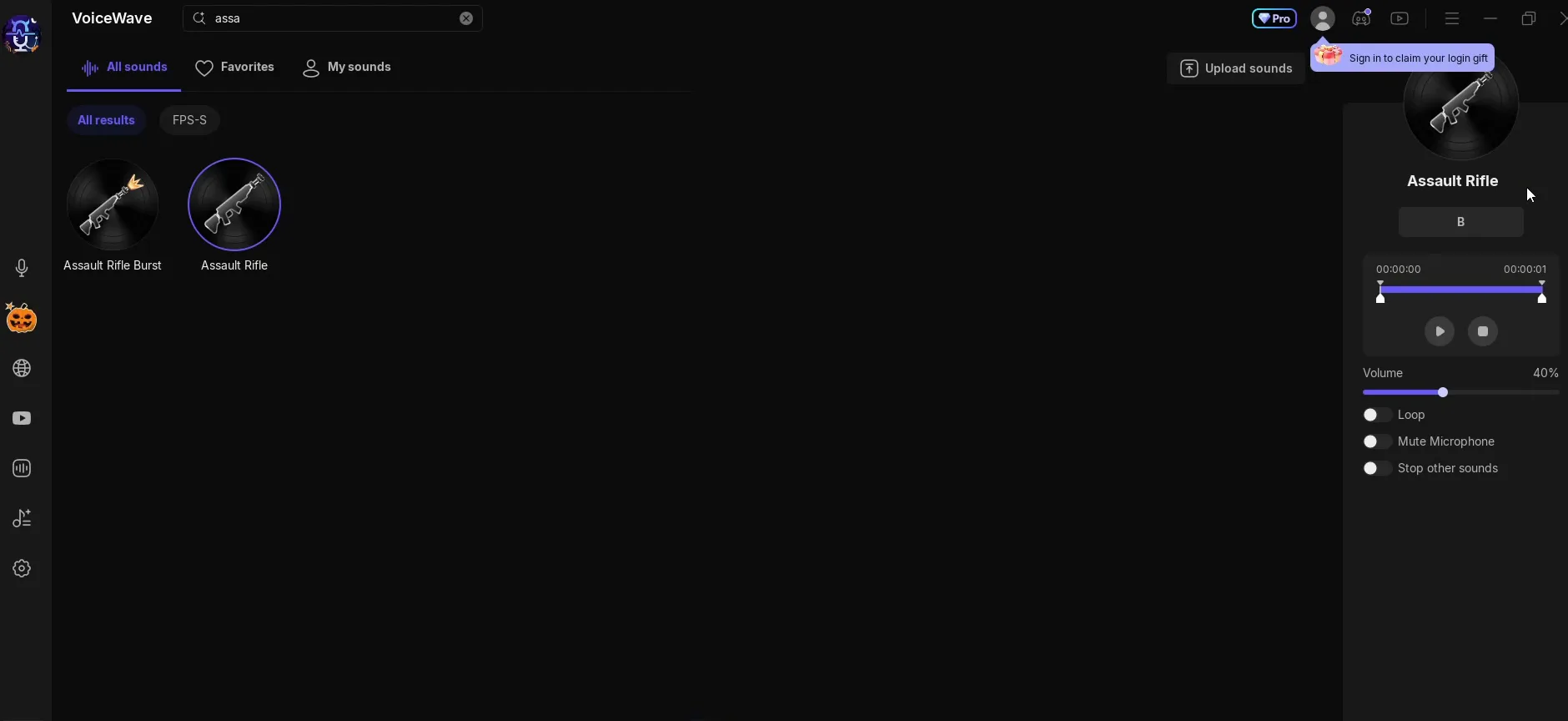
Select it, click Add keybind and press B. Now every press of B makes it sound as if someone is shooting, which nobody in the call expects. The panel also has Volume (40% here), Loop, Mute Microphone and Stop other sounds.
This step makes the anime voice reach your games. Right-click the sound icon on the taskbar and click Sound settings. Scroll down to Input and, under Choose a device for speaking or recording, select VoiceWave Microphone (EaseUS Virtual Device). Windows now uses it as the input for everything.
Taskbar sound icon (right-click)Sound settingsInputVoiceWave Microphone
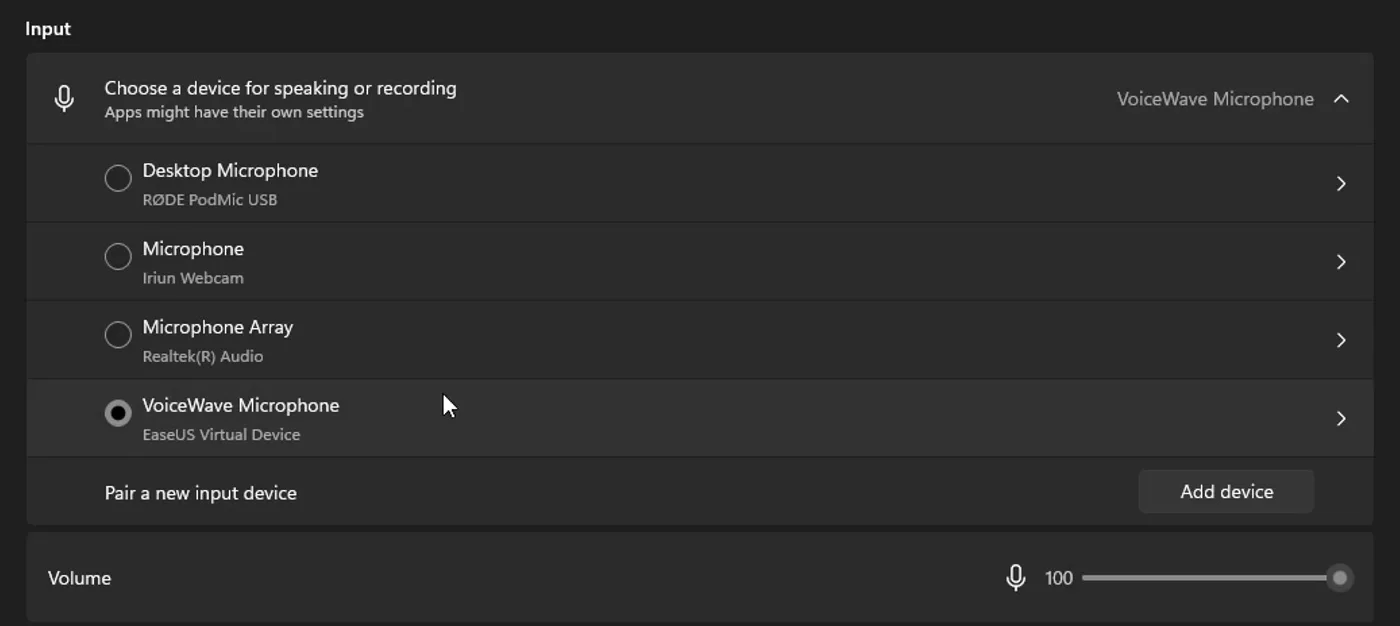
Then start your game with the EaseUS VoiceWave app turned on. VoiceWave listens to your real microphone and sends the changed voice out through VoiceWave Microphone, so Fortnite and any other game that uses the Windows input hear the anime girl voice.
Careful
Windows notes right under this setting that apps might have their own settings. If Discord or a game is set to one specific microphone instead of the default, choose VoiceWave Microphone in its voice settings too.
How to check it worked
Test it once before a match, so you don't find out mid-game:
- With Anime girl selected, speak and watch the input level under VoiceWave Microphone in the Windows sound settings. If it moves, the changed voice reaches Windows.
- Join a Discord call or a party with a friend and ask what they hear. If they hear your normal voice, that app still uses your real microphone directly.
- Press your soundboard key (B in the video). Your friend should hear the shot in the same channel as your voice.
How to undo it
To sound like yourself again, click Original, the first voice in the Trending row. To take VoiceWave out completely, select your normal microphone again under Input in the Windows sound settings.
Key settings at a glance
FAQ
Does the anime girl voice change in real time?
Yes. VoiceWave changes your voice while you talk, so there is nothing to record or edit. In the video the Anime girl and E-girl voices sound extremely realistic and work live.
Which AI model is best for an anime girl voice?
Voice Quality Priority, the one the video switches to before picking any voice. Performance Priority is the lighter mode for older PCs, at some cost in voice quality.
How do I use the anime girl voice in Fortnite?
Select VoiceWave Microphone under Input in the Windows sound settings, keep VoiceWave open with Anime girl selected and start Fortnite. If Fortnite's own voice chat settings point at one specific microphone, set VoiceWave Microphone there as well.
Does it work in Discord?
Yes. In Discord's Voice & Video settings, set the input device to Default (when Windows uses VoiceWave Microphone) or to VoiceWave Microphone directly. Our Discord and Fortnite voice changer guide shows that setup step by step.
Can I make the anime voice higher or softer?
Each voice has its own panel on the right with Volume and Pitch sliders. Anime girl loads with Pitch 12 and the video leaves it there, so start there and move the slider only if you want a different sound.
Is EaseUS VoiceWave free?
The download is free: the button on the official page says Download for Free, and the video installs it from there. The app also shows a Pro badge at the top, so check inside the app which voices and features your plan includes.
How do I go back to my normal voice?
Click Original, the first voice in the Trending row. To stop using VoiceWave altogether, select your real microphone again under Input in the Windows sound settings.
Does VoiceWave work on Mac?
The VoiceWave page in the video labels the app "For Windows 10/11", and every step here is for Windows. For the e-girl version of this setup, see our e-girl voice guide, and for voices on a hotkey, the voice changer hotkey guide.
Try EaseUS VoiceWave
EaseUS VoiceWave is the real-time voice changer used in the video. It works in Discord, games and streaming apps, and you can try it for free before you decide.
This article and the video are a paid partnership with EaseUS.