
Free Voice Changer for All Games: Trump, Ronaldo, E-Girl and Keybinds (2026)

Written version of our video, every step checked against it.
Quick answer
- Download EaseUS VoiceWave with the Download for Free button on its official site and run the installer.
- Click Switch AI model, pick Voice Quality Priority and click Switch now for HD voice quality.
- Click a voice such as Trump, Cristiano Ronaldo or E-girl and talk: the voice changes live.
- Open the Community tab for new voices every day and the soundboard for laughs, a sad violin or the Fortnite-style Assault Rifle.
- Select a voice, click Add keybind and press a key: in the video P turns you into Ronaldo in one press.
This guide is for anyone who wants one free voice changer that works in every game with a mic, from Fortnite and Valorant to Discord calls, without recording or editing anything. It follows our video step by step: the install, the one AI model setting to change, the AI and community voices, the soundboard, the video hub and custom voices, and the voice keybinds that switch your voice mid-match.
In this video
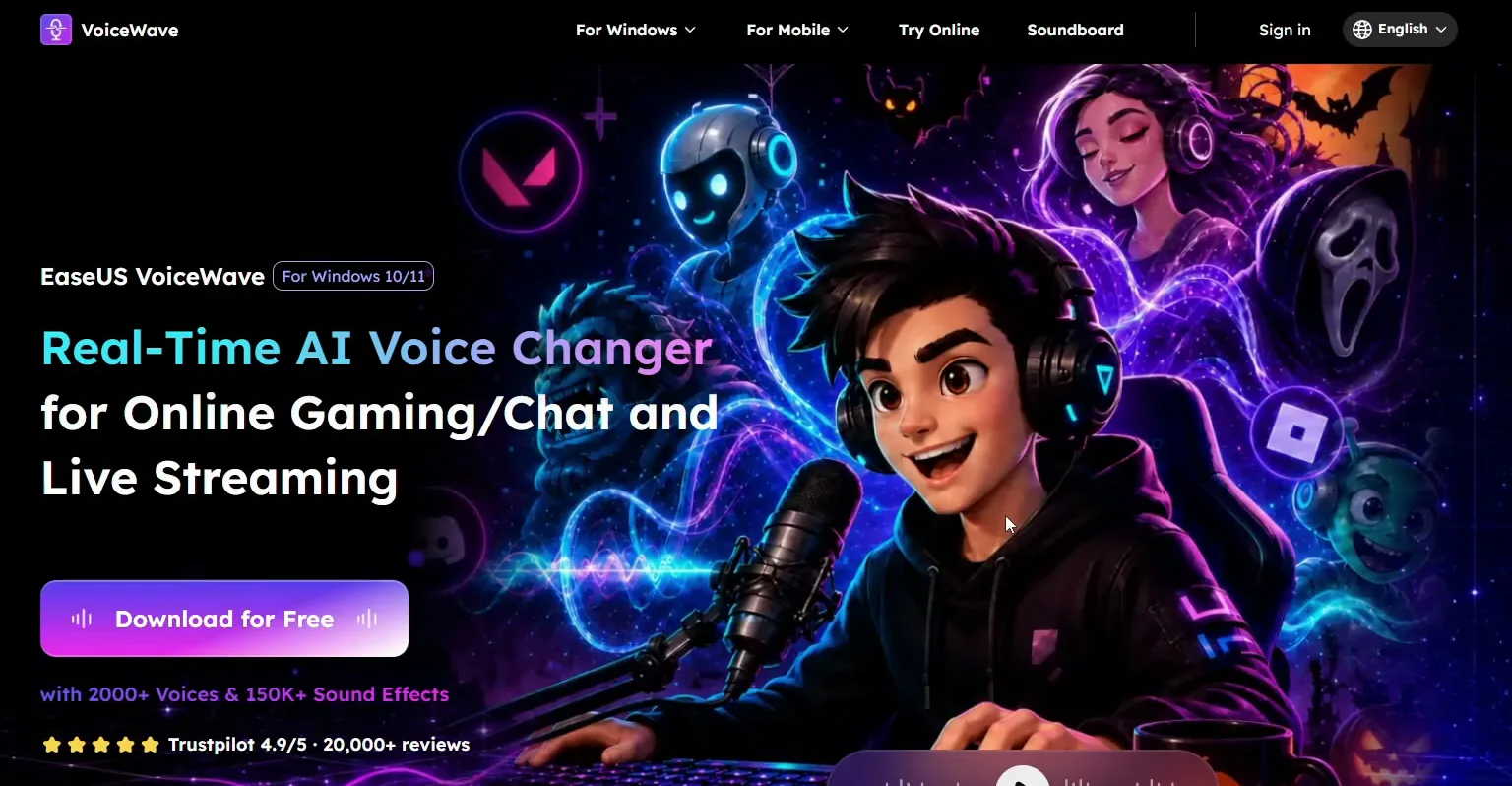
Open the first link in the video description. It leads to the EaseUS VoiceWave website, where you click Download for Free. Click Save, run the installer and wait until it finishes. The app opens on its home page when it is done.
VoiceWave websiteDownload for FreeSaveRun the installer
Good to know
The link in the video description goes to the official site, voicechanger.easeus.com. Take the installer only from there, not from mirror or download sites.
This is the first thing to do on the home screen. Click Switch AI model at the top of the app. A window opens with two modes, and on a fresh install Voice Quality Priority shows Not activated. Click Switch now to activate it, then click OK.
Switch AI modelVoice Quality PrioritySwitch nowOK
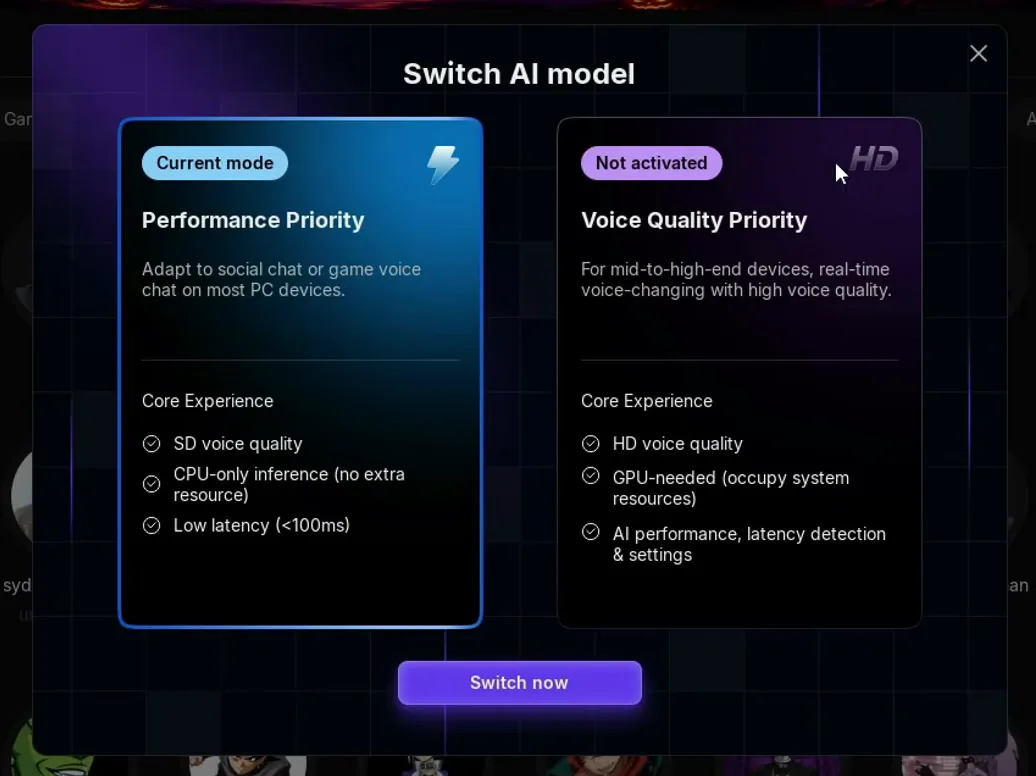
The window explains both modes. Performance Priority gives SD voice quality, runs on the CPU only and lists low latency (under 100 ms). Voice Quality Priority is for mid to high-end PCs: HD voice quality, it needs the graphics card, and it adds AI performance and latency detection settings. The video uses the HD mode, which is why the voices sound realistic.
Tip
On an older PC or a laptop without a strong graphics card, if the changed voice stutters, open the same window and go back to Performance Priority. The voice is less detailed but needs no graphics card.
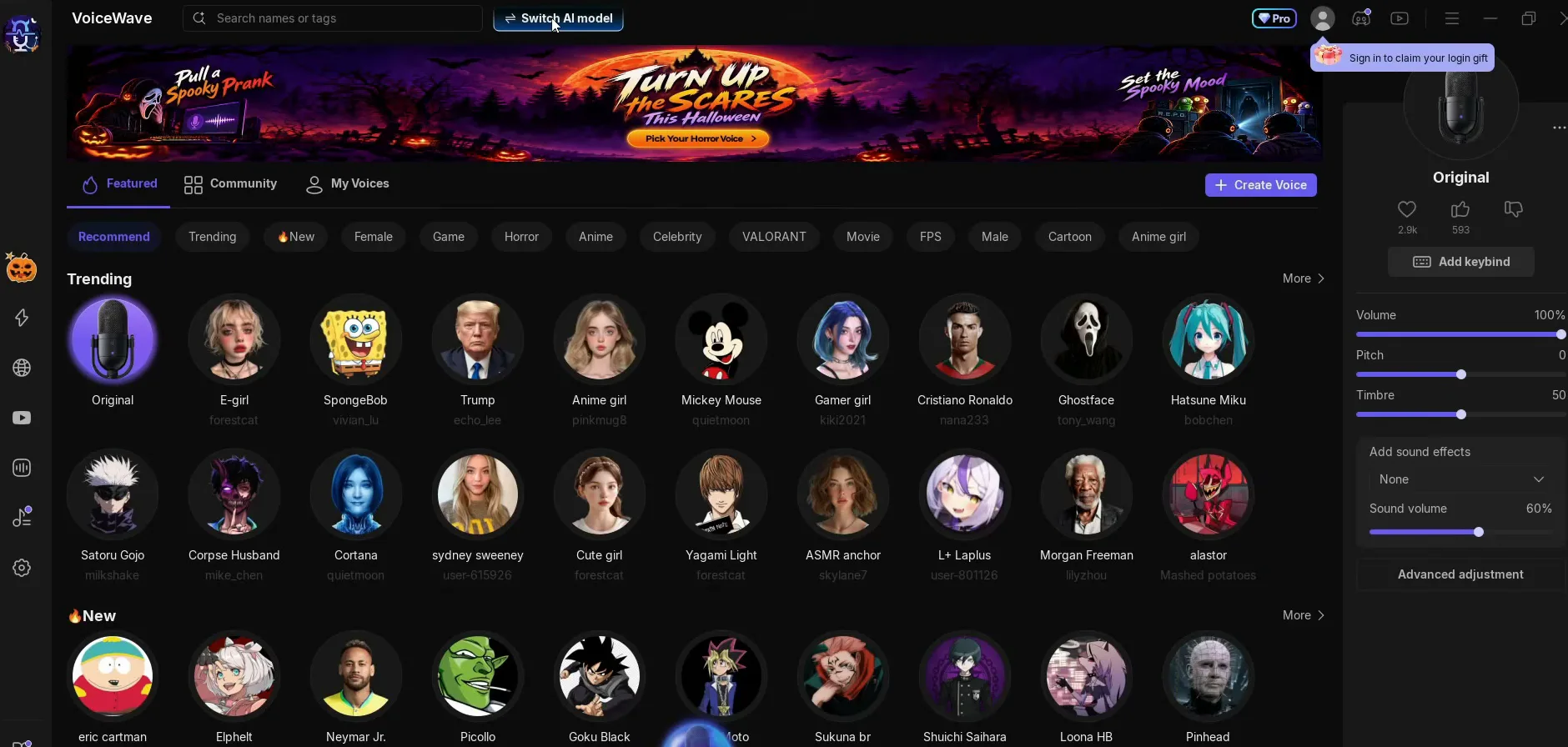
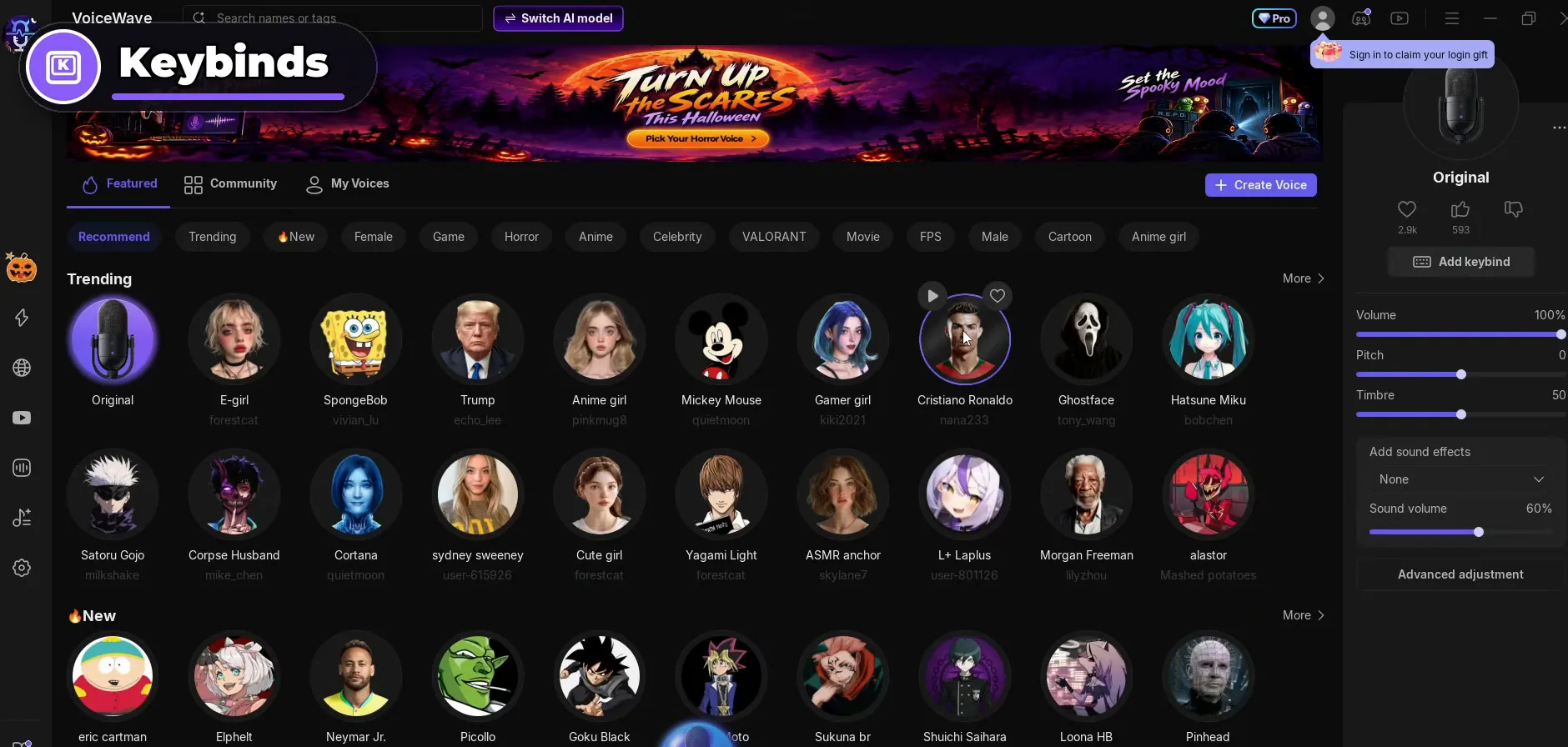
The app is simple from here: click a voice and talk. The Trending row on the Featured page has Trump, Cristiano Ronaldo and E-girl next to Original, which is your own voice. The first click on a voice shows a download arrow while the voice downloads; after that, one click swaps your voice at once.
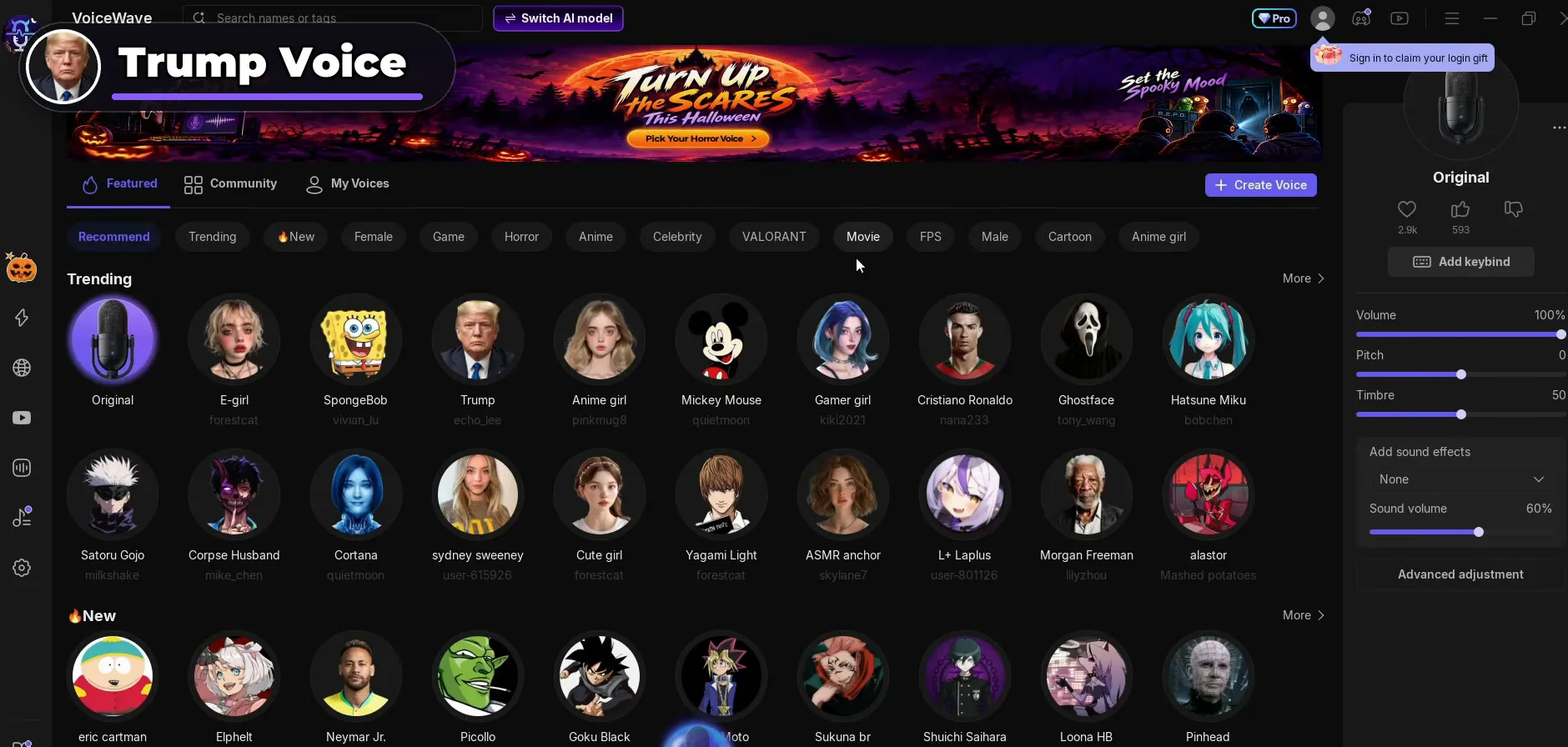
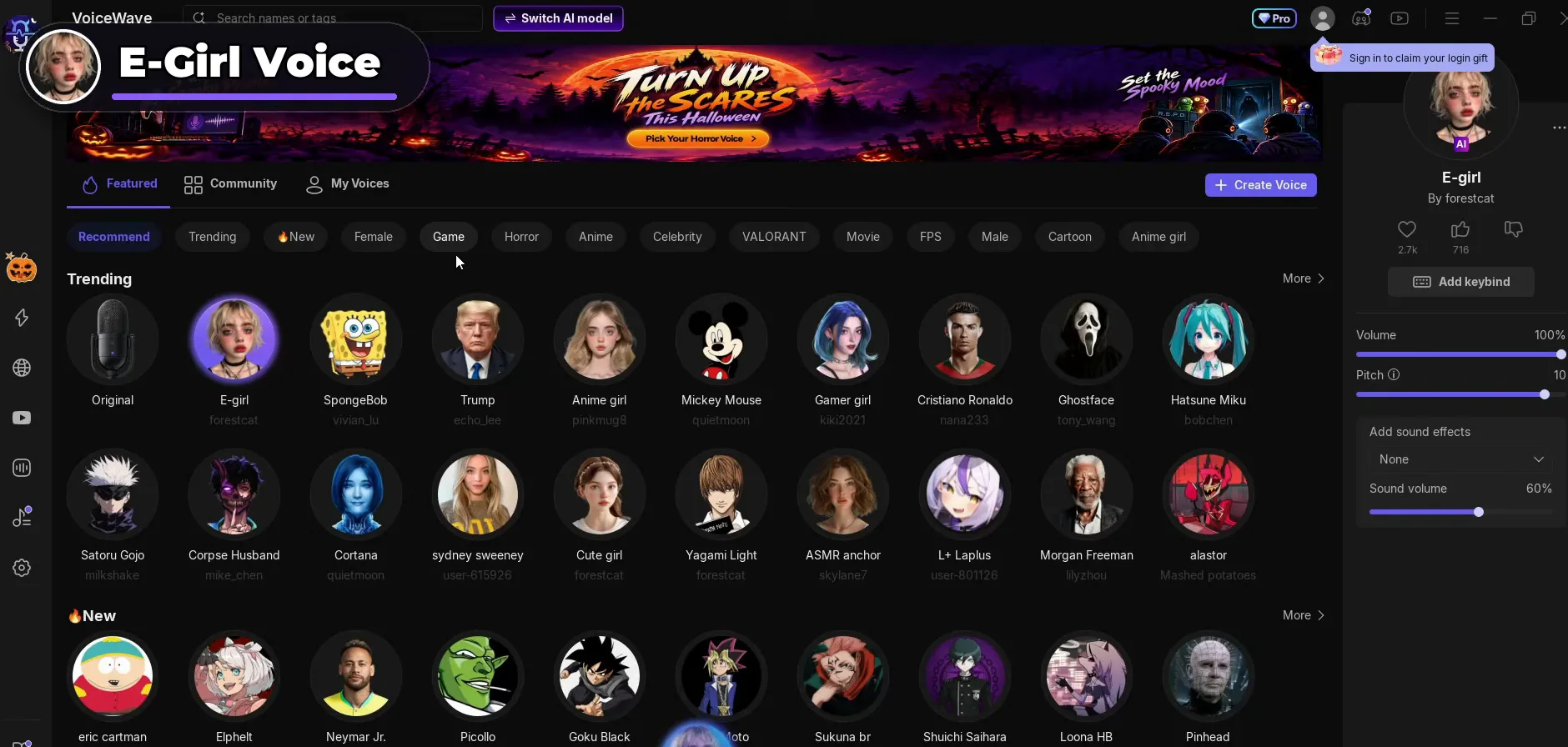
In the video each voice is live the moment it is clicked: Trump first, then Ronaldo, then the e-girl voice. The panel on the right loads each voice's own settings (E-girl comes with Pitch 10, Ronaldo with Pitch -2), and the video leaves them as they are. The Featured page also has filters such as Female, Game, Horror, Anime, Celebrity, VALORANT, Movie and FPS. For a deeper look at the girl voice, see our e-girl voice changer guide.
Beyond the trending voices, new ones arrive every day because they come from the community. Click the Community tab next to Featured and scroll: the list keeps going until you find the voice you want. It has its own filters (Female, Game, Horror, Anime, Celebrity, Movie, FPS, Male, Cartoon) and a Trending Now sort.
CommunityJokerDownload
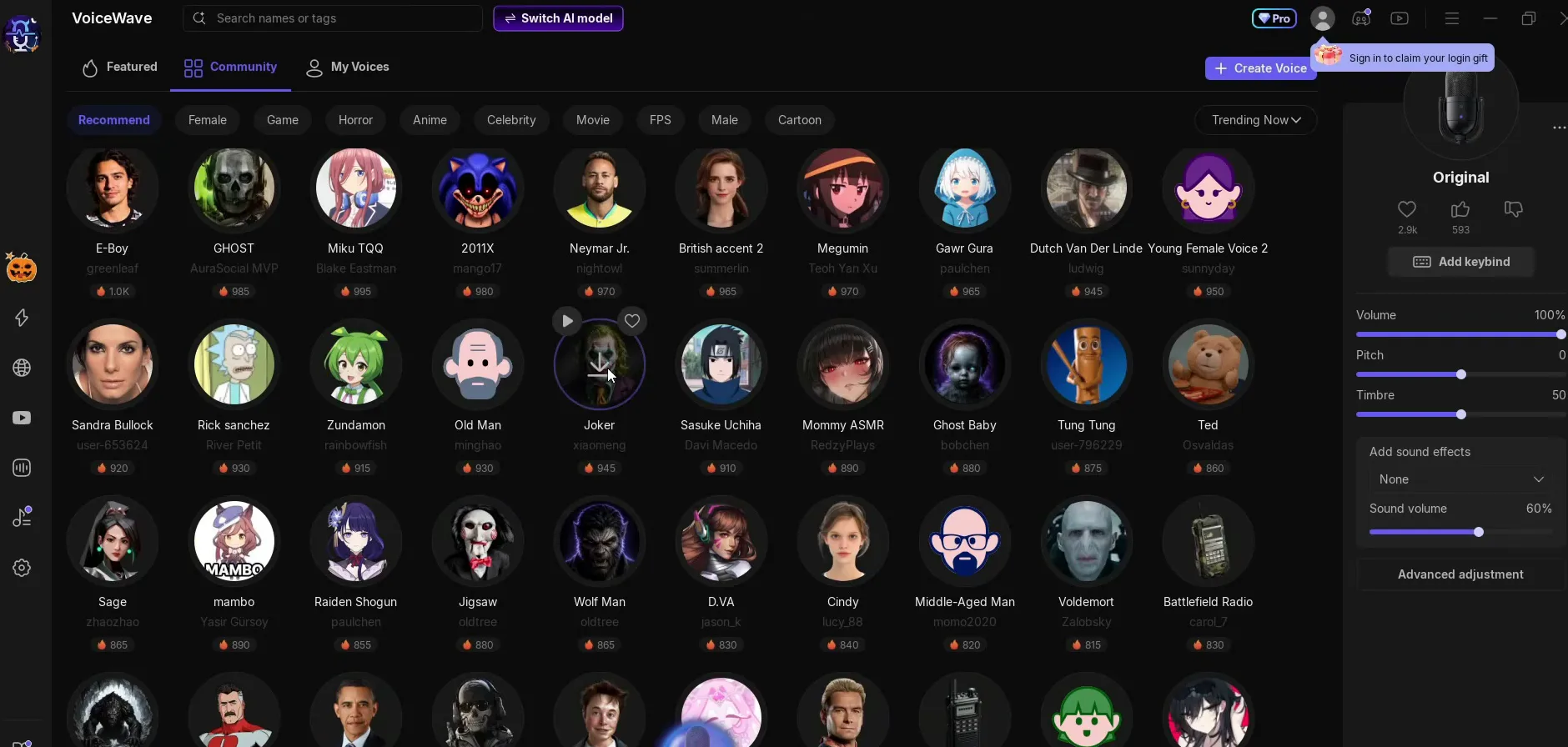
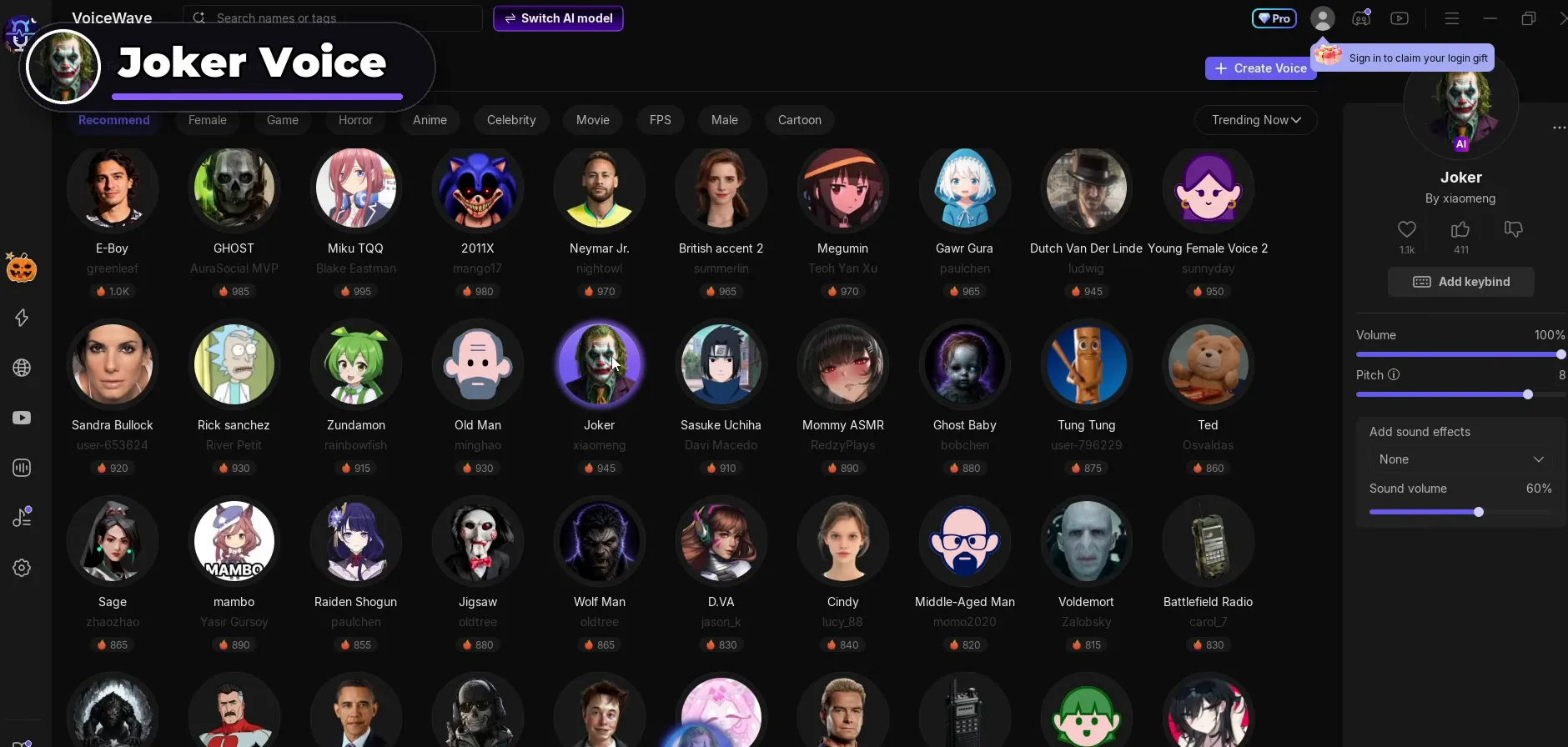
In the video the Joker voice is one click on download away, and the Old Man voice sits in the same rows. Every community voice works like the featured ones: download once, then click to switch.
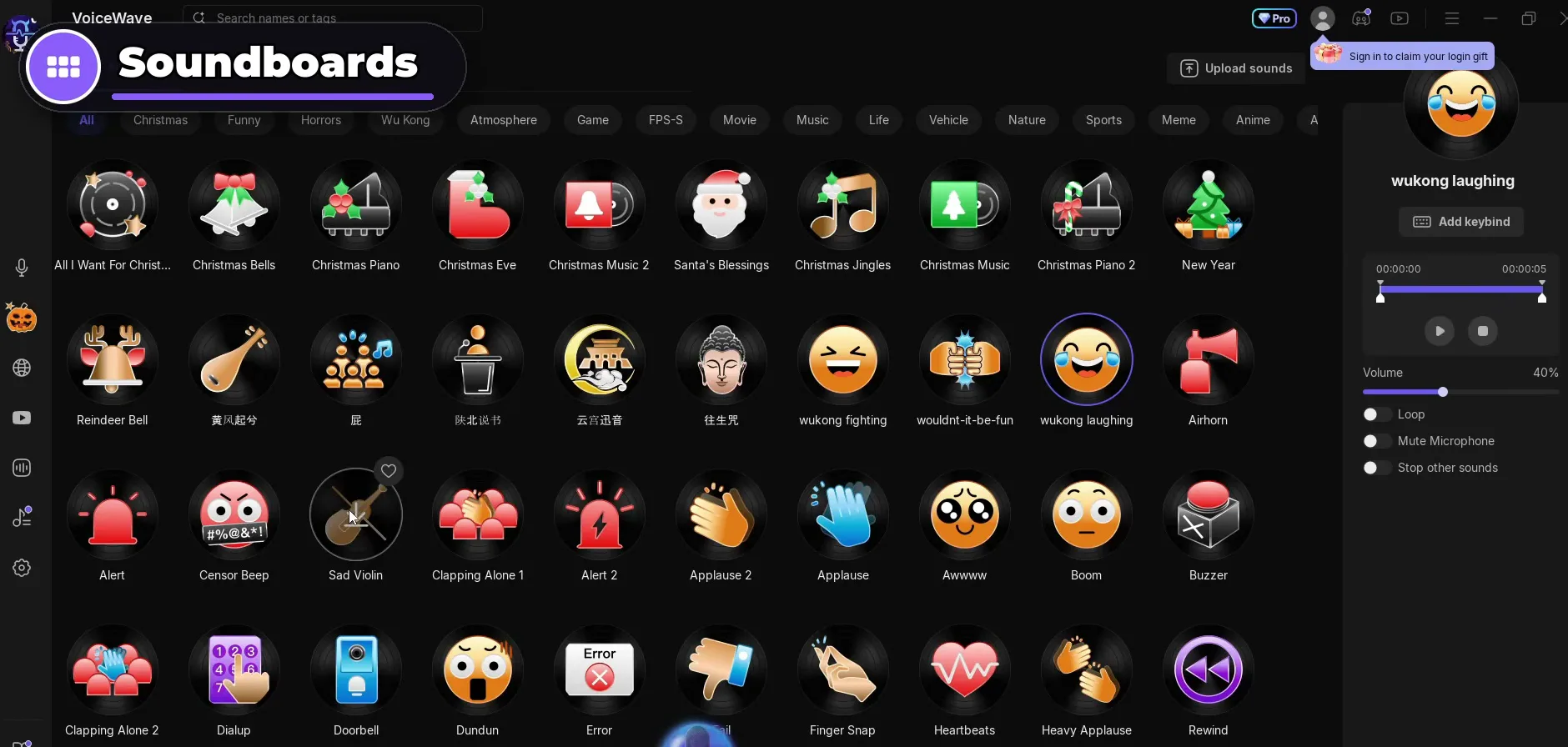
VoiceWave also has a soundboard. Open it from the left sidebar to see All sounds, sorted into categories such as Funny, Horrors, Atmosphere, Game, FPS-S, Movie, Music and Meme. The video plays a laughing sound (wukong laughing), the Sad Violin for when a friend dies in the game, and the Jackpot Tone.
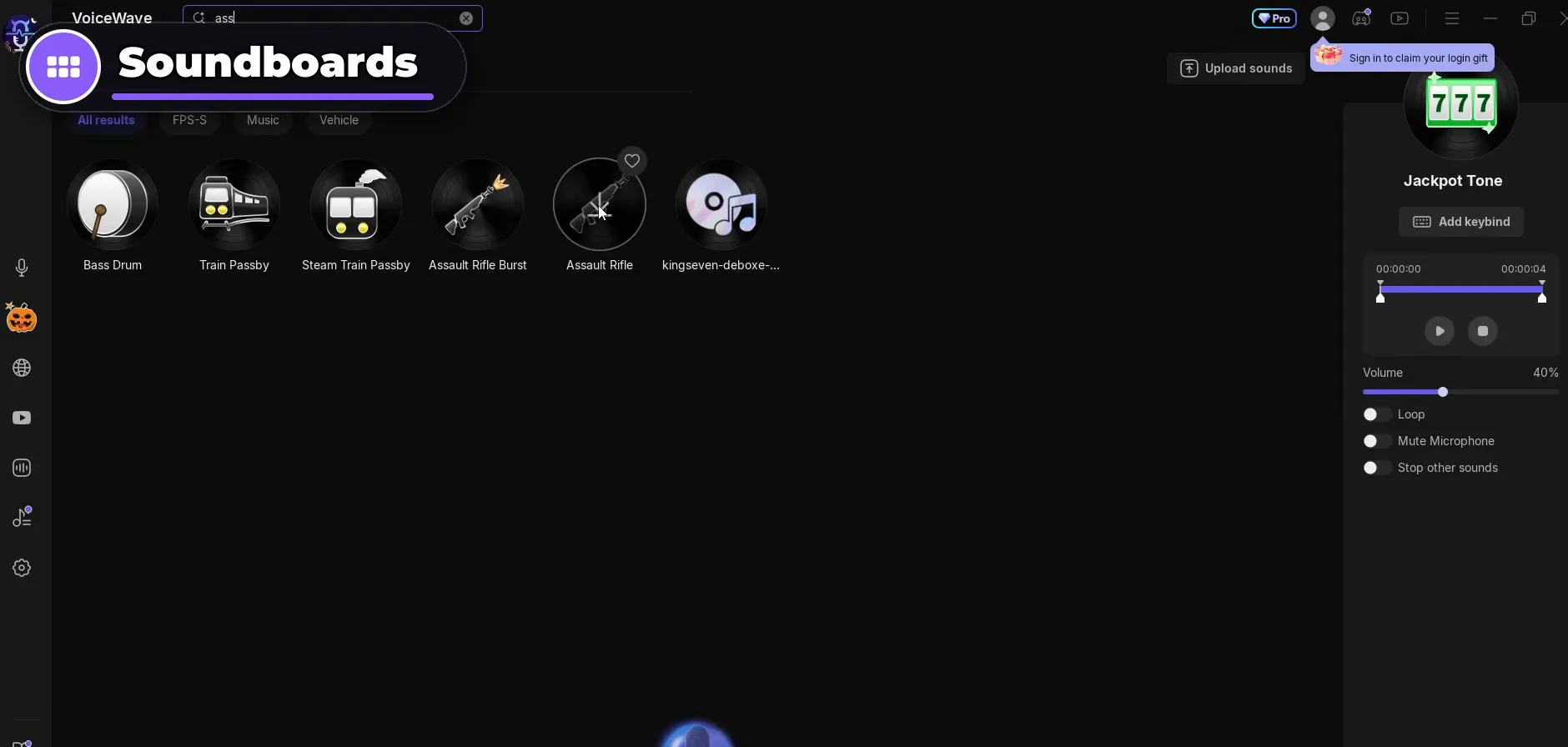
The favourites in the video are the game sounds. Type ass into the search bar and the Assault Rifle sound appears, the one from Fortnite. Click it and your friends hear shots without knowing where they come from.
SoundboardSearch: assAssault Rifle
Careful
Sounds start at Volume 40% on the PC in the video. A sound at full volume can be loud in a friend's headset, so try it once in a call before you use it in a match.
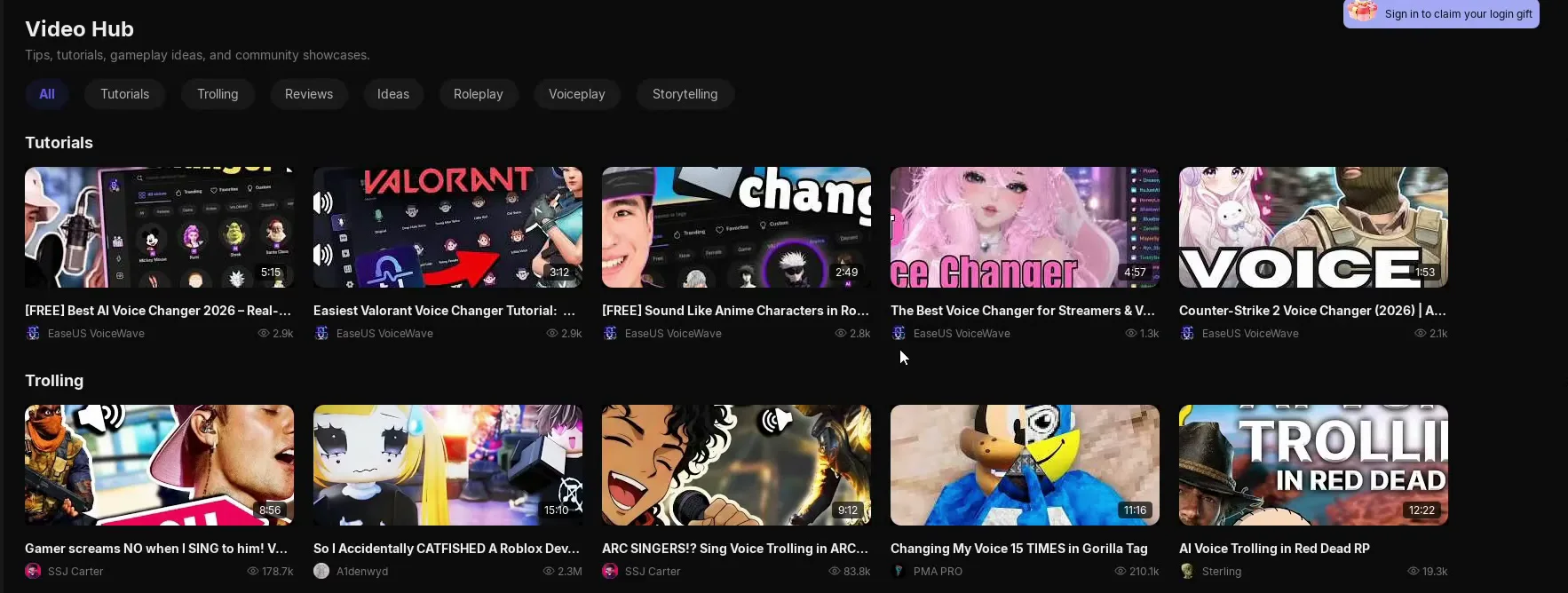
The Video Hub collects the tutorials for the app, plus trolling clips, reviews and ideas. If you want to see how a feature works, open any tutorial there.
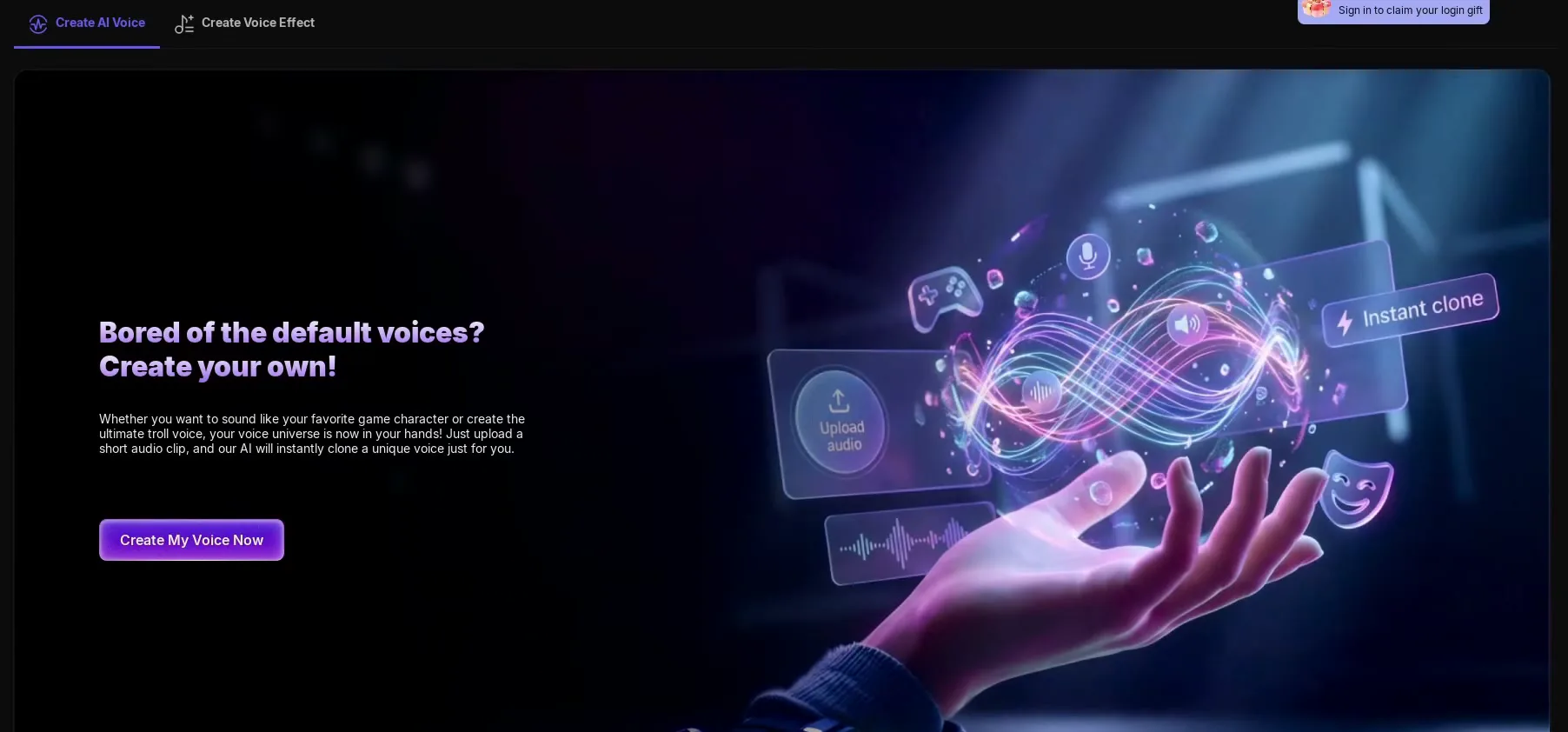
You can also make your own voice. The Create Voice button on the voices page opens two tabs: Create AI Voice, where you upload a short audio clip and the AI clones a voice from it, and Create Voice Effect. Click Create My Voice Now to start.
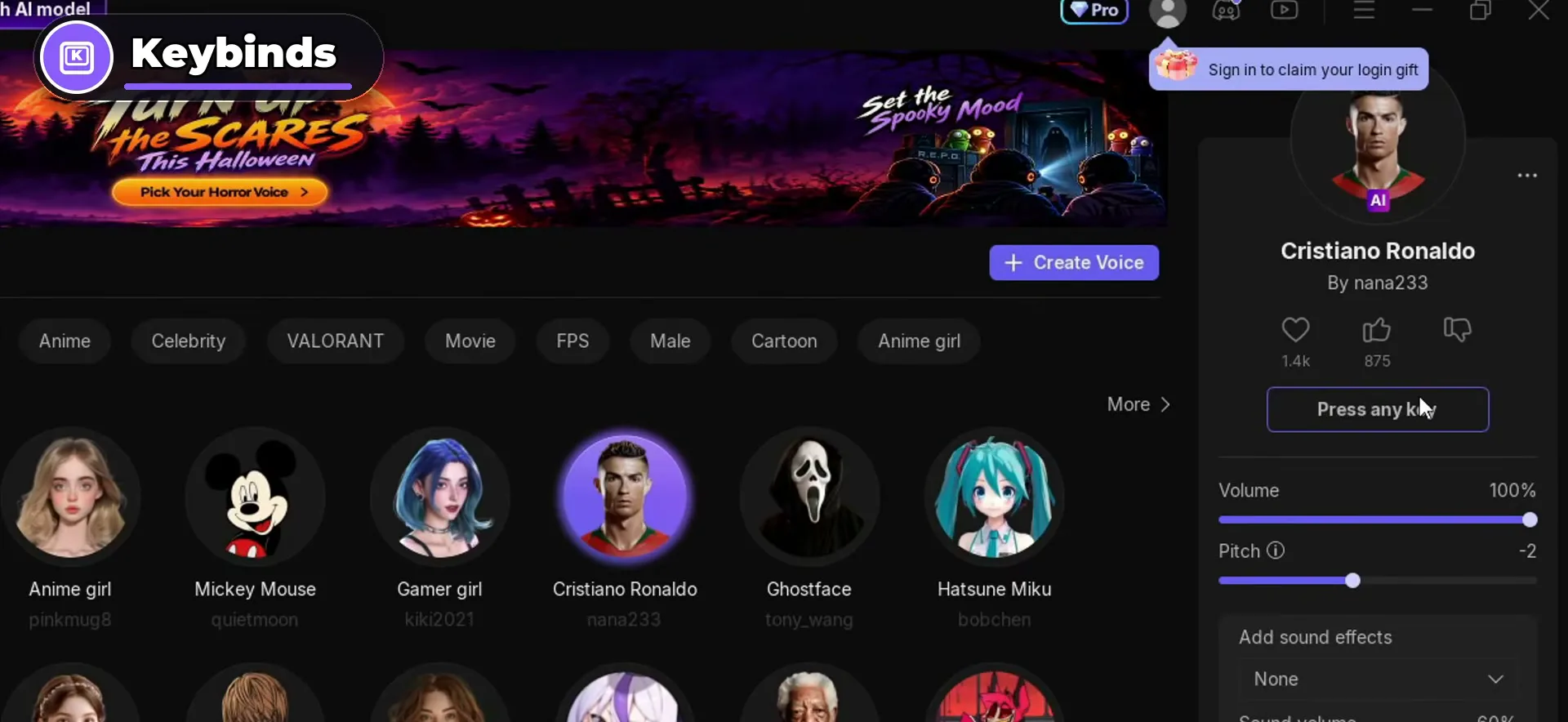
The video calls this the best part. A keybind puts a voice on a key, so you can switch voice in the middle of a game without opening the app. Select the voice (the video uses Cristiano Ronaldo), click Add keybind in its panel and, when the button says Press any key, press the key you want. In the video that is P: every press of P turns you into Ronaldo.
FeaturedCristiano RonaldoAdd keybindP
Tip
Pick a key you never use in your games. A voice on a key like W or E would switch your voice every time you move or interact. The soundboard sounds have the same Add keybind button, so give each one its own free key.
How to check it worked
Test before you join a match so you don't find out mid-game:
- Pick a voice and speak. The voice in the panel lights up and your changed voice should play live, as it does in the video.
- Make sure your game or Discord uses the VoiceWave Microphone as input. Our voice changer input device guide shows where to set it in Windows, and the Discord and Fortnite voice changer guide covers both apps.
- Join a call with a friend, press your voice key (P in the video) and ask if the voice changed. Then click a soundboard sound and check they hear it too.
How to undo it
To sound like yourself again, click Original, the first voice in the Trending row. To stop using VoiceWave completely, set your real microphone back as the input in Windows, Discord or your game.
Key settings at a glance
FAQ
Is EaseUS VoiceWave free?
The download is free: the button on the official site says Download for Free, and the video installs the app from there. The app also shows a Pro badge at the top, so check inside the app which voices and features your plan includes.
Does this voice changer work in all games?
It works in any game or app that takes your voice from a microphone, such as Fortnite, Valorant and Discord, as the video description says. Keep VoiceWave open and select the VoiceWave Microphone as your input in Windows or in the game's own voice settings.
Can I switch voices while I play?
Yes. Give a voice a keybind with Add keybind and press that key in game. In the video P switches to the Cristiano Ronaldo voice instantly, without opening the app.
Which AI model should I pick?
Voice Quality Priority, as in the video: the app lists it as HD voice quality for mid to high-end PCs, and it uses the graphics card. Performance Priority is the lighter mode with SD quality, CPU only and low latency (under 100 ms) according to the app.
How do I get the Trump or Ronaldo voice?
Both are in the Trending row on the Featured page, named Trump and Cristiano Ronaldo. Click one, wait for the first download, then talk. Our celebrity voice changer guide covers more famous voices.
Where do the community voices come from?
Other users make them, and new ones come in every day. Each voice shows its creator under its name, for example the Joker voice by xiaomeng. Download one once and it switches like any other voice.
Can I play soundboard sounds and use a voice at the same time?
Yes. The video plays laughs, the Sad Violin and the Assault Rifle sound while a voice is active. Each sound's panel has Add keybind, Volume, Loop, Mute Microphone and Stop other sounds, and Stop all sounds ends everything at once.
How do I go back to my normal voice?
Click Original in the Trending row. That turns the voice change off while VoiceWave stays open.
Try EaseUS VoiceWave
EaseUS VoiceWave is the real-time voice changer used in the video. It works in Discord, games and streaming apps, and you can try it for free before you decide.
This article and the video are a paid partnership with EaseUS.