
Free Celebrity Voice Changer for PC: Sound Like Trump, Elon Musk or Ronaldo in Any Game

Written version of our video, every step checked against it.
Quick answer
- Download EaseUS VoiceWave with the Free Download button on the official page and install it.
- Open All Voices, use the Celebrity filter and click Trump, Elon Musk or Cristiano Ronaldo: you sound like them while you talk.
- Click Add keybind on a voice to switch with one key combination; the video puts Original on Ctrl+P.
- The soundboard plays sounds like Emotional Damage or FBI on command, in Funny, Horror, Vehicle and more.
- File Mode and Record Mode change the voice of a finished audio or video file or a fresh recording; the Voice Laboratory builds your own voice.
This guide is for anyone who wants to sound like a celebrity on a Windows PC, live in Fortnite, Discord or any other game, and also in clips you have already recorded. It follows our video screen by screen: the free download, the preset voices, the Trump, Elon Musk and Ronaldo AI voices, keybinds that swap voices in a match, the soundboard, and the three tools for recordings and your own custom voice.
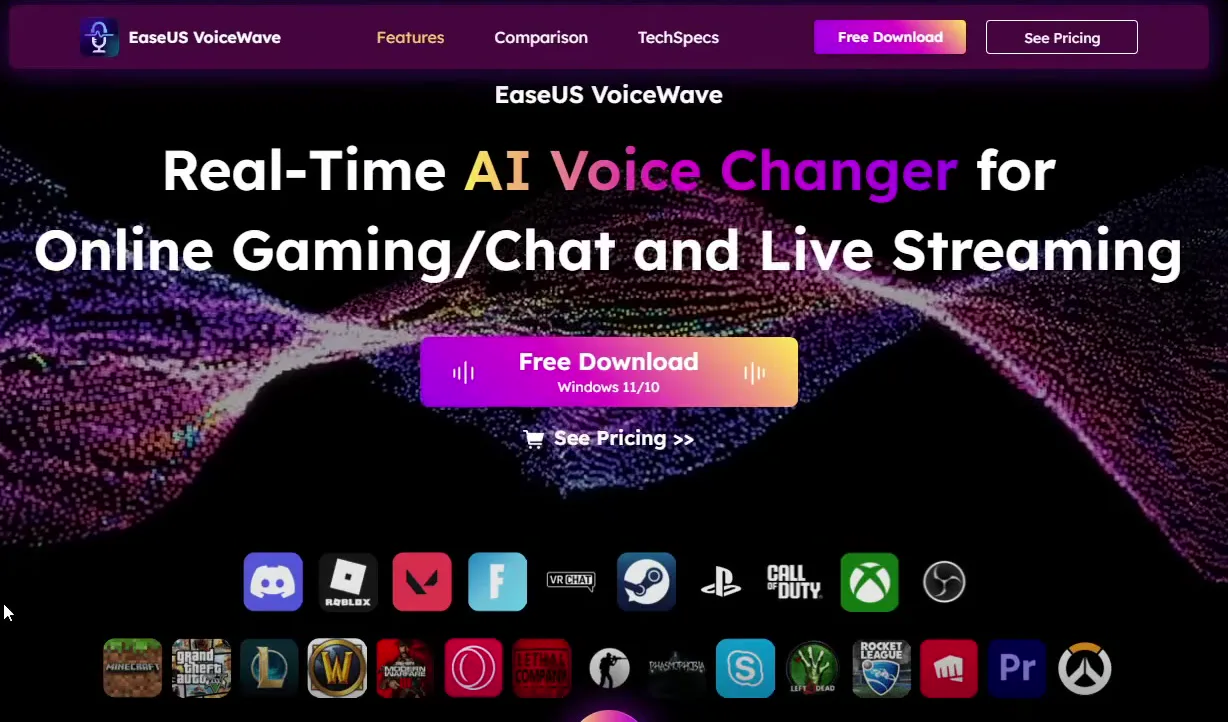
Open the link in the video description. It leads to the EaseUS VoiceWave page, titled Real-Time AI Voice Changer for Online Gaming/Chat and Live Streaming, with the icons of the games and apps it works with under it: Discord, Roblox, VALORANT, Fortnite, Steam, Call of Duty, OBS and many more. Click Free Download (Windows 11/10), save the file and drag it onto your desktop.
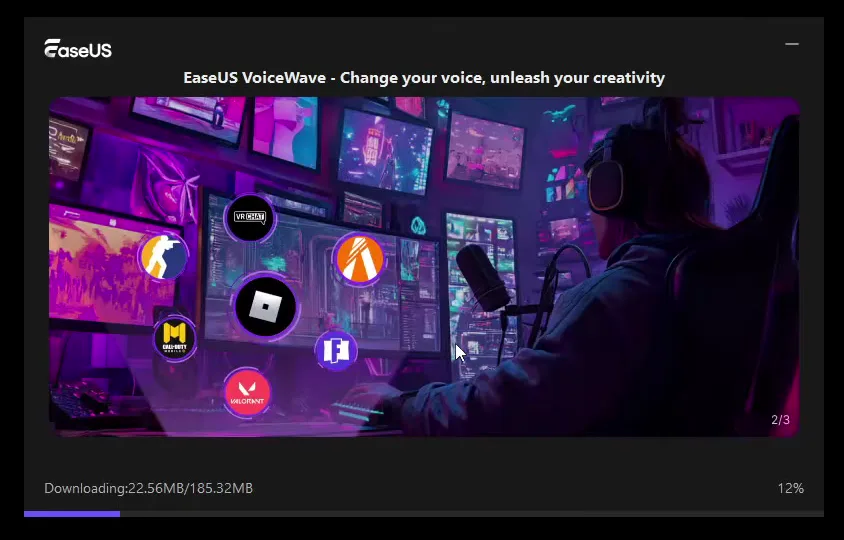
Double-click the file. The installer downloads the app and, as the video says, takes only a few seconds: just wait for it to finish, then open VoiceWave.
Good to know
Take the installer only from the official EaseUS page the description links to. Copies on download sites can be old or bundled with other software.
VoiceWave opens on All Voices. The first row holds the classic presets: Original (your own voice), Mature Male Voice, Girl Voice and Zombie. Click one and talk: the new voice comes out right away. Above the grid sit the tabs Trending, Favorites and Custom, the search bar and the filters, and the panel on the right shows the settings of the voice you picked.
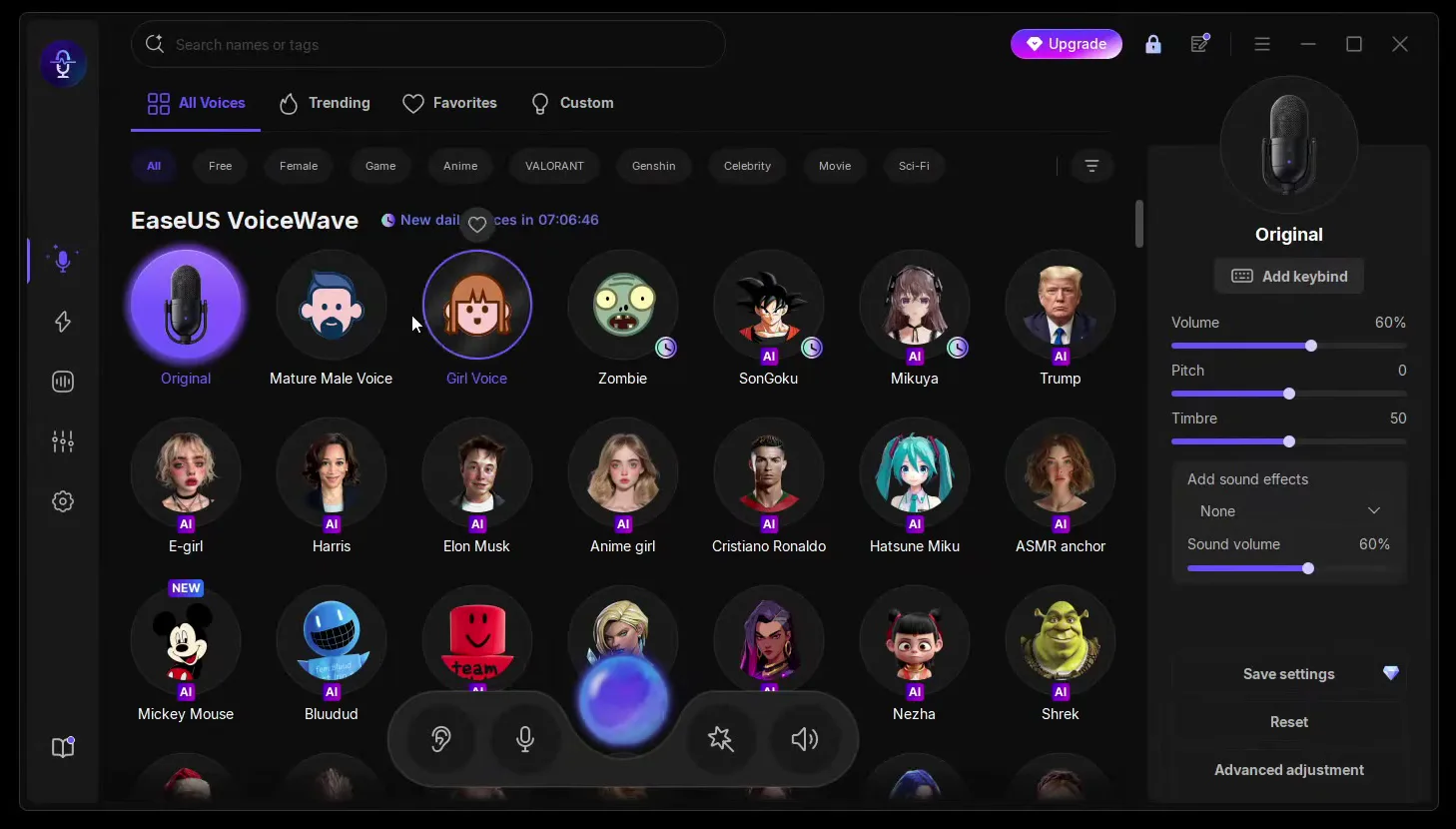
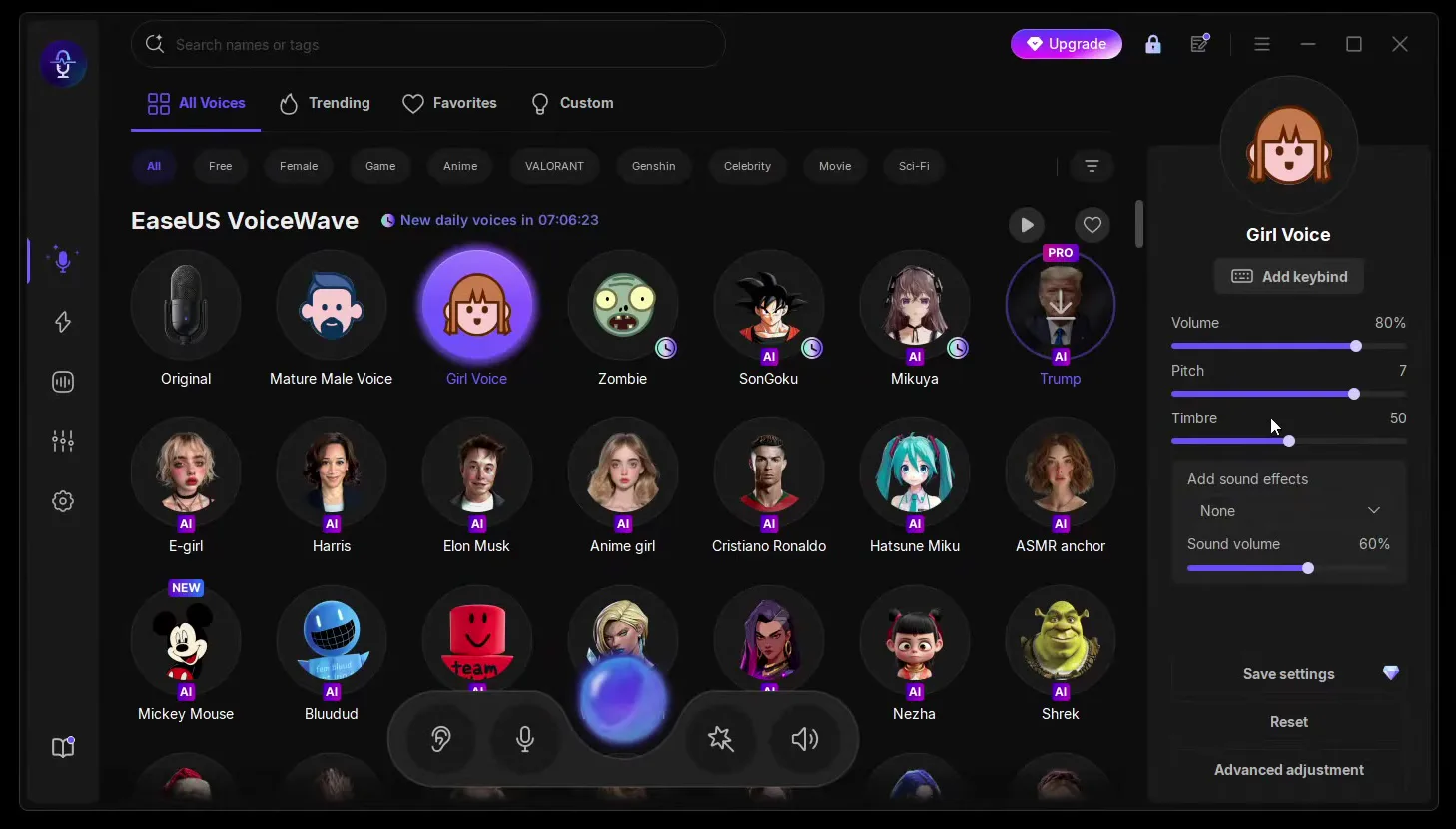
The video tunes each voice with the sliders on the right. Volume sets how loud the changed voice is, and Pitch sets how high it sounds: Girl Voice ends up at 80% volume and pitch 7. The presets also have a Timbre slider and Add sound effects, and Reset is there if you want to start over.
Now the celebrity part. The voices with a purple AI badge are AI voices, and the video tries three of them: Trump, Elon Musk and Cristiano Ronaldo. Click one, wait for the short download the first time, and talk: you sound like that person live, without recording anything. To see only famous people, click the Celebrity filter above the grid.
All VoicesCelebrityElon Musk
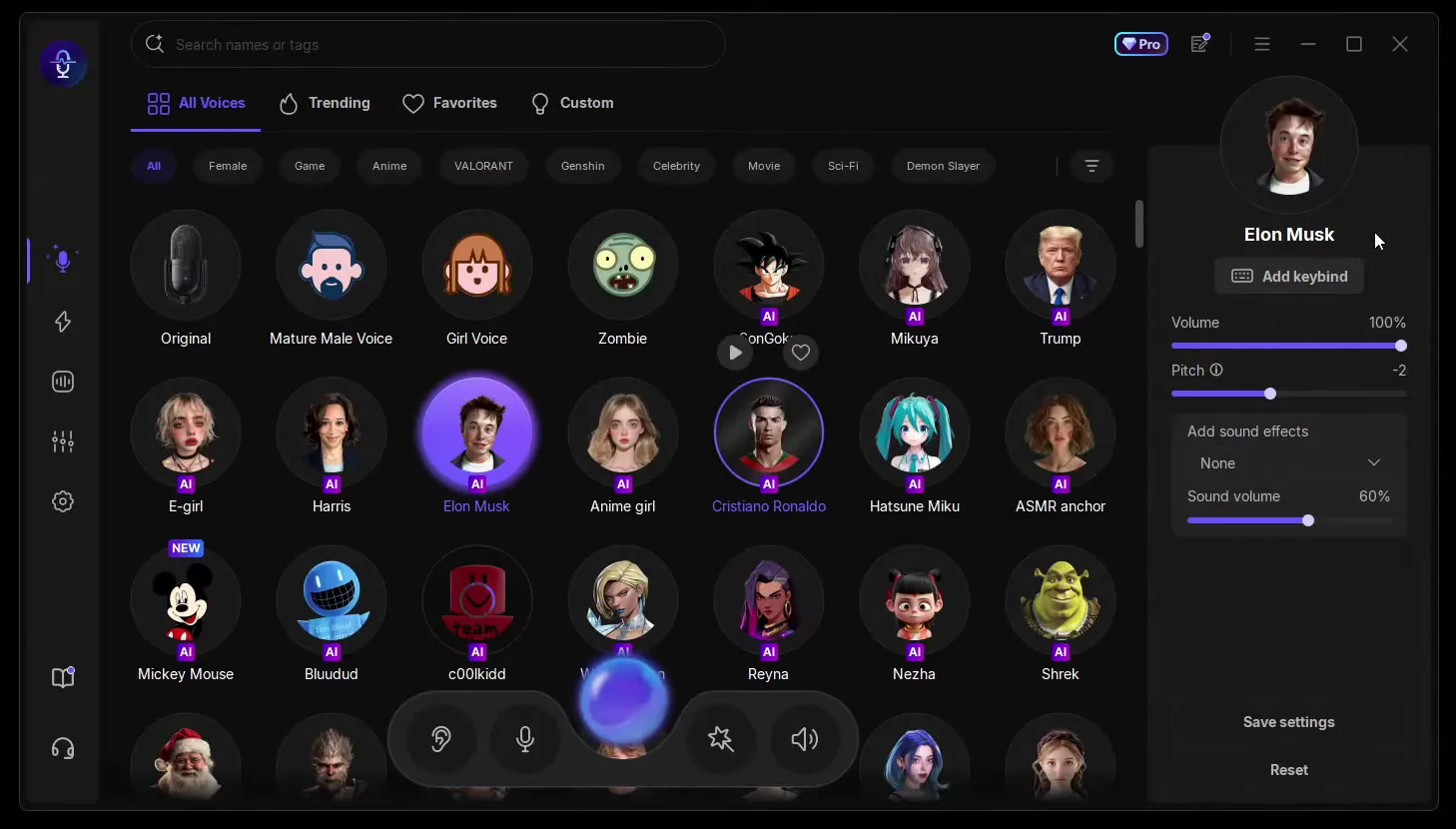
AI voices have a simpler panel than the presets: Volume, Pitch and sound effects, with no Timbre slider. The video keeps them as they load. Some voices carry a PRO label in the grid, as Trump does on the PC in the video, so check in the app which voices your plan includes.
Careful
Celebrity voices are for jokes with friends and clearly marked fun content. Never use them to pass yourself off as the real person, in calls, messages or posts that could fool someone.
The first rows are only the start: the video calls the options unlimited, with thousands of voices. It names sports stars and famous people such as Kylian Mbappé, Messi, Stephen Hawking, LeBron James and Steph Curry, and even SpongeBob. Scroll down All Voices and you pass Harris, Mickey Mouse, Shrek, c00lkidd, Santa Claus, Wukong, accents and anime characters.
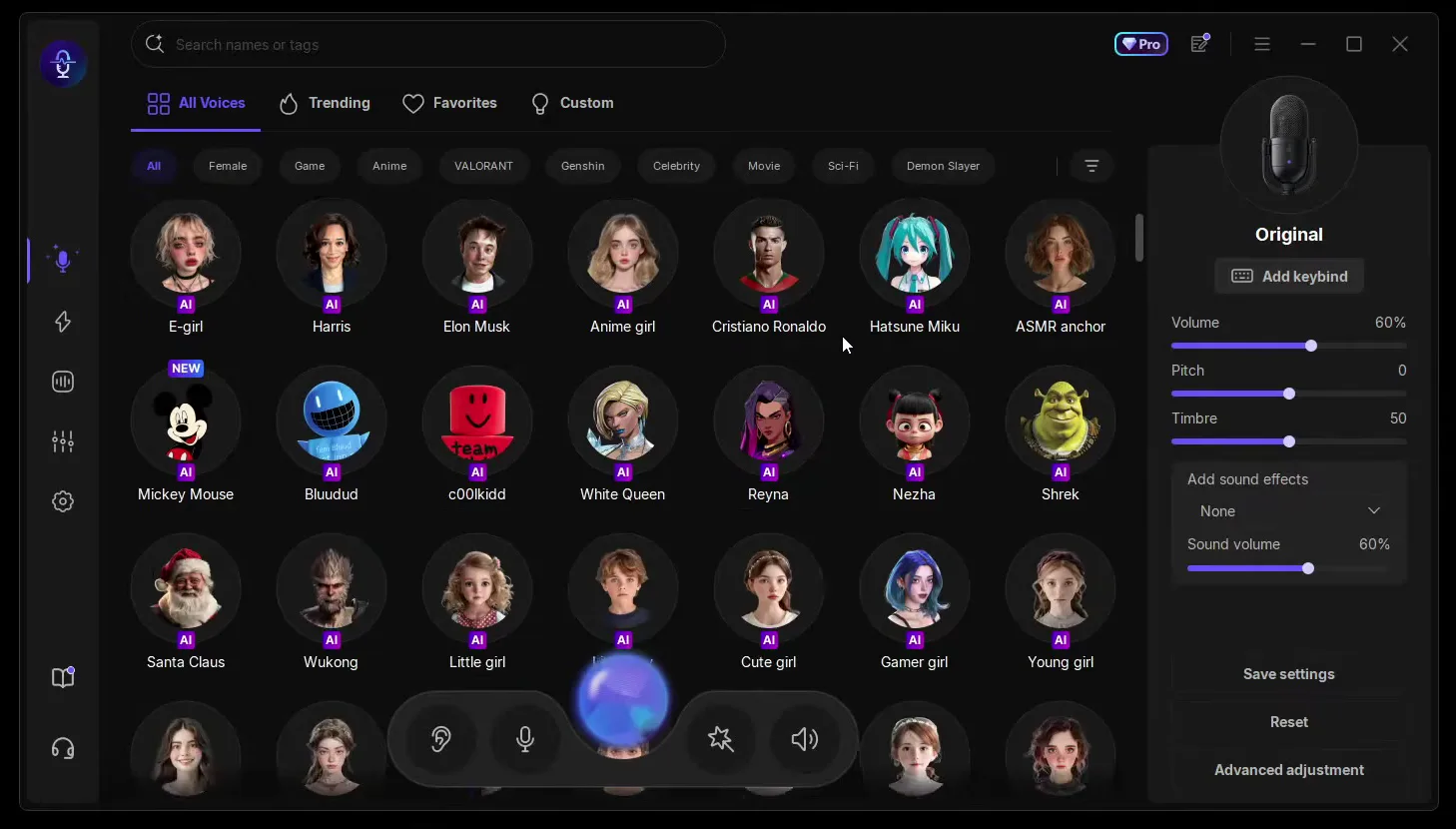
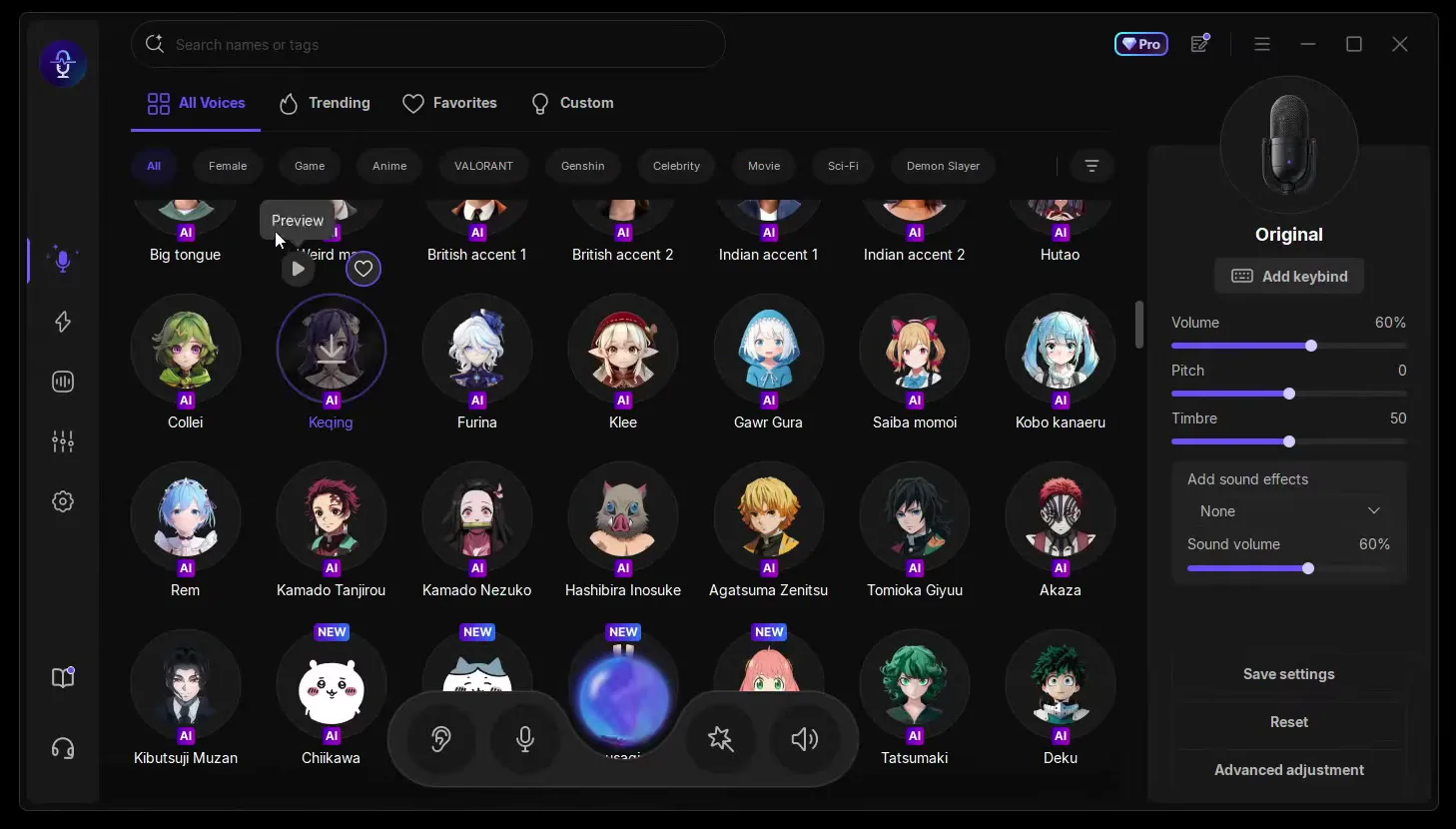
When you know who you want, type the name into Search names or tags at the top instead of scrolling. Hover over a voice to get a Preview button and hear it before you pick it.
This is the part the video calls one of the coolest. Give a voice a keybind and you can swap voices with a key combination while you play, without going back to the VoiceWave window. Select the voice, click Add keybind in its panel and press the keys.
OriginalAdd keybindCtrl+P
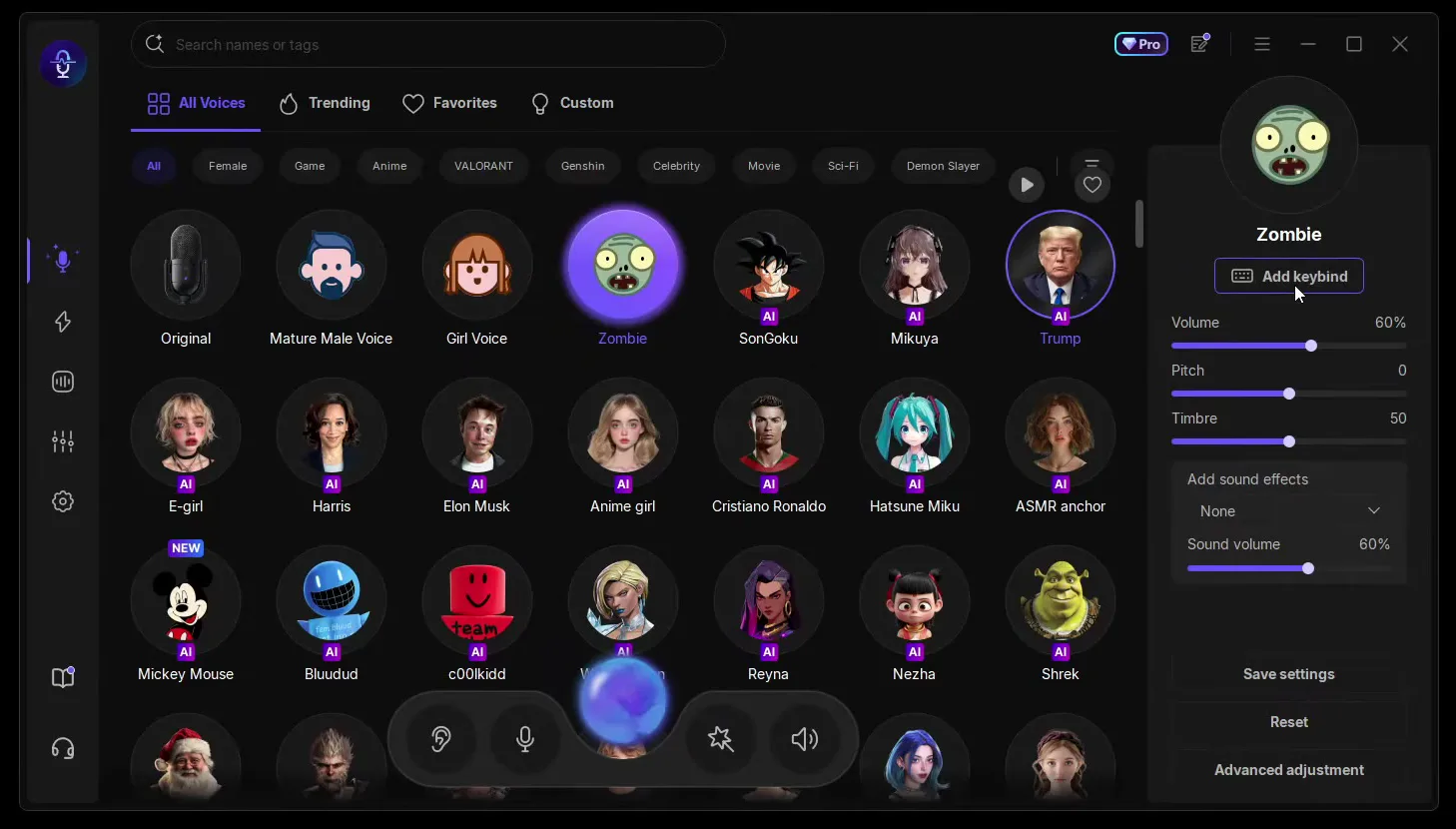
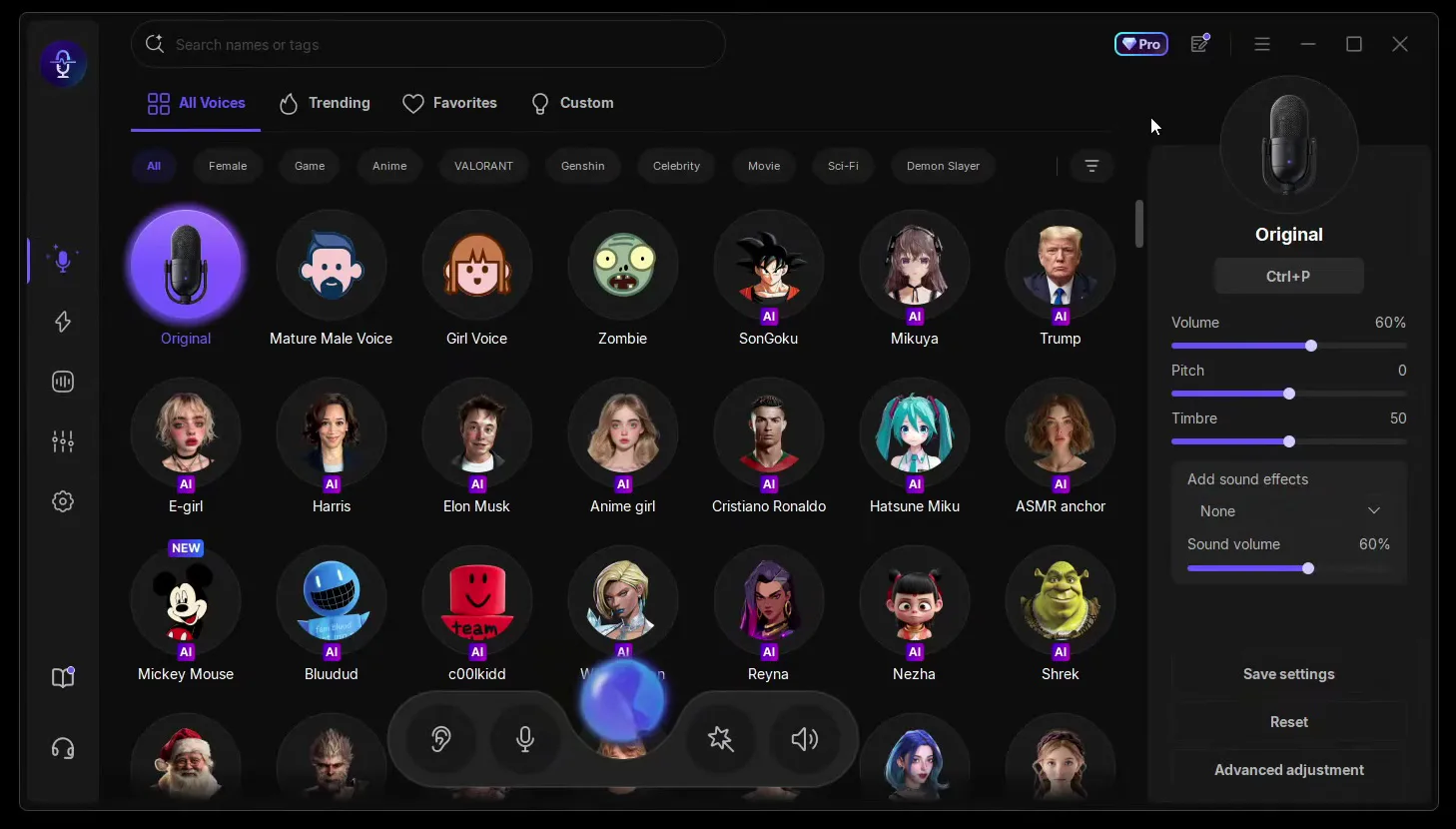
In the video Ctrl+P switches back to Original and a second Ctrl combination switches to Zombie. The same works for any celebrity voice: one combination for Trump, one for your own voice, and you can drop in and out of the joke mid-match.
Tip
Use combinations with Ctrl like the video, not single letters. A key you also use in your game would change your voice every time you press it.
The filter row under the tabs sorts every voice by category: Female, Game, Anime, VALORANT, Genshin, Celebrity, Movie, Sci-Fi and even Demon Slayer. The Trending tab shows what other people use right now.
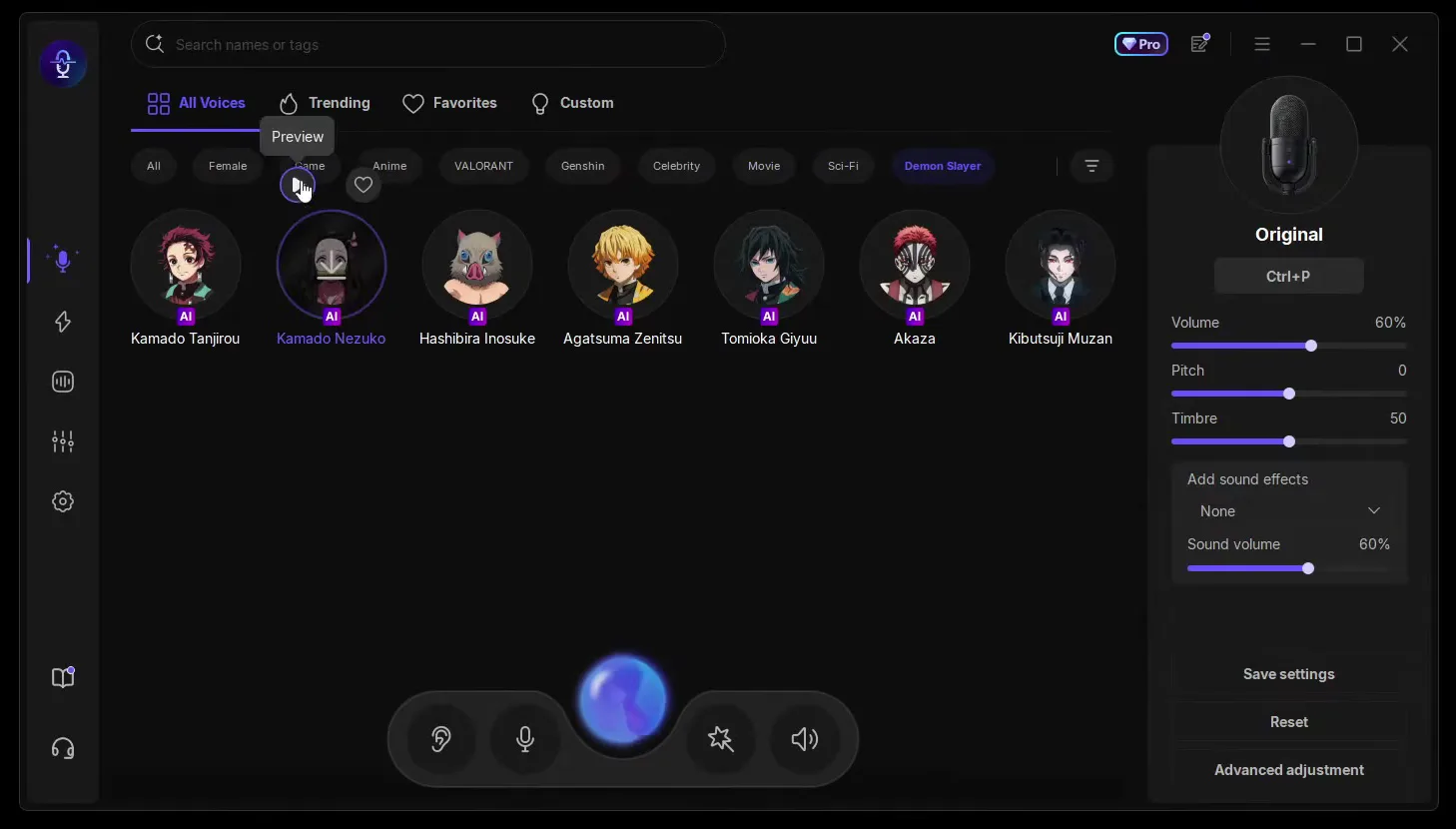
Hover over a voice and click the heart to add it to Favorites. Your celebrity voices then sit together in one tab instead of somewhere in a list of thousands.
VoiceWave also has a soundboard, the second icon in the left sidebar. All Sounds has its own filters: Christmas, Wu Kong, Atmosphere, Funny, Horror, Game, Movie, Music, Life and Vehicle. Click a sound to play it, and your friends hear it in the same voice chat as you.
2nd sidebar iconAll SoundsFunnyEmotional Damage
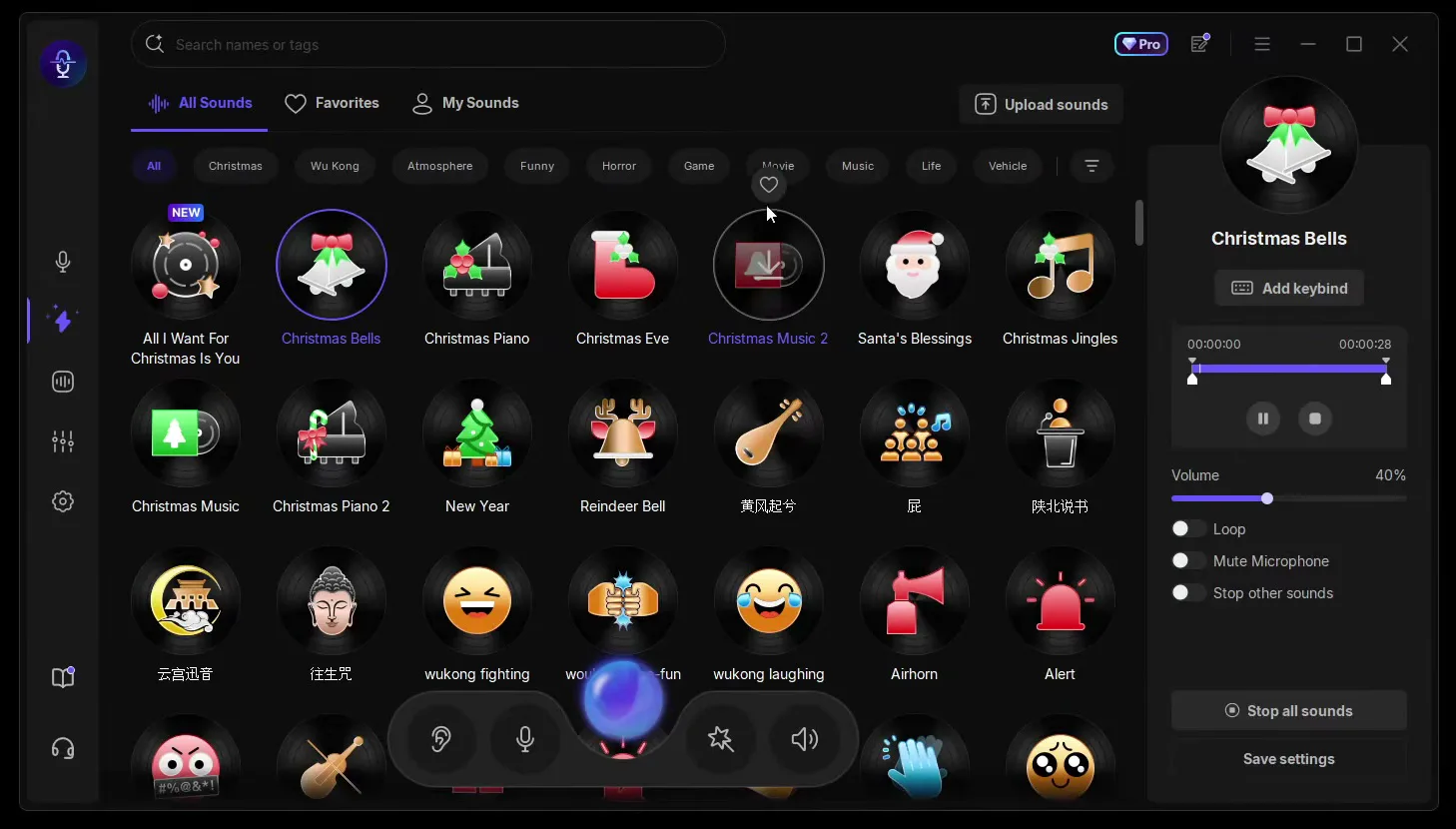
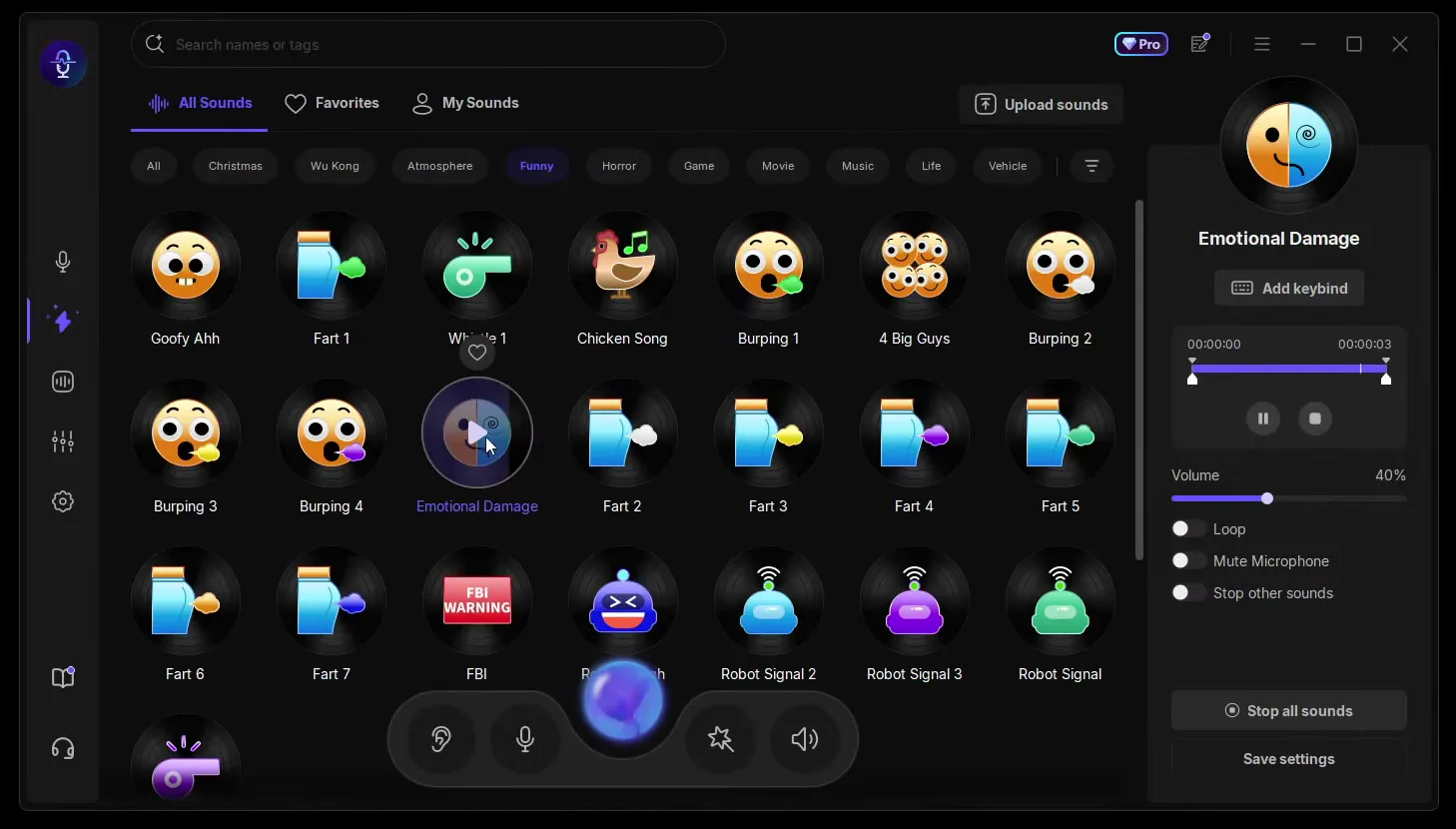
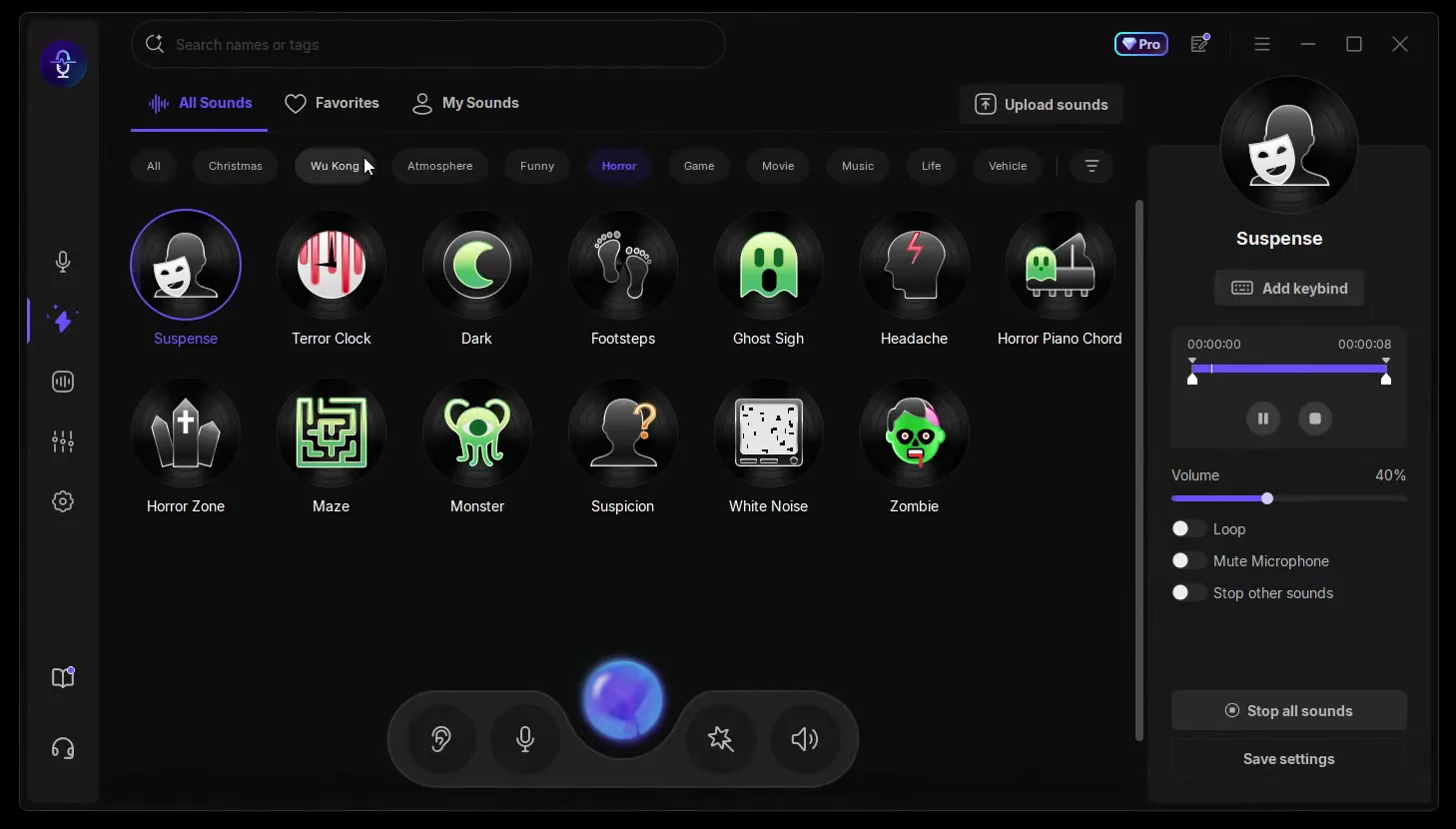
The video plays Christmas bells, a whistle, Emotional Damage and the FBI sound ("FBI, open up!"). In Horror there is Suspense to scare your friends and a sound called Dark, and Vehicle has a train passing by. Each sound's panel has Add keybind, a Volume slider (40% as it loads), Loop, Mute Microphone and Stop other sounds.
VoiceWave does more than live voice. If you make videos and want your voice deeper or different in a clip that is already done, open the third icon in the sidebar and stay on File Mode. The page is titled Change audio or video voice: click Import and pick the file, audio or video.
3rd sidebar iconFile ModeImport
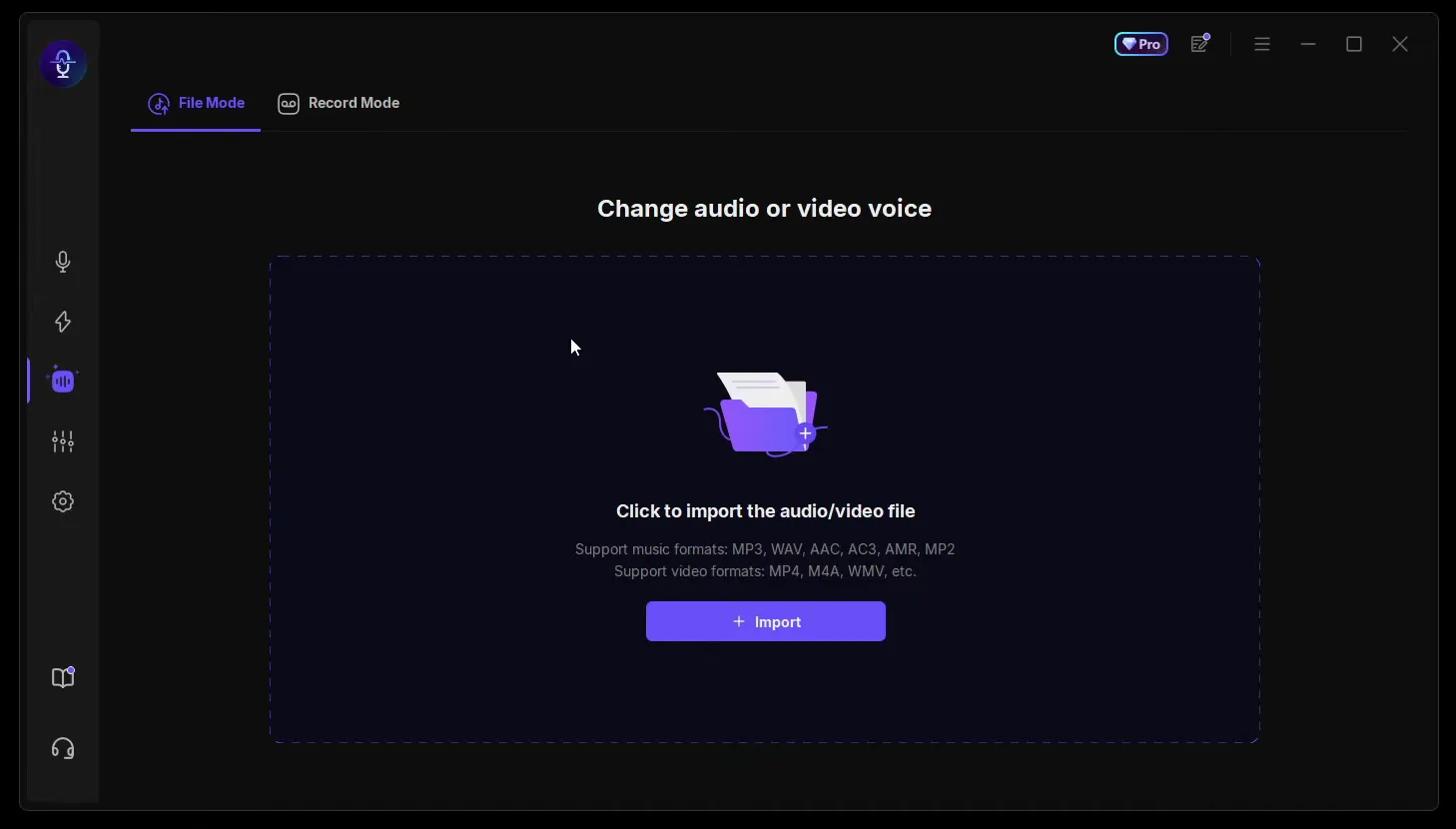
The supported formats are on the page: MP3, WAV, AAC, AC3, AMR and MP2 for audio, and MP4, M4A, WMV and more for video. This is the way to put a voice on a clip after the fact instead of live.
Next to File Mode is Record Mode: Record your microphone voice and then change the voice. Pick your microphone in the list, start recording, talk, and click the button again to end it. Then you change the voice of that recording.
3rd sidebar iconRecord Mode
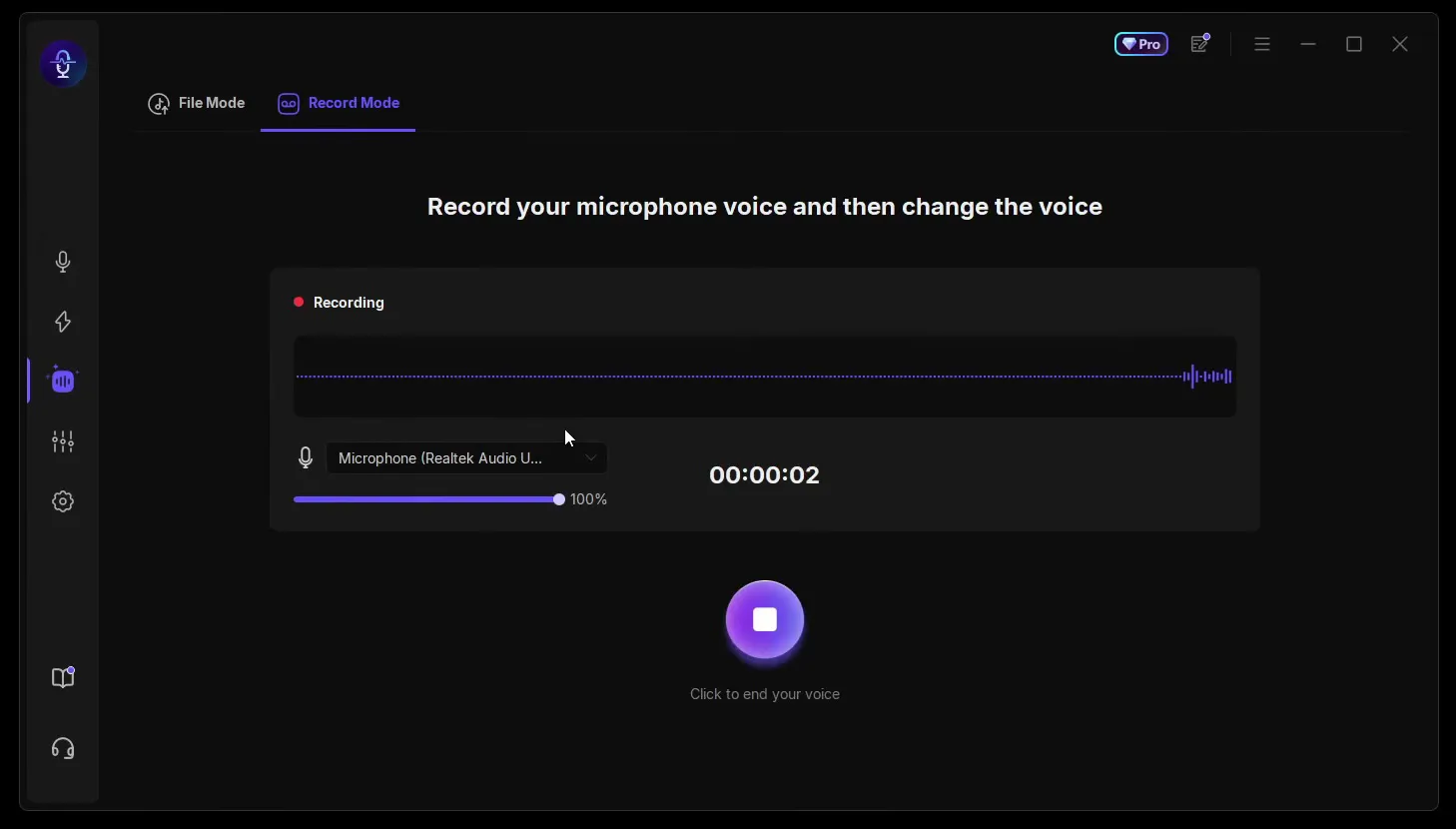
This suits short voice lines for a video or a meme: you get a clean take first and choose the voice after.
The fourth sidebar icon opens the Voice Laboratory: Simply create your own voice changer here. On the left is a list of effects you switch on one by one, such as Personality, Robot voice, Chorus, Distortion, Echo and three kinds of reverb. The middle shows the sliders of the effect you picked, and the right shows My Custom Voice with Volume, Pitch, Timbre and Save.
4th sidebar iconVoice LaboratoryPersonality
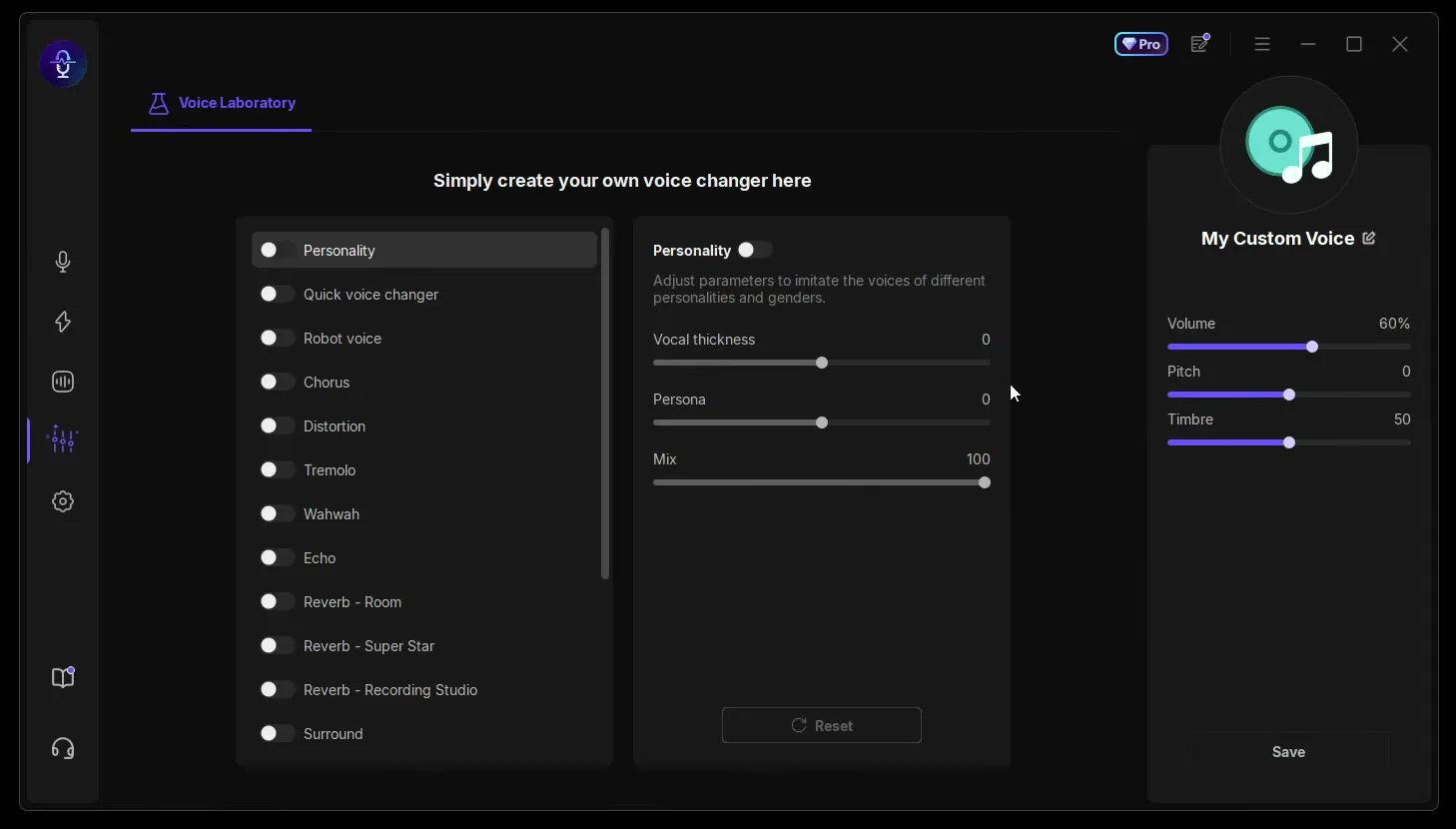
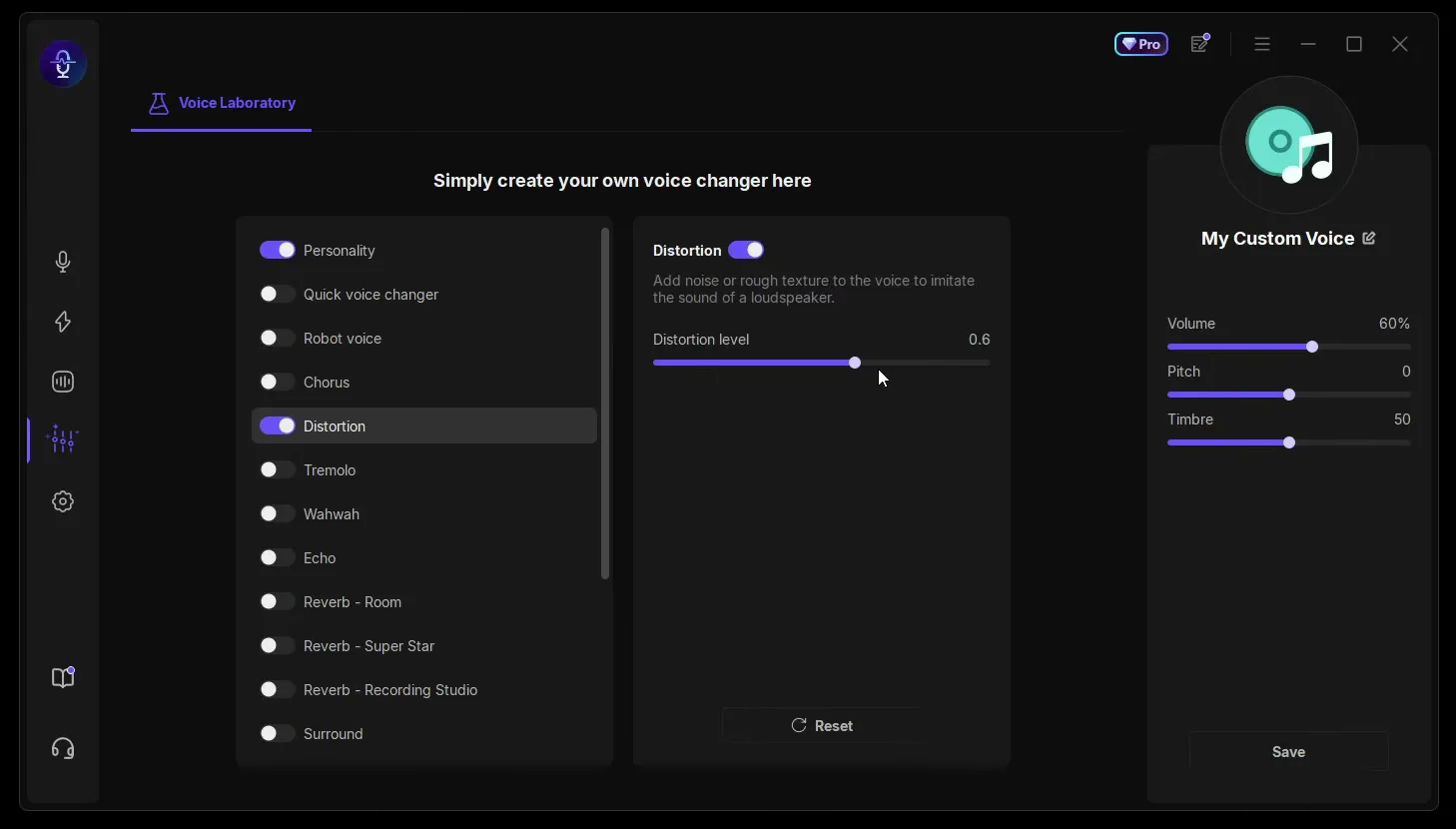
The video adds personality and vocal thickness, then turns on Distortion and raises the level to 0.6. The app describes Distortion as adding noise or rough texture to imitate a loudspeaker. Click Save to keep the result as your own voice.
How to check it worked
Test before you join a match, so the joke doesn't fall flat:
- Click Trump or Elon Musk and say a sentence. If you hear the celebrity voice instead of your own, the voice change works.
- In Discord or your game, set the input device to VoiceWave Microphone, then join a call with a friend and ask what they hear. Our voice changer setup guide for Windows and games shows that setting step by step.
- Press Ctrl+P (or your own keybind) during the call. Your friend should hear you switch back to your normal voice.
- Play one soundboard sound, such as the FBI sound. Your friend should hear it in the same channel.
How to undo it
To sound like yourself again, click Original or press its keybind. To take VoiceWave out of a game or Discord completely, set the input device there back to your real microphone.
Key settings at a glance
FAQ
Is there a free celebrity voice changer for PC?
Yes. In the video EaseUS VoiceWave installs with the Free Download button on the official page and changes the voice to Trump, Elon Musk and Cristiano Ronaldo. Some voices show a PRO label in the app, as Trump does on the PC in the video, so check in the app which voices your plan includes.
Which celebrity voices does VoiceWave have?
The video uses Trump, Elon Musk and Cristiano Ronaldo, and the voice grid also shows Harris. The video also names Kylian Mbappé, Messi, Stephen Hawking, LeBron James, Steph Curry and SpongeBob. Click the Celebrity filter or type a name into the search bar to see what is there today; the app also counts down to new daily voices.
Does the celebrity voice change in real time?
Yes. VoiceWave changes your voice while you talk, so friends hear the celebrity voice live in voice chat. For clips you have already recorded, use File Mode or Record Mode instead.
Can I use a celebrity voice changer on Discord and in games?
Yes. The video names Discord, TeamSpeak and OBS and shows it in Fortnite, and the download page lists games such as VALORANT, Roblox and Call of Duty. Select VoiceWave Microphone as the input device in the app or game; our Discord and Fortnite voice changer guide walks through it.
Is it legal to sound like a celebrity?
Doing an obvious celebrity voice for fun with friends is what these voices are made for. Problems start when you use a famous voice to deceive people, to scam, or in commercial content without permission, and platforms such as Discord have their own rules on impersonation. Make it clear it is a joke, and don't publish anything that could pass as the real person.
Can I change the voice in a video I already recorded?
Yes, with File Mode: click Import and pick the file. It takes MP3, WAV, AAC, AC3, AMR and MP2 audio and MP4, M4A, WMV and more video. Record Mode records your microphone first and lets you change the voice afterwards.
How do I switch voices quickly during a match?
Give each voice a keybind with Add keybind. The video puts Original on Ctrl+P and Zombie on a second Ctrl combination, so one press swaps the voice without opening VoiceWave. Our e-girl voice guide shows the same idea for soundboard sounds.
Does VoiceWave work on Mac?
The download button in the video says Windows 11/10, and every step here is for Windows. For voice cloning and more file tools in the same app, see our AI voice cloning guide.
Try EaseUS VoiceWave
EaseUS VoiceWave is the real-time voice changer used in the video. It works in Discord, games and streaming apps, and you can try it for free before you decide.
This article and the video are a paid partnership with EaseUS.