
How to Sound Like an E-Girl in Real Time with EaseUS VoiceWave (2026)

Written version of our video, every step checked against it.
Quick answer
- Install EaseUS VoiceWave from the official site and open the home page.
- Click Switch AI model, pick Voice Quality Priority and click Switch now.
- Click the E-girl voice and talk: your voice changes live, with no delay on the PC in the video.
- In Windows, open the sound settings and select VoiceWave Microphone under Input.
- Keep VoiceWave open, then start Fortnite or any other game. Soundboard sounds can sit on a key such as B.
This guide is for anyone who wants to sound like an e-girl live in Fortnite, Discord or any other game on a Windows PC, without recording and editing clips. It follows our video click by click: the right AI model, the E-girl and other AI voices, the community voices, soundboard sounds on a keybind, and the one Windows setting that makes your friends hear the new voice.
In this video
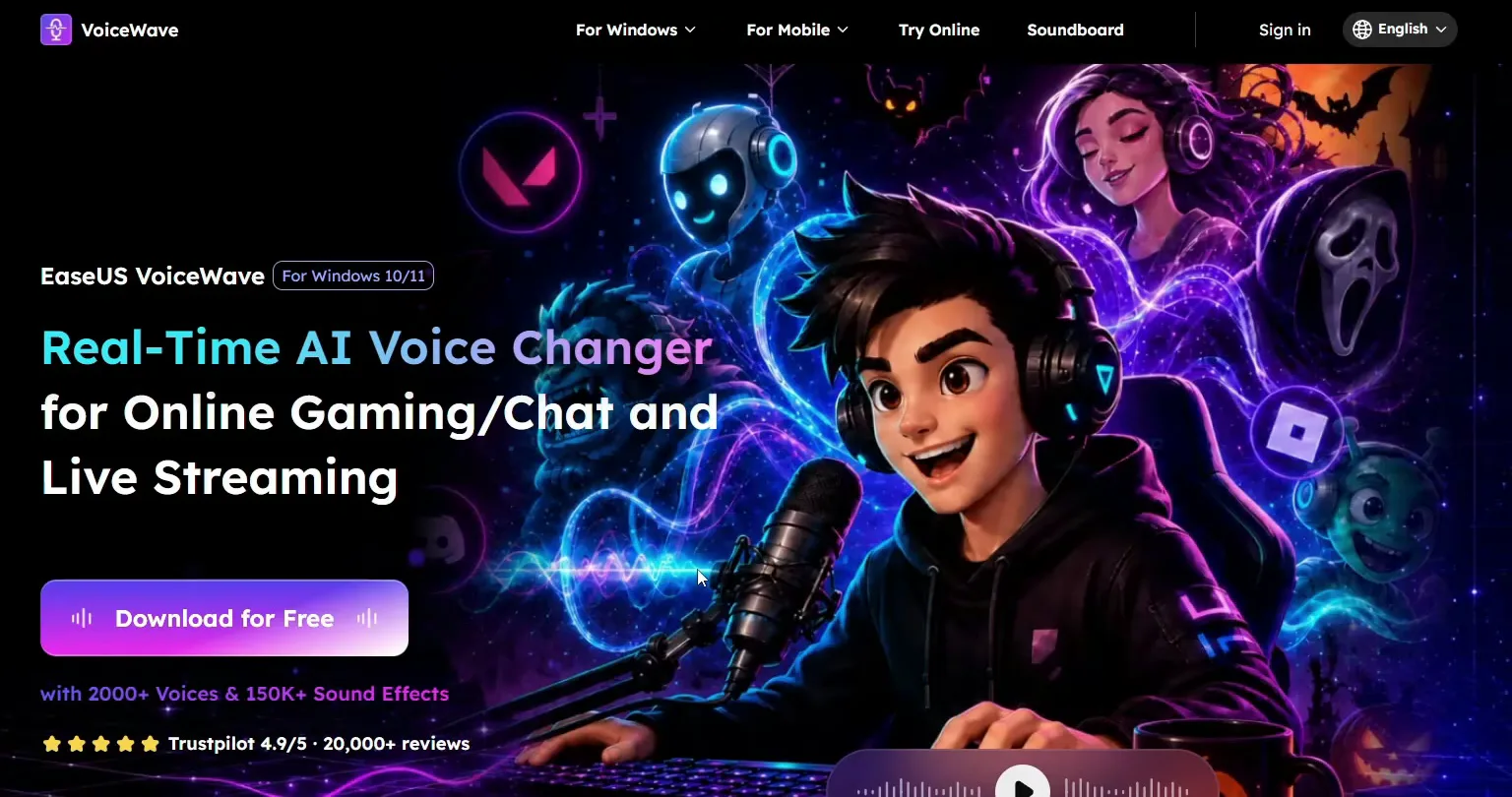
Open the first link in the video description. It leads to the EaseUS VoiceWave website, where you click Download for Free. Run the installer and wait until it finishes.
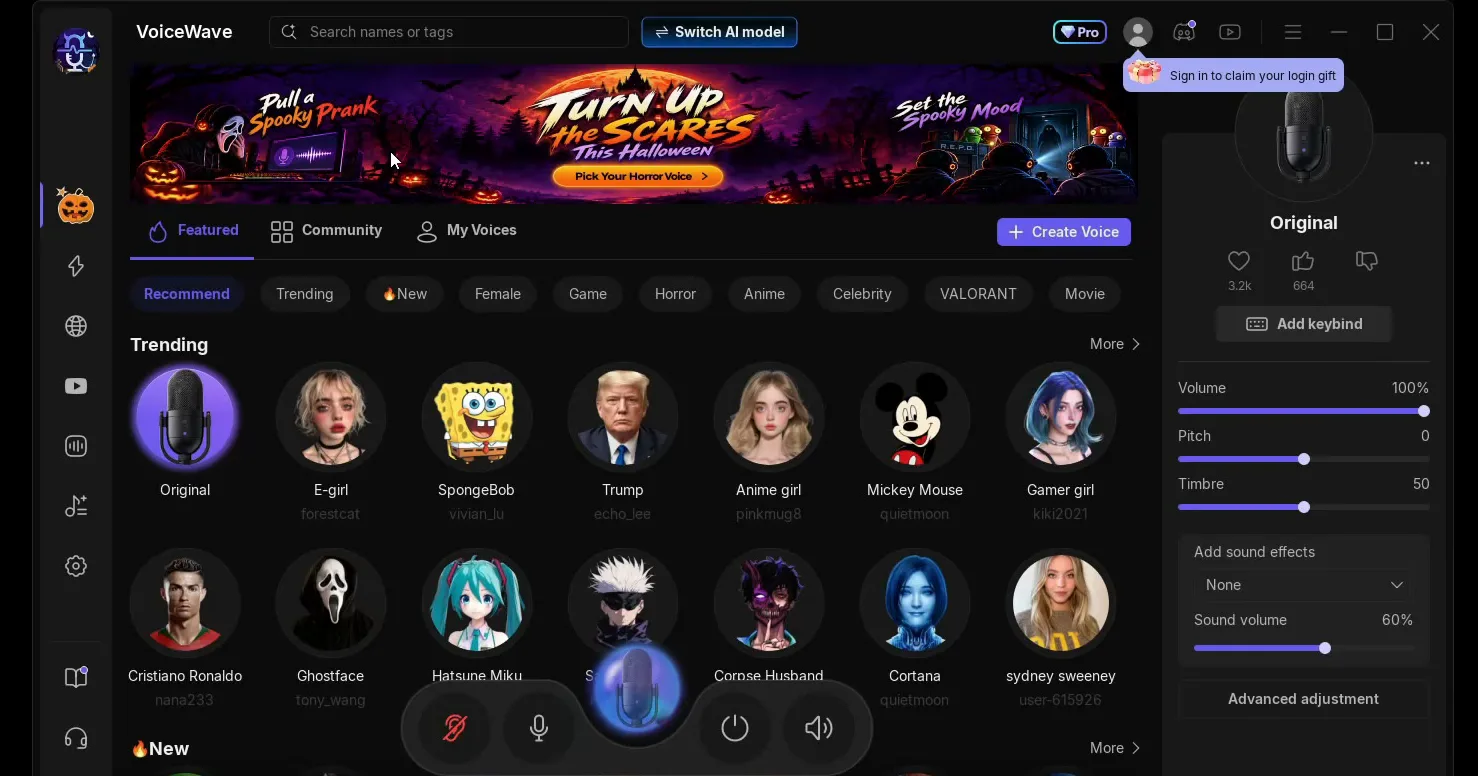
After the install the app opens on its home page. The voices sit in rows under Featured, with Original (your own voice) first, and the settings of the selected voice are on the right.
Good to know
The link in the video description leads to the official site, voicechanger.easeus.com. Download the installer only from there, not from mirror sites.
On the home page, click Switch AI model. A window opens with two modes. Pick Voice Quality Priority, click Switch now, and when the app says it has switched, click OK.
Switch AI modelVoice Quality PrioritySwitch nowOK
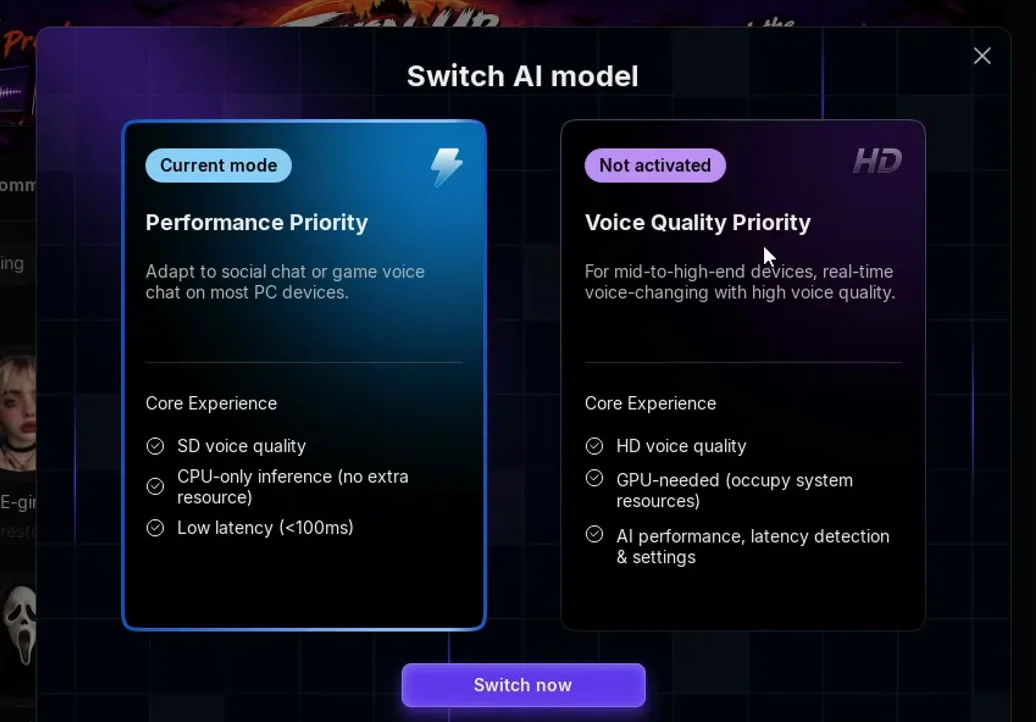
The window explains the difference itself. Performance Priority gives SD voice quality, runs on the CPU only and lists low latency (under 100 ms). Voice Quality Priority gives HD voice quality, needs the graphics card and is meant for mid to high-end PCs. The HD model is the one that makes the e-girl voice sound natural in the video.
Tip
On an older or weaker PC, if the changed voice stutters or sounds choppy, open the same window and go back to Performance Priority. It costs some voice quality but needs no graphics card.
Now the only thing left is to click the voice you want. The E-girl voice is in the Trending row on the home page, right next to Original. Click it and speak into your microphone: your voice comes out live as the e-girl voice.
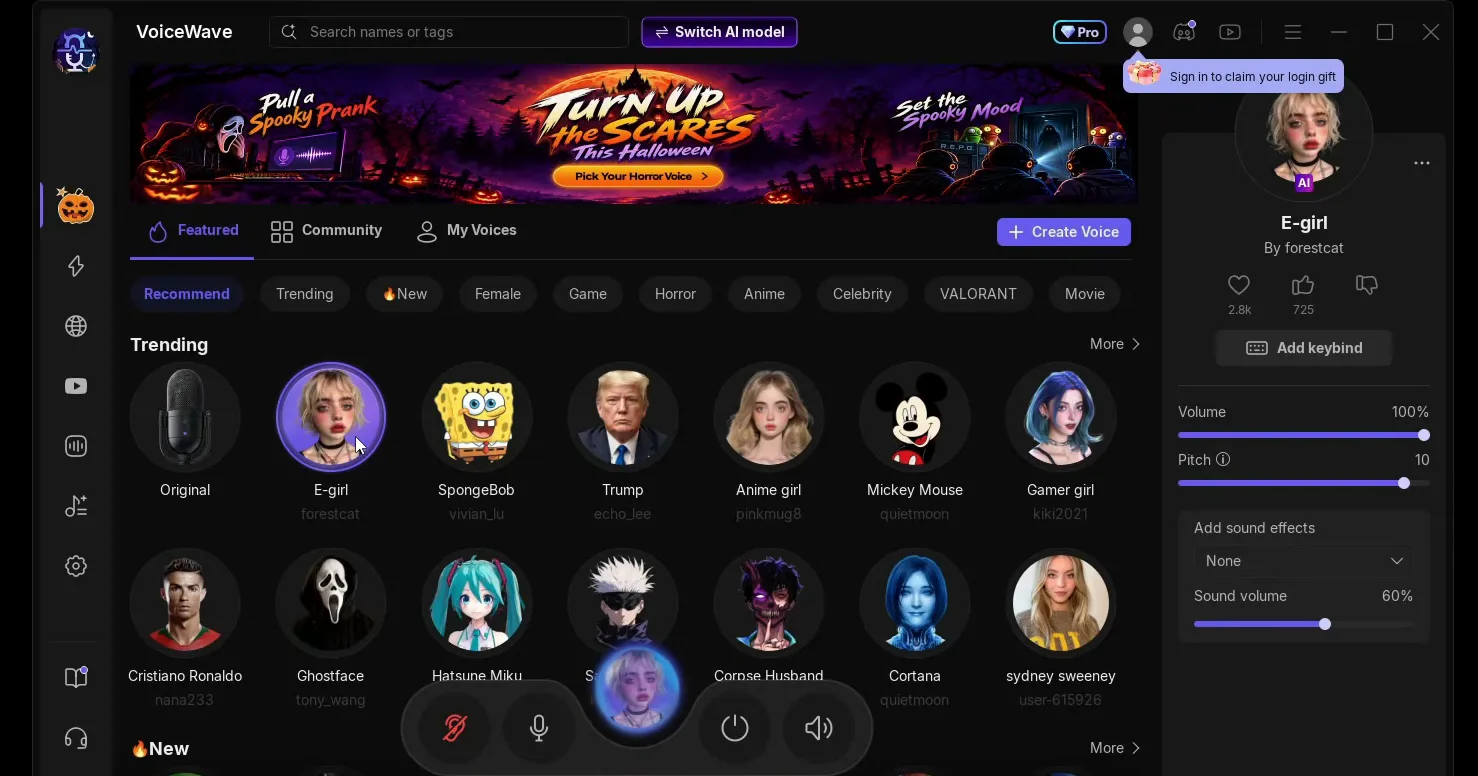
In the video the voice sounds extremely realistic and has no delay at all. The panel on the right shows the voice's own settings: Volume 100%, Pitch 10, sound effects off. The video leaves them as they load, and that is a good starting point for you too.
You can switch voices as often as you like. Click Anime girl in the same row and wait a moment: the first time you pick a voice, it downloads before you can use it. After that, one click swaps your voice again.
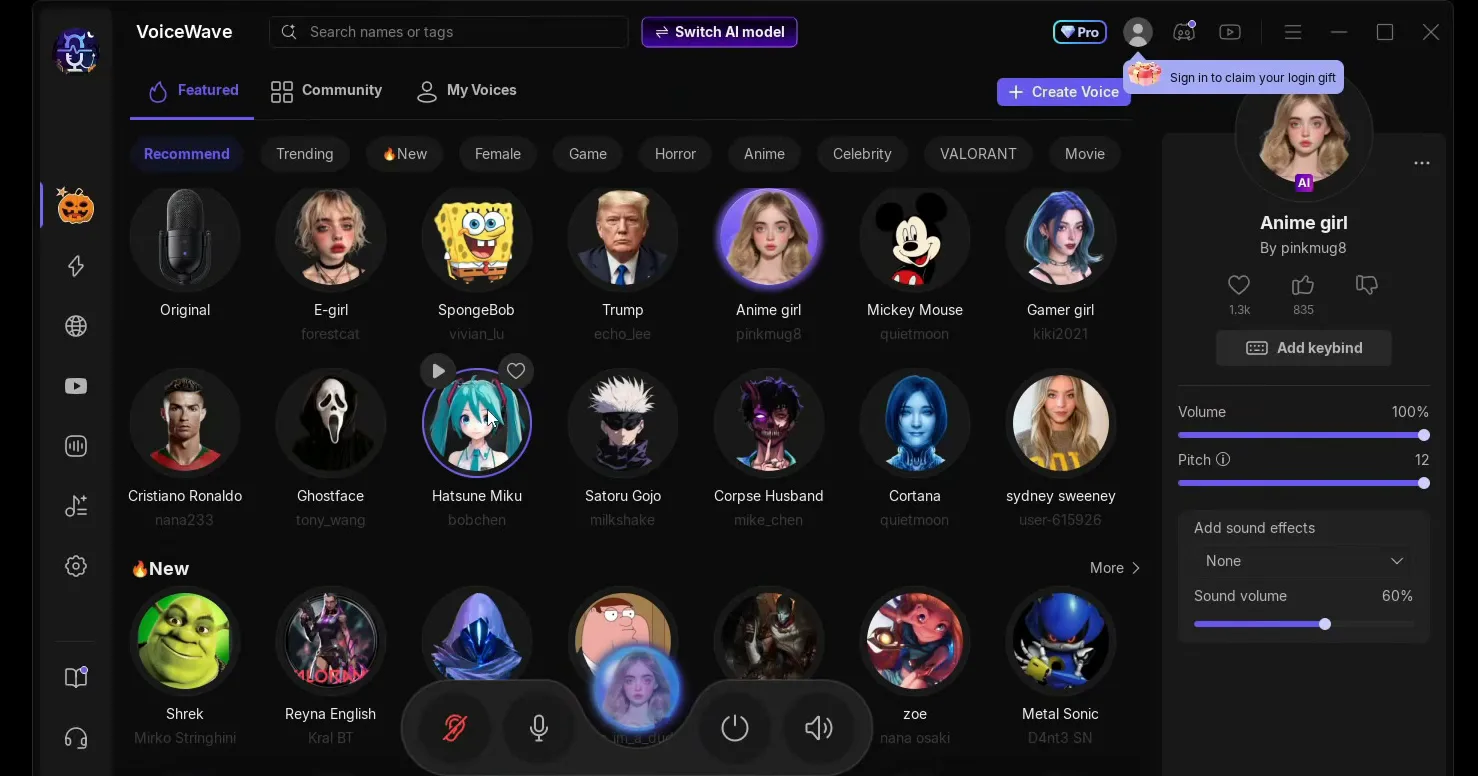
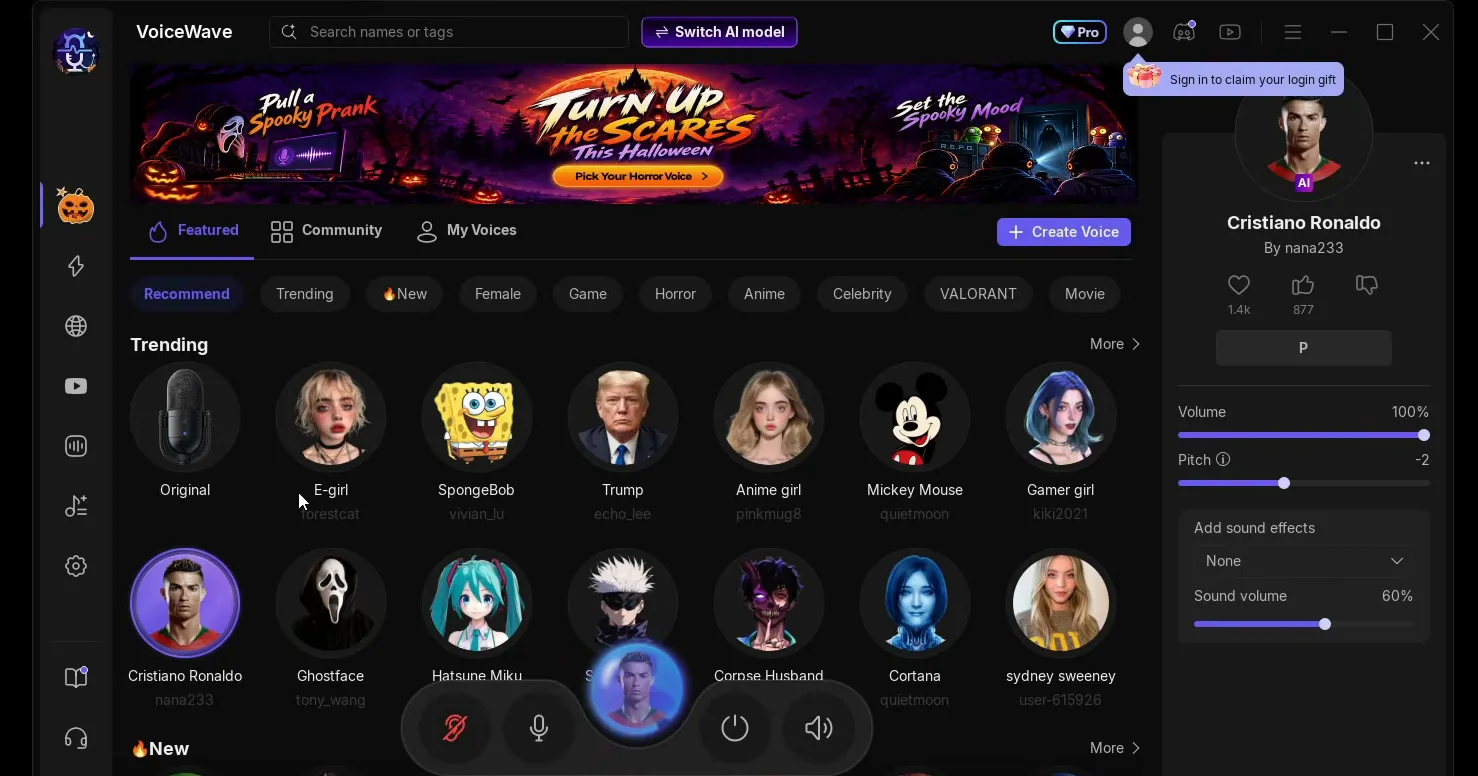
The Trending row has more AI voices, and the video tries Trump and Cristiano Ronaldo as well. Each one works the same way: click it, wait for the first download, then talk.
For the video, the best part of the app is the Community tab, next to Featured at the top. It is a list of voices that people make, and it only ends when you stop scrolling. It has filters for Female, Game, Horror, Anime, Celebrity, Movie, FPS and Male.
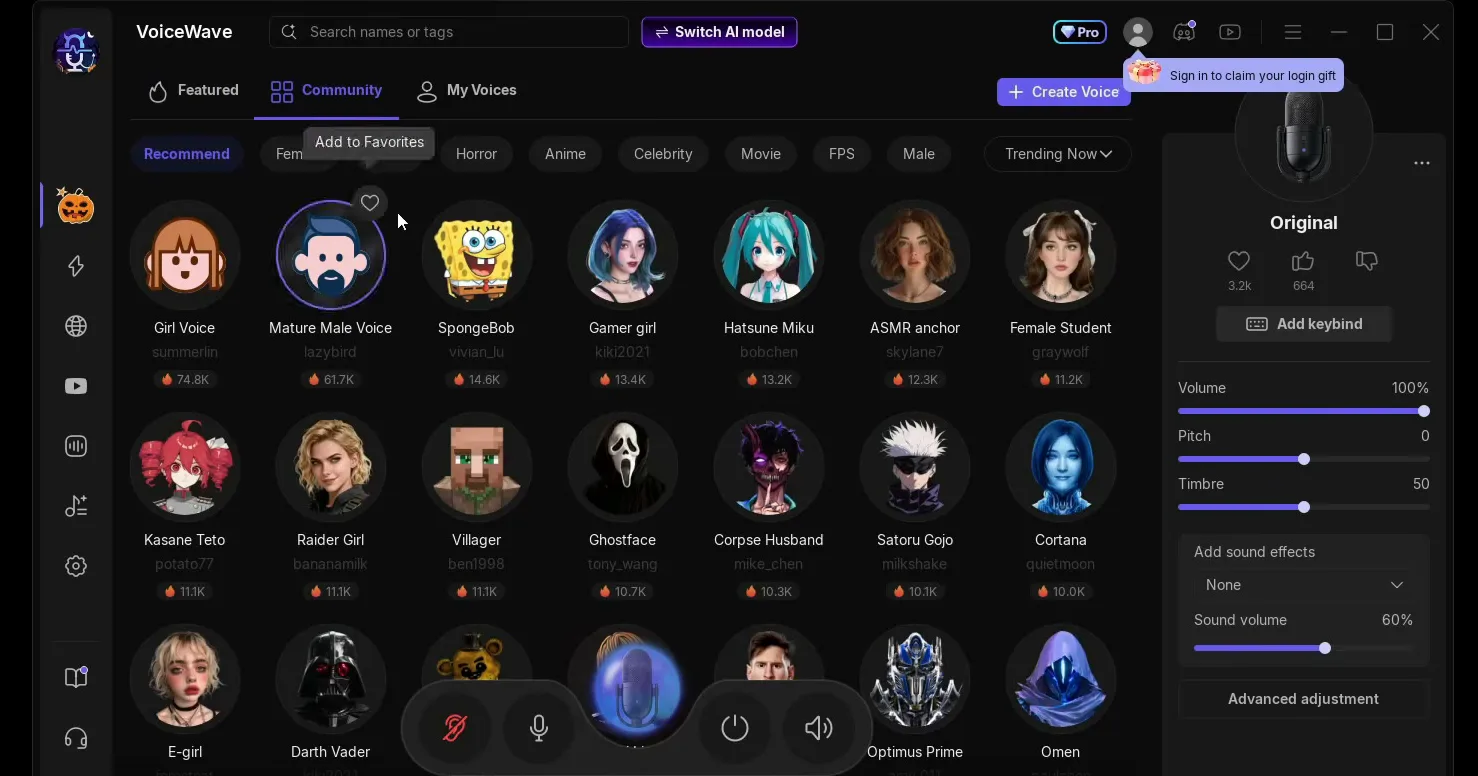
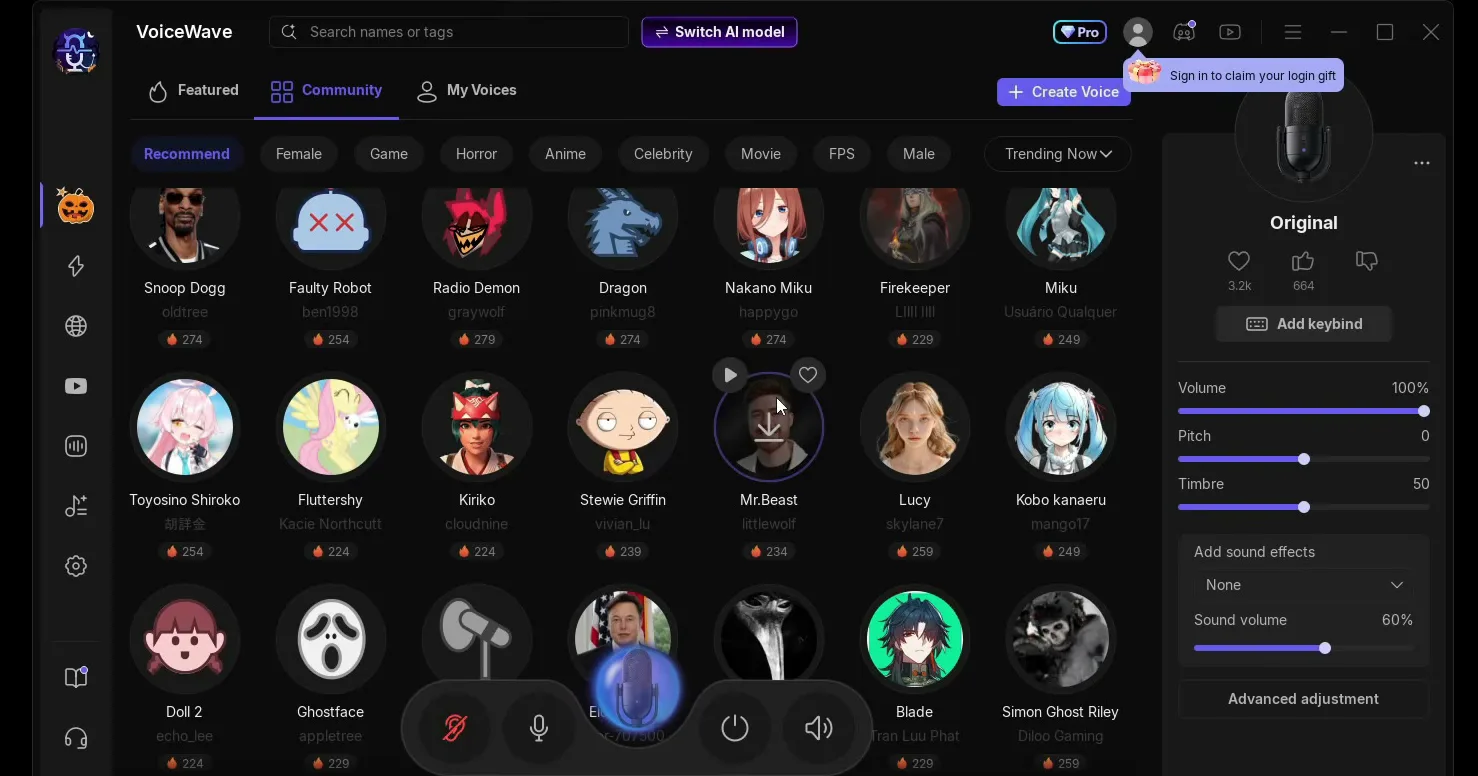
The video scrolls past celebrities, cartoon characters, a robot and a dragon. If the E-girl preset is not quite the voice you want, type "girl" or "e girl" into the search bar at the top or open the Female filter here: the list shows more girl voices made by the community.
VoiceWave also has a soundboard. Open it from the left sidebar and you see All sounds, with categories such as Funny, Horrors, Game and FPS-S. Click a sound such as the Airhorn or one of the laughing sounds to download it, the same way voices download.
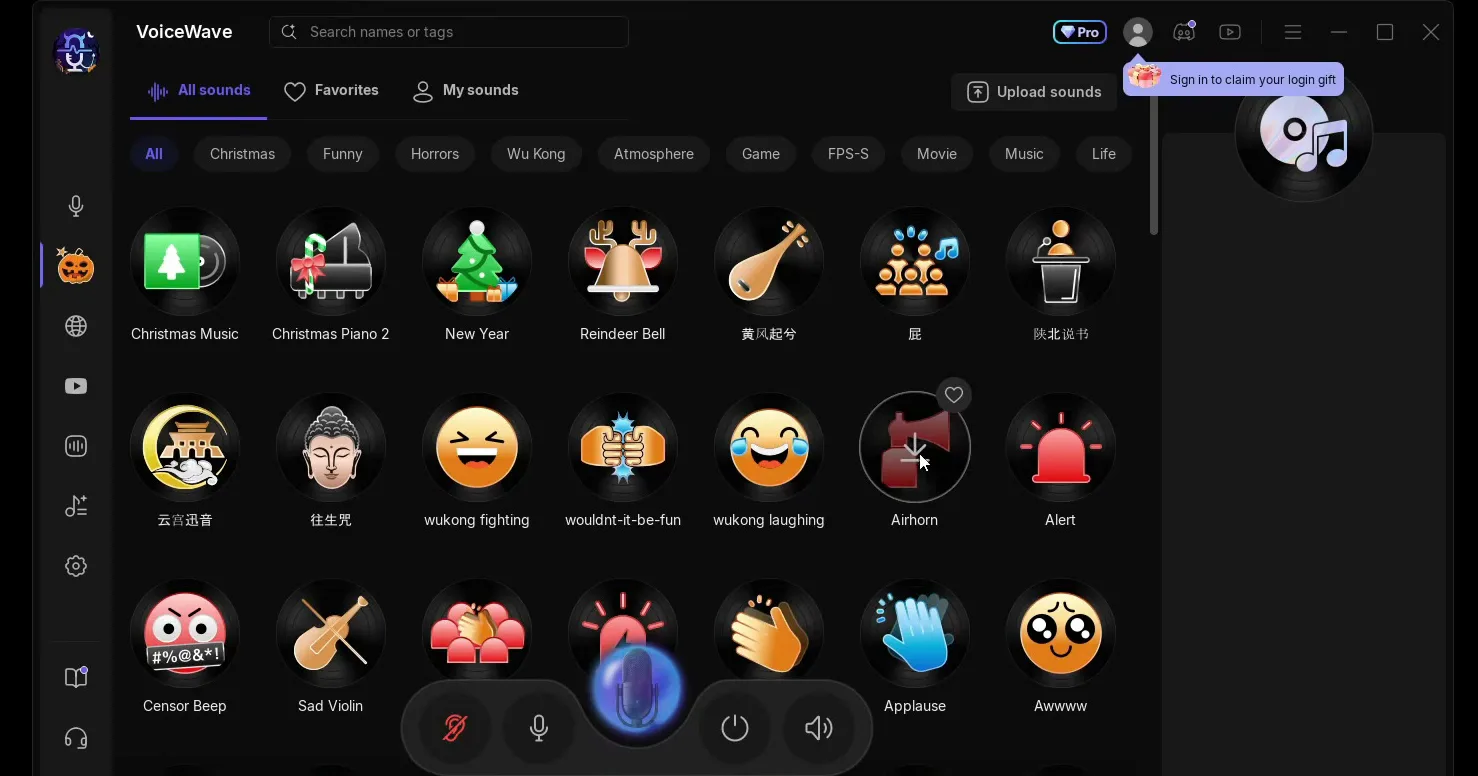
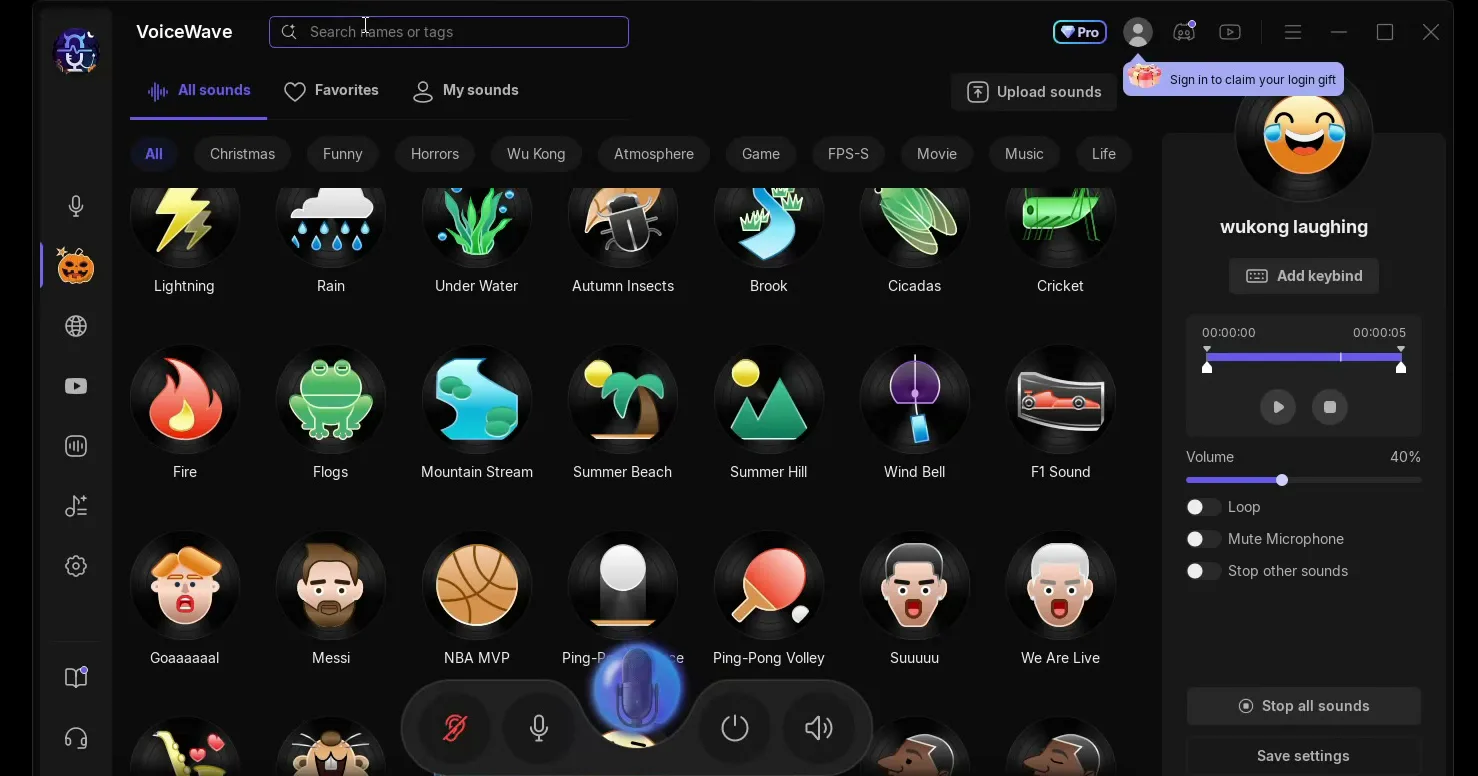
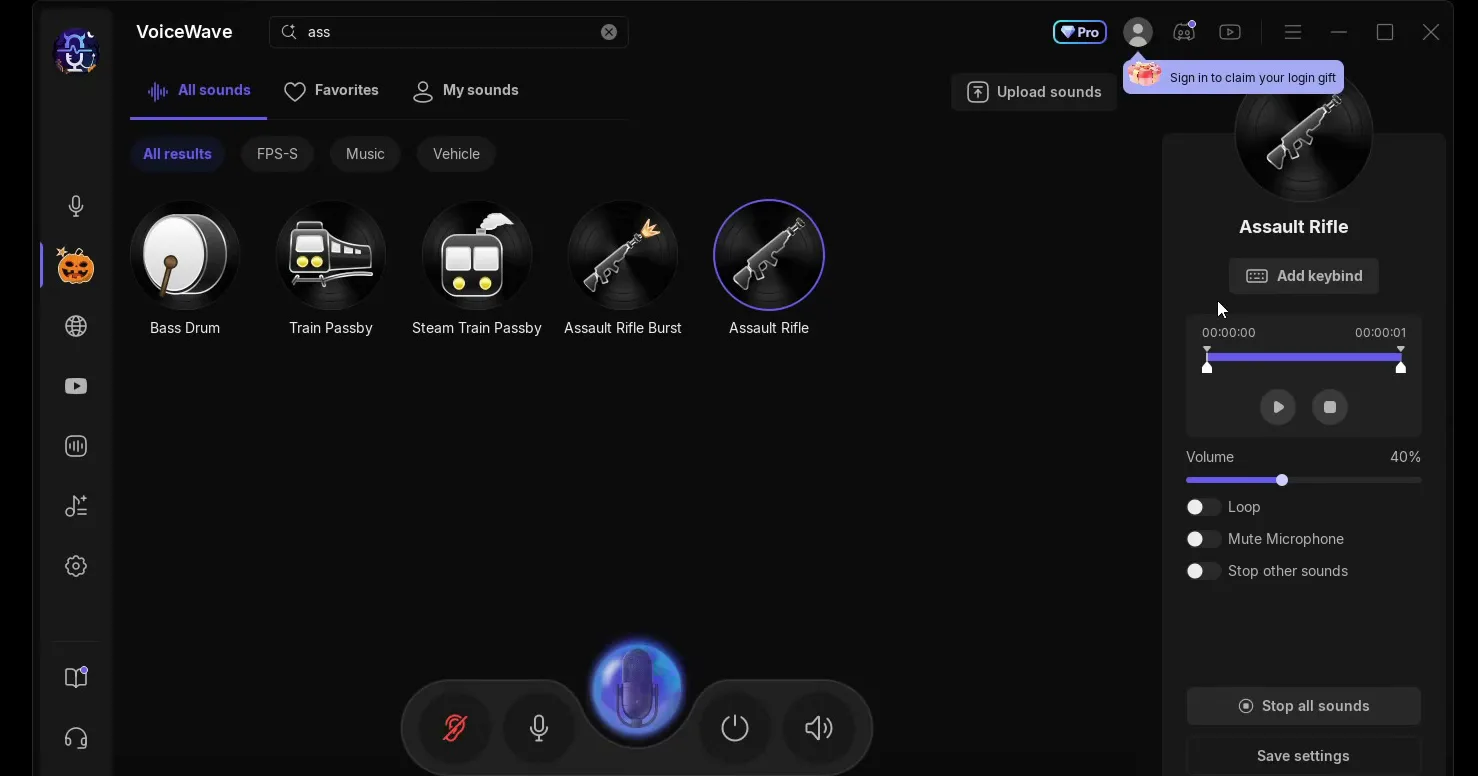
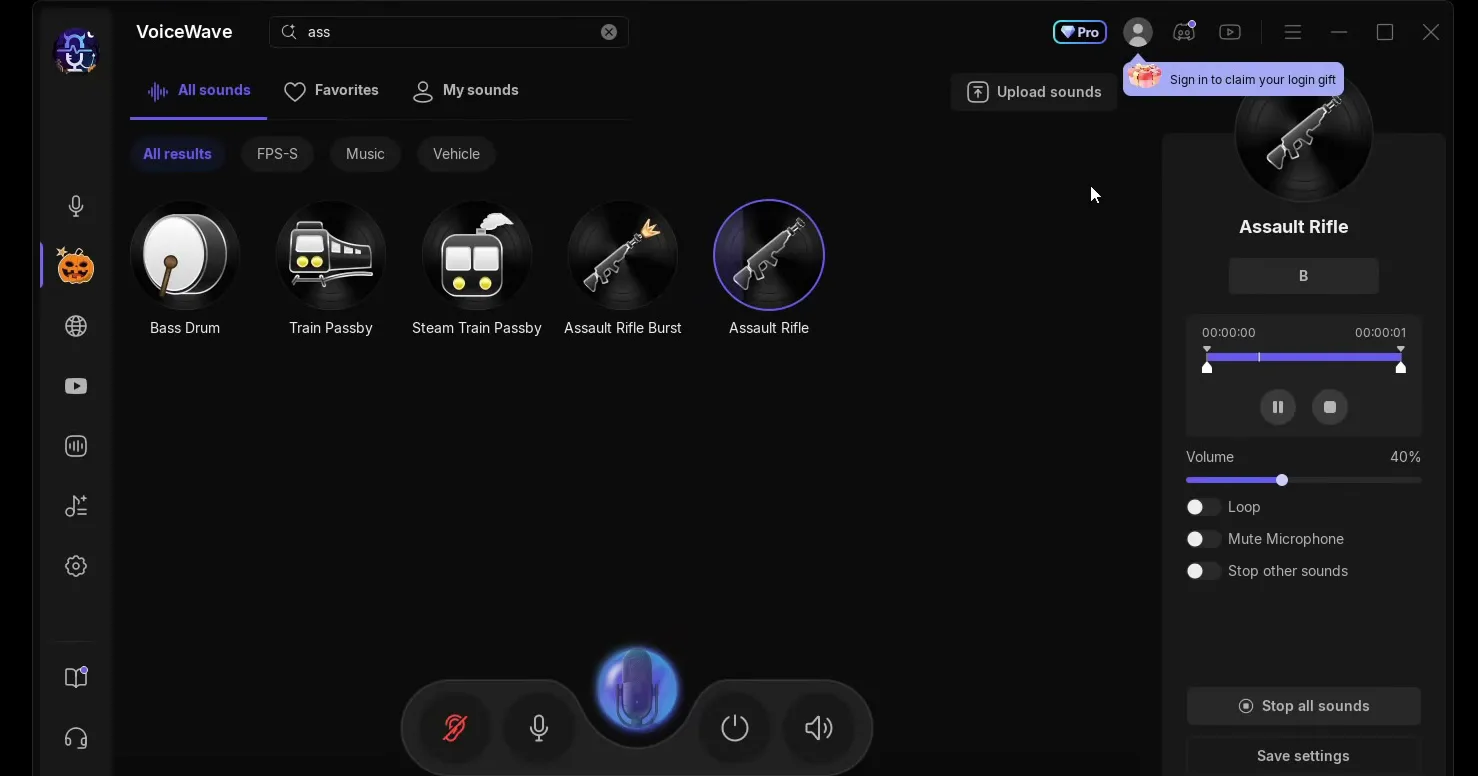
You can also search the soundboard. The video's favourite is the Assault Rifle sound, the one from Fortnite: type "assault" into the search bar and it shows up together with Assault Rifle Burst.
A keybind is a key on your keyboard that plays the sound. Select the sound, click Add keybind in its panel and press the key you want. The video uses B for the Assault Rifle: every press of B plays it, so your friends hear shots out of nowhere.
All soundsAssault RifleAdd keybindB
Tip
Pick a key you never press for anything else. A key you also use in your game would fire the sound every time you use it in a match.
The app also has a video hub with tutorials for all of its features. You can create your own custom AI voice or voice effect too, with the Create Voice button on the voices page.
This is the step that makes the voice work in games. Right-click the speaker icon on the taskbar, open the volume mixer, then the sound settings. Scroll down to Input and select VoiceWave Microphone (EaseUS Virtual Device) as the device for speaking or recording.
Speaker icon (right-click)Volume mixerSound settingsInputVoiceWave Microphone
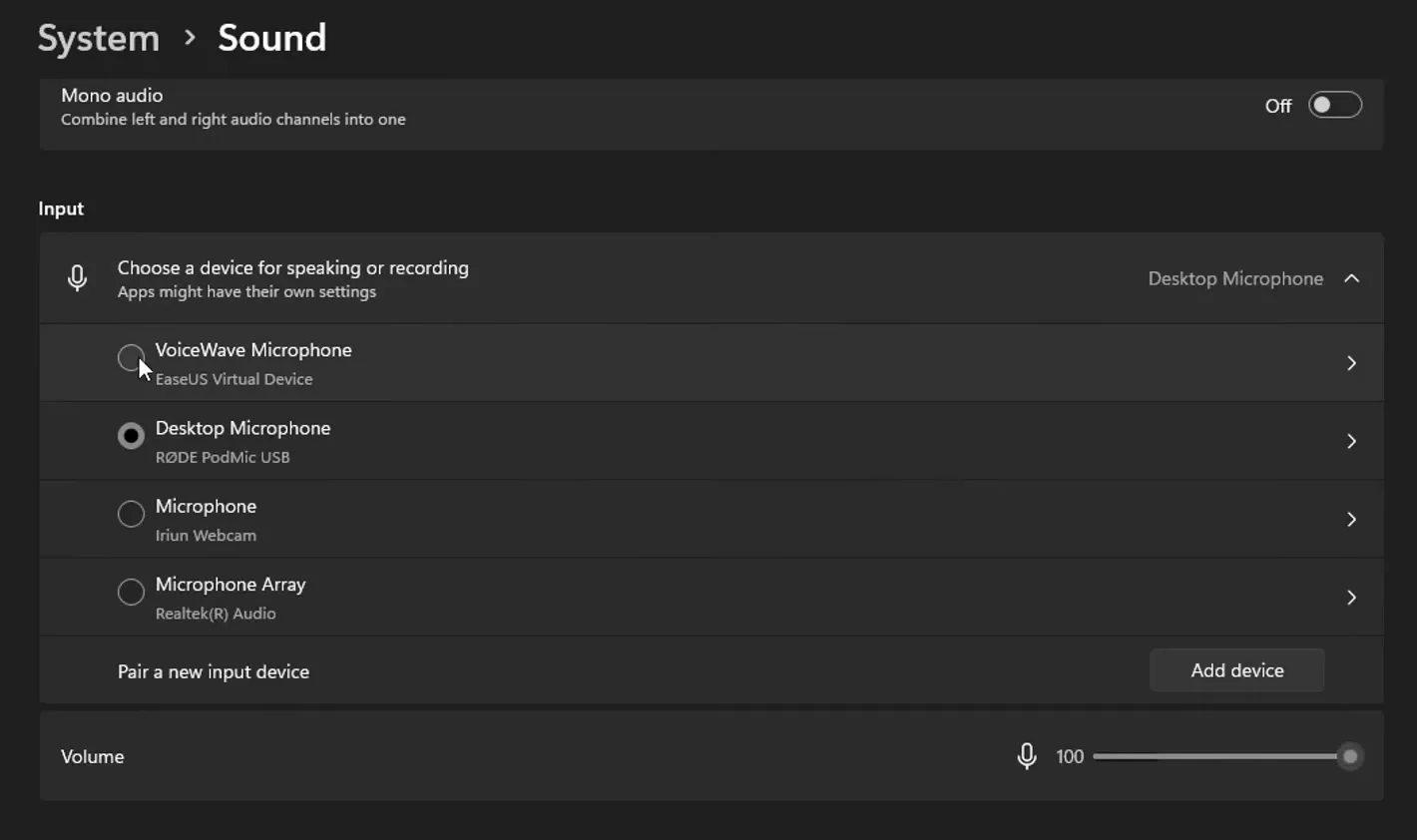
Leave it selected and keep the VoiceWave app open. Now start Fortnite or any other game that uses the Windows microphone, and your teammates hear the e-girl voice. Your real microphone stays connected: VoiceWave listens to it and sends the changed voice on through the VoiceWave Microphone.
Careful
Windows notes under this setting that apps might have their own settings. If Discord or a game is set to one specific microphone instead of the Windows default, open its voice settings and choose VoiceWave Microphone there as well.
How to check it worked
Before you join a match, make a quick test so you don't find out mid-game:
- With E-girl selected, speak and watch the input level bar under the VoiceWave Microphone in the Windows sound settings. If it moves, the changed voice is reaching Windows.
- Join a Discord call or a party with a friend and ask what they hear. If they hear your normal voice, the game or Discord still uses your real microphone directly.
- Press your soundboard key (B in the video) during the call. Your friend should hear the sound in the same channel as your voice.
How to undo it
To sound like yourself again, click Original in VoiceWave. To take VoiceWave out completely, select your normal microphone again under Input in the Windows sound settings.
Key settings at a glance
FAQ
Does the e-girl voice change in real time?
Yes. VoiceWave changes your voice while you talk, so there is nothing to record or edit. On the PC in the video it sounds extremely realistic and has no delay.
Which AI model should I use for the e-girl voice?
Voice Quality Priority, as in the video: the app lists it as HD voice quality for mid to high-end PCs, and it uses the graphics card. Performance Priority is the lighter option: SD quality, CPU only and low latency (under 100 ms) according to the app.
How do I use the e-girl voice in Fortnite?
Select VoiceWave Microphone under Input in the Windows sound settings, keep VoiceWave open with E-girl selected and start Fortnite. If Fortnite's own audio settings point at one specific microphone, set VoiceWave Microphone there too.
Does it work in Discord?
Yes, the same way. In Discord, open User Settings, then Voice & Video, and set the input device to Default (when Windows uses VoiceWave Microphone) or to VoiceWave Microphone directly. Our Discord and Fortnite voice changer guide shows that setup in detail.
Is EaseUS VoiceWave free?
The download is free: the button on the official site says Download for Free, and the video installs it from there. The app also shows a Pro badge at the top, so check inside the app which voices and features your plan includes.
How do I go back to my normal voice?
Click Original, the first voice in the Trending row. To stop using VoiceWave altogether, select your real microphone again under Input in the Windows sound settings.
Can I play soundboard sounds while I use the e-girl voice?
Yes. In the video the Assault Rifle sound plays with the B key while VoiceWave is running, so friends hear it in the same voice channel. Each sound's panel also has Volume, Loop, Mute Microphone and Stop other sounds.
Does VoiceWave work on Mac?
The VoiceWave site in the video labels the app "For Windows 10/11", and every step here is for Windows. For a different female voice on Windows, see our AI girl voice changer guide, and for voices on a hotkey, the voice changer hotkey guide.
Try EaseUS VoiceWave
EaseUS VoiceWave is the real-time voice changer used in the video. It works in Discord, games and streaming apps, and you can try it for free before you decide.
This article and the video are a paid partnership with EaseUS.